It starts with a single link, which could come from an email, a pop-up ad, or a social media post. The website loads and everything appears to be in order, but the question remains: Is that website safe?
If you are accessing a website without checking its safety protocols, then you may be seconds away from disclosing personal or essential information to a scammer or downloading malware onto your device.
Although, the relaxing part is that anyone can learn basic, efficient methods for checking website security and ensuring that such incidents never happen.
In this article, we’ll cover quick checks you can conduct immediately, as well as more in-depth measures for when you really want to be certain. So, you never put your data, money, or security at risk when visiting a website.
Key Takeaways
Understanding the quick checklist to assess the credibility of a website
Discovering ways to recognize fake websites
Looking at some tips to follow when you visit a questionable or proxy website
Quick Checklist to Tell if a Website Is Safe
Here are some essential points to help you check whether a website is safe for downloading files.
1. Check the Secure HTTPS Connection
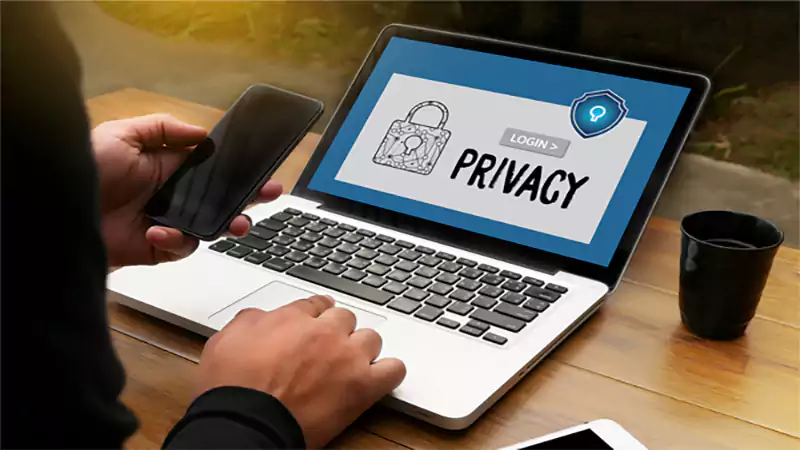
Check website URLs for “HTTPS” at the start. The “S” in safe signifies the site encrypts your passwords and payment information to keep hackers out. If your browser displays a padlock icon next to the URL, the site is encrypted. Someone can access your information without permission and destroy your privacy by making it public.
To ensure the security of a website’s SSL certificate, use the SSL certificate checker tool, which verifies the validity and configuration of a website’s SSL certificate.
2. Verify the Domain URL
Scammers often register fake domains that resemble real websites but have minor differences. Hyphens, letter swaps (“amaz0n” instead of “amazon”), and uncommon domain extensions (“.xyz” or “.top”).
Check the domain’s history. You can also check the domain history using DNS WHOIS to see when it was registered and if ownership is public. A new domain with no history, particularly one that sells luxury goods, should be viewed with suspicion.
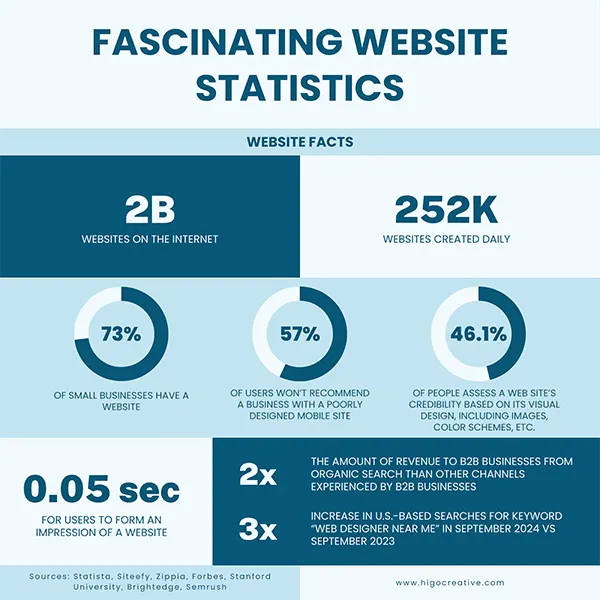
Intriguing Insights
This infographic shows some fascinating website statistics
3. Check Design and Functionality
A well-designed website with easy navigation and fully functional pages is a common indicator of credibility. Avoid sites with outdated or broken links, and look for a clean, professional layout.
A regularly maintained, well-functioning website may indicate a company that emphasizes customer experience and security. However, poorly designed websites with obvious defects, pop-up advertising, or inconsistent styling may be a warning flag.
4. Review Trust Badges and User Reviews
To assess if a website is safe to buy from, check its payment options. Credit cards and PayPal are used on secure websites to protect online safety, especially when users understand how to withdraw money from PayPal and can distinguish legitimate transactions from common online scams Do not trust websites that only accept wire transfers, bitcoin, or gift cards, which are virtually impossible to reverse if you are tricked.
Interesting Facts 41% of the users reject website cookies, and only 30% users allow cookies
How to Recognize Fake Websites
These signs can help you spot fake websites:
To mimic legitimate brands, fake websites use identical logos, designs, and content.
Scammers often offer very low prices in comparison to market standards, so don’t fall for those traps.
What to Do when you Visit a Questionable or Phony Website?
If you land on a suspicious page, it doesn’t always mean that your device or personal information has been breached; sometimes, doing a security check is necessary before assuming anything. These checks include steps like:
Leave immediately. To prevent further website interaction, close the browser tab or window.
Empty your cache and cookies. This helps to remove any saved data, trackers, or scripts from the site that may be following you while you’re browsing.
Look for files you don’t want to keep. If the site prompted a download or you allowed one, remove it and conduct a virus scan to ensure your device is clean.
Protect your payment and account info. Change your passwords and activate 2FA immediately if you have provided login information to prevent unauthorized access to your account. If you enter payment information, check your bank account for suspicious activity and notify your bank immediately.
Tell someone about the site. Help others by reporting the website to search engines, browser security teams, or official authorities, so that it can be marked as unsafe.
Make your internet safety better. To keep your sensitive data private while browsing, use technologies such as a VPN that includes threat protection measures. As VPNs mask your data and your IP location.
Conclusion
If you click on a suspicious email, pop-up ad, or social media link, you may expose yourself to cyber threats. Everyone can safeguard their data and devices with a bit of care.
Beware, especially when visiting unfamiliar sites or seeing unrealistic prices. Verifying a website’s validity is worth it for your data and security. Use the appropriate resources, educate yourself, and protect your data online.
Frequently Asked Questions
Can a website be 100% secure?
No website can be 100% safe on the internet; that’s why it is recommended always to use proxies.
What are the 7 types of cybersecurity threats?
Seven common types of cybersecurity threats include malware, ransomware, phishing, distributed denial-of-service (DDoS) attacks, man-in-the-middle (MitM) attacks, insider threats, and advanced persistent threats (APTs).
What are the five types of cybersecurity?
Five key types of cybersecurity are Network Security, Application Security, Information Security, Cloud Security, and Endpoint Security.
With the rise of distributed systems, microservices, and cloud-native architectures, the sheer amount of telemetry data being generated is staggering.…
Managing payroll is one of the most complex administrative responsibilities for businesses. Beyond calculating wages and issuing paychecks, payroll teams…

 Upasna Deewan