
The technology you use to observe and maintain your IT infrastructure and Internet of Things (IoT) smart devices remotely.
A Full Guide to Implementation of Remote Monitoring Tech
 Kartik Wadhwa
Updated on: Jan 14, 2026
At first, remote monitoring seemed like science fiction. At first, remote monitoring seemed like science fiction. The notion itself was almost magical, similar to using your phone to determine a field’s thirst or to check the pulse of a machine from your kitchen.
The notion itself was almost magical, similar to using your phone to determine a field’s thirst or to check the pulse of a machine from your kitchen. But that future has quietly come. But that future has quietly come.
Everyone discovers the hard way that the devices you order don’t actually contain the magic. It’s how you incorporate them into your regular tasks. That’s why in this blog post, we are going to cover their core benefits that came into play. Only when it is implemented with care and consideration does that occur.
Let’s begin!
Key Takeaways
- Understanding the importance of monitoring tech
- Uncovering the design invisibility
- Looking at the quiet launch process
- Exploring the never-ending cycle
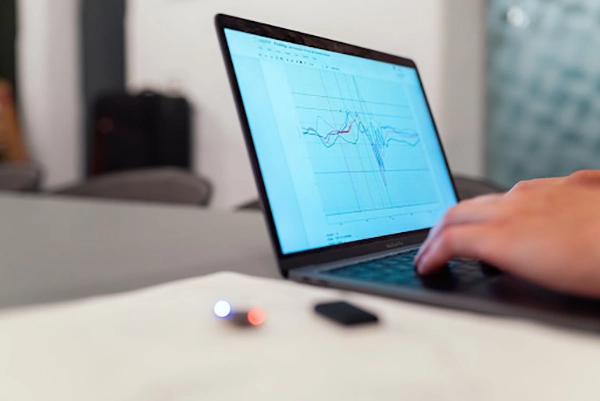
Start with the ‘Why’
This is the most crucial step, and the one most often skipped. Don’t start by looking at shiny sensor catalogs. Are you aiming to reduce unplanned downtime on a production line? Cut water consumption across your facilities? Ensure the safe temperature of pharmaceuticals in transit?
Monitor occupancy in a building for energy efficiency? This “why” becomes your North Star, guiding every decision that follows. It defines what success looks like. Is it a 15% reduction in maintenance costs? An energy consumption reduction of 20%? Get this right first, and you’ll have a way to demonstrate the value of your project.
Interesting Facts
Use a mix of tools like smartwatches, blood pressure cuffs, oximeters, and even implanted sensors, ensuring they are user-friendly for patients.
Designing the Invisible Nervous System
Once you know your goal, you can design the system to achieve it. This is about choosing the right nervous system for your data. You need sensors (the nerve endings) and a way for them to communicate (the nerves).
- Sensors: Select sensors based on your goal. Temperature, humidity, pressure, vibration, fluid levels, GPS location: the list is vast. Quality and durability for the specific environment (outdoor, harsh industrial, clean room) are key.
- Connectivity: This is where your data gets a voice. You have options:
Cellular (4G/5G): Great for wide coverage and high data volumes, but think about ongoing SIM card costs and power use.
Wi-Fi: Simple for office environments, but range and reliability can be issues.
Low-Power Wide-Area Networks (LPWAN): This is the hero for battery-powered, widespread monitoring. Technologies like LoRaWAN are perfect for sending small packets of data over long distances very efficiently.
If this route makes sense for you, seeking out UK LoRaWAN expert support services can be invaluable. They can help with network planning, gateway placement, and ensuring your signals punch through concrete and across fields, saving you from massive headaches later.
Building the Brain
All of that data is worthless unless it is gathered, comprehended, and used. The software platform, the brains behind your business, plays this role.
A good platform does three things:
1. Ingests Data: It securely receives data from all your sensors, regardless of connectivity type.
2. Visualizes It: It presents data in clear, intuitive dashboards. Think simple graphs, gauges, and maps, not overwhelming spreadsheets. A maintenance manager should see a red alert on a pump’s vibration in seconds.
3. Action Triggers: You should be able to establish rules on the platform, such as “Send an SMS to the site manager if the temperature exceeds X.” “Produce a work order automatically if a machine runs for Y hours.” The best platforms convert unprocessed data into clear instructions.
The Quiet Launch
You’ve got a brilliant system designed on paper. Pick one manageable but important spot: a single key machine, one production line, a specific building wing.
Think of this pilot phase not as a final exam, but as a practice run. This is your opportunity to learn all the details that the blueprints failed to mention. Does actual vibration cause the sensor to shake loose?
Is there a dead zone for connectivity where you need it most? Are the alerts so frequent that the team starts ignoring them? This is your safe space to tinker, adjust, and get it right without big stakes or big pressure.

Scaling Up and Making It Stick
Your pilot is a success. Now comes the careful scale-up. Develop a phased rollout plan. Train your people, not just on how to read the dashboard, but on the new processes it enables. If the system alerts to a predicted failure, what is the new workflow for the technician?
Culture change is part of tech implementation. Encourage teams to rely on the data. Celebrate when an alert prevents downtime. This shift from reactive (fixing what’s broken) to proactive (preventing the break) is the ultimate prize.
The Never-Ending Cycle
Think of implementation not as a finish line, but as the starting point for getting smarter every day. This is where the real work begins. Treat the system like a new team member. Check in with it regularly. Is it delivering on the promise that justified the investment?
Examine the incoming data carefully. Are there any metrics being gathered that nobody is paying attention to? Could you solve a problem you hadn’t even thought of before by adding a different kind of sensor?
Technology never stands still, and neither should a monitoring setup. By scheduling simple quarterly reviews, you ensure the system grows and adapts, remaining a living asset rather than a static cost.
In the end, this process is far less about the hardware and much more about building a culture of intelligent awareness. It’s a commitment to a quieter, more proactive, and resilient way of operating, laying down a foundation of insight that pays back year after year.
Frequently Asked Questions
What is remote monitoring technology?
How is remote monitoring done?
Bluetooth remote patient monitoring devices use short-range wireless connections to transmit data to an internet-connected device.
What are the 7 types of monitoring?
The 7 common types of monitoring in project management and development are Process, Results, Compliance, Context, Financial, Organizational, and Beneficiary monitoring.
Related Posts
Simple Ways to Clean Audio Data for Better Model Performance
Most of the machine learning teams do not struggle because their processing systems are not capable—they struggle because their audio…
How to Check for Malware on Mac in 2026?
Can Mac computers get viruses? Macs are not as safe as people think. Yes, macOS has built-in tools like XProtect…
10 Best Lightroom Preset Alternatives in 2026
“Photography is the story I fail to put into words.” — Destin Sparks (Landscape Photographer) For years, Lightroom presets have…
Elementor Hosting vs SiteGround: Which is Faster in 2026?
A website’s performance is mainly determined by its Speed. Even a slight delay can reduce conversions by a significant margin.…

10 Best Visual UGC Platforms for eCommerce Brands in 2026
“People influence people. Nothing influences people more than a recommendation from a trusted friend.” — Mark Zuckerberg (Meta CEO) That…

The Data Models Powering the Next Creative Revolution in Video Generation
Artificial intelligence has evolved from a mere tool to the cornerstone of advancements in the new era. Over the years,…

Solar Software Companies: How Platforms Improve Cross Team Collaboration
“If everyone is moving forward together, then success takes care of itself.” — Henry Ford (Industrialist & Business Magnate) Handoffs…

What Healthcare Leaders Expect From Digital Tools
Healthcare executives are under pressure to protect patient safety, clinician time, and data privacy while modernizing the delivery of care.…
How to Reset Android Phone When Locked? (Safe Factory Reset Methods)
Locked out of your Android phone or stuck on the screen? It happens more than you think. A forgotten PIN,…