
A VPN provides an encrypted internet connection. This protects your personal information and geographic location when you are connected to a potentially unsafe public Wi-Fi network.
Practical Security and Data Recovery Tips You Can Trust
 Saipansab Nadaf
Updated on: Dec 12, 2025

Today’s devices and software have become so ingrained in society that most of us rely on them for nearly everything. But what will happen to your files and other data? An email that appears to be from ‘someone you know’ but is still suspiciously worded, it’s time to take control of your online presence. Make sure your data is backed up.
Fortunately, it doesn’t take a computer science degree to create a solid reputation and protect oneself digitally. Digital safety is achieved by consistently developing and implementing good habits or practices to support a healthy online experience.
Implementing small, smart changes today can save individuals an incredible amount of stress and thousands of dollars in lost hardware or software, either due to limited backups or complete system failure. The following tips will assist you in maintaining the security and recoverability of all the information contained in your digital world.
KEY TAKEAWAYS
- When using a public network, utilize a VPN to secure your connection and data against hackers.
- Establish a 3-2-1 backup strategy to recover from any disasters you might face.
- Choose the best VPN and password management services for your everyday use based on empirical data and how they serve to meet your actual needs in the real world.
1. Locking Down Your Connection While Traveling
Public Wi-Fi is a lifesaver when you are detained at an airport or trying to get some work done in a café, but it is notoriously unsafe. Hackers love hanging out on these kinds of open networks because they are easy to crack. A Virtual Private Network (VPN) is the best way to handle this. It scrambles your internet signal, making it unrecognizable to anyone trying to peek over your digital shoulder.
Finding the right VPN can be a headache considering that there are so many choices and prices are all over the place. Everyone loves a bargain, and if you are hunting for a discount, the specialists at VPNOverview have a great resource on identifying legitimate NordVPN YouTuber codes, which can help you snag a premium service without emptying your wallet. Using a solid service signifies that your private information stays private, even if the coffee shop Wi-Fi is wide open.
2. Picking Tools That Actually Fit Your Life
Not every security tool is designed the same, and the “best” one really depends on how you use the internet. You are probably bombarded with ads for encryption suites and password managers, but you have to look past the flashy marketing. You need to know how they respond in the real world.
Take the previously mentioned VPNs, for instance. You might find yourself faced with deciding between two big names. Usually, it comes down to specific needs like how powerful they are or how many gadgets you can hook up at once.
If you are on the fence, reading a quick comparison can clear things up, such as this Surfshark vs NordVPN article from the cybersecurity experts at VPNpro. While the other might be the king of speed, One might be better if you have a dozen devices in your house. Doing a little homework ensures you are installing a tool that works for you, not just buying a famous logo.
3. The Golden Rule of Backups: 3-2-1
Recovering your files takes place way before you actually lose them. The most effective way to ensure you never lose a photo or document is the 3-2-1 rule. It sounds technical, but it is in reality very straightforward.
The idea is to keep three total copies of your stuff. You want two of those copies on two different types of storage, comparable your computer’s hard drive and a separate USB stick. Then, you keep one copy offsite.
Cloud services like Google Drive or Backblaze are specifically designed for this. In case your house suffers a fire or a burglary, your physical drives might be gone, but that cloud backup will still be there, safe and sound.
4. Spotting the Fakes
Software can only shield you so much; sometimes we are our own worst enemy. Phishing scams are getting smarter, where crooks pretend to be a real company to steal your passwords. They don’t look similar to those obvious, typo-filled emails from “royalty” anymore.
These days, a fake email might look very similar to a shipping update from Amazon or a security warning from your bank. You have to look specifically at the sender’s address.
If the email says it is from Netflix, just the address is a mess of random numbers and letters, trash it. Never click links in emails you weren’t expecting. It is always safer to open your Chrome window and type in the website address yourself to check your account.
5. Stop Hitting “Remind Me Later”
We are all guilty of ignoring software update notifications solely because we are busy. It is annoying to stop exactly what you are doing and restart your computer. But those updates are critically important. They aren’t just about new emojis or features; they generally contain security fixes.
Developers are always finding defects in their software that hackers could use to get in. When you delay an update, you are essentially leaving the front door unlocked. A great habit is to set your phone and laptop to update automatically while you sleep. That way, you wake up securely without having to lift a finger.
Digital safety doesn’t necessarily need to be a source of panic. It is really just about maintenance. If you secure your connection, pick the right tools, keep an eye out for scams, stick to a backup plan, and let your software update itself, you are building a wall that is tough to break.
Frequently Asked Questions
Why do general users need a VPN?
Why is the 3-2-1 backup strategy regarded as the safest backup method?
This is because it ensures that all files to restore if three backups of those files exist using different media types and one backup is physically located off-site.
What do you look for to quickly spot a phishing email?
You should always verify the sender’s email address. Look for spelling errors or unusual domain names that do not match the company’s domain name.
What is the biggest risk of not updating software on a timely basis?
If software updates are not performed on time, hackers can locate and use the security hole in the software to gain unauthorized access to the user’s system.
Related Posts
How Poor Contract Visibility Leads to Revenue Leakage in Growing Companies
Growth is an important factor that determines the success rate of any business. When we witness new operations, partnerships and…

Managing Bitcoin Operations? Here’s How Salesforce Automation Helps
“Digital currency is here to stay, and it’s only a matter of how long before governments embrace it.” — Brad…
Why Modern Organizations Depend on Data Privacy Software
Data growth has significantly accelerated beyond what most compliance teams can manage, with personal records, financial details, contracts, and emails…

Converting Chats Into Leads While Maintaining Professionalism
The way marketing teams and businesses approach their potential clients to boost their sales has completely transformed in the last…

How to Delete iCloud Account? Complete Guide for 2026
Thinking, how can I delete iCloud or Apple account? It is not just about removing an account; it is about…

How Different Industries Use Specialized Software to Stay Competitive
In the market we have today, companies are always trying to find ways to work better and get results. The…

What Key Adjustments Enhance Visual Appeal Across Web Pages
Attractive web pages form the roots of any appealing website. For instance, imagine looking for content on Google, and you…

When is it Time to Consider IT Support Services for Your Business?
Every business needs to ensure smooth operations for a successful business. But despite trying hard to avoid barriers, technical issues…
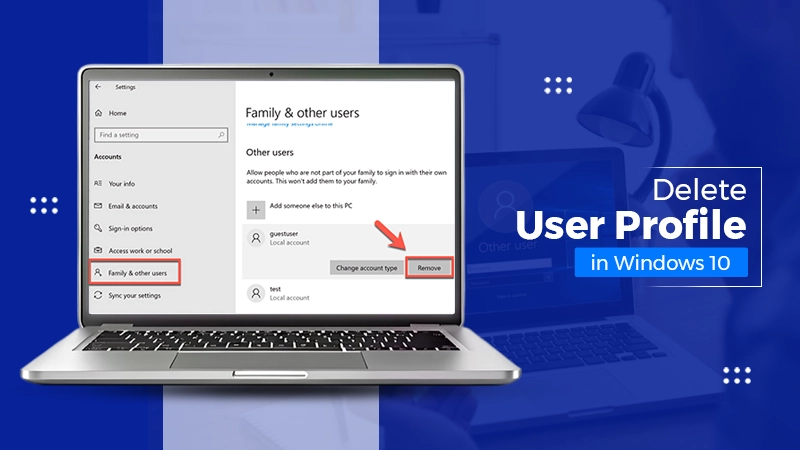
How to Delete User Profile in Windows 10: Step-by-Step Guide
You don’t notice user profiles until one starts causing problems. A profile gets corrupted, a login error pops up, or…