
No – ranking might drop for some time. But will get recovered with planned cleanup and a successful Google review request.
What to Do After a Website Security Breach
 Kartik Wadhwa
Updated on: Jan 16, 2026
Table of Contents
A security breach doesn’t just break the code – it hits at the confidence and stability. Just a few seconds ago, your site was working properly. And out of a sudden, you’re fixing strange redirects and missing files. Getting panicked is normal, but what hackers take the most is chaos after damage.
The good news – this breach wasn’t the end of your site or your SEO. The extent of the damage will be determined by your actions and reactions over the course of the following few hours and days.
This guide will share with you step by step process to regain control, safeguard your users and rebuild your site even stronger than before.
What Causes Website Security Breaches?
Before you can fix the problem, it helps to understand how it happened. Hackers typically enter through an unlocked door.
According to the Open Web Application Security Project (OWASP) Top 10 for 2021, the most serious risks facing web applications today include:
- Broken Access Control: This happens when limits on what certified users can do are not properly imposed. It’s like giving a library card holder the keys to the restricted archives.
- Cryptographic Failures: Previously known as “Sensitive Data Exposure,” this involves failures in protecting data in transit or at rest (like passwords or credit card numbers).
- Injection: This occurs when untrusted data is sent to an interpreter as part of a command or query. The most famous example is SQL injection.
- Security Misconfiguration: This is often the result of using default passwords, incomplete configurations, or open cloud storage.
- Vulnerable and Outdated Components: Using old CMS versions or plugins with known vulnerabilities is one of the most common ways hackers gain entry.
1. Immediate Response: Organize Your Recovery Tasks
Speed is critical, but organization is what saves you. The moment you confirm a breach, your first technical step is closure.
Take your site offline immediately. If you can’t take it down completely, return a 503 status code. This prevents users from being exposed to malware and stops search engines from assessing the hacked content.
Once the bleeding has stopped, you are likely staring at a mountain of work.
You must determine which files were altered, check your website for malware, and check for broken links or spam pages that the attacker may have inserted.
This is where most site owners get overwhelmed.
This is the perfect time to use an SEO Task Management tool.
After a security incident, your SEO health may be in critical condition.
You might have hundreds of spam pages generated by the hacker or broken redirects. Running a full site crawl with SEOptimer.com will identify these issues instantly.
But identifying them is only half the battle. You need to fix them.
An SEO task manager takes the raw data from your audit and turns it into a clear, prioritized action plan.
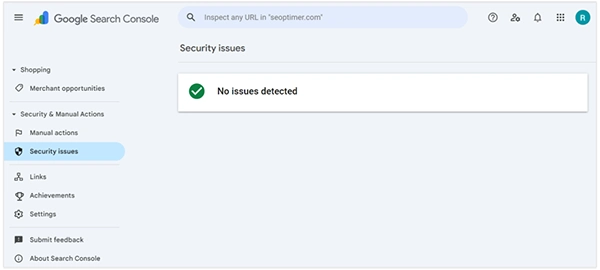
Instead of staring at a spreadsheet of errors, an SEO Project Management tool turns an SEO audit into a structured, actionable workflow.
It organizes every issue into a simple workspace, allowing you to:
- Prioritize by impact: Focus on the critical fixes that are hurting your rankings the most.
- Track progress: Mark tasks as “Completed” as you work through the cleanup.
- Streamline execution: Move straight from insight to action without guessing what to do next.
You can recover more quickly and make sure no important fix is overlooked by turning a disorganized post-hack audit into a manageable to-do list.
2. Restore Critical Data & Backups
If you have been diligent about site maintenance, this step is your lifeline.
The only way to be 100% sure you have removed a hacker’s access point is to wipe the slate clean and restore from a backup.
However, you must ensure the backup itself is clean.
Using a backup from yesterday will simply reinstall the virus if you discovered that your website was compromised three weeks ago.
- Identify the breach date: Check your server logs to see when the anomalous activity started.
- Select a safe backup: Choose a restore point from before that date.
- Reinstall the OS/CMS: If possible, perform a fresh installation of your Content Management System (CMS) and core files from a trusted source before importing your database.
3. Check Site Functionality & Broken Pages
Once your site is back online, it may not look or behave exactly as it did before. Hackers often modify core files that control how your site renders or functions.
Conduct a manual walkthrough of your most important pages.
Test your contact forms, checkout processes, and user login areas.
If the breach involved an Injection attack (as mentioned in the OWASP Top 10), your database might still have corrupted tables preventing these features from working.
Use your audit tools to scan for 404 errors.
If the hacker deleted pages or if your backup was incomplete, you will need to set up 301 redirects to guide visitors to relevant content, ensuring you don’t lose that traffic.
4. Audit Security Measures
You’ve locked the hacker out, but you need to change the locks.
If you don’t address the gaps that let them in, they will simply walk right back in.
- Update Everything: Ensure your CMS, plugins, themes, and server software are running the latest versions.
- Reset Credentials: Change every password associated with the site. This includes FTP access, hosting control pages, database access, and user accounts.
- Review User Accounts: Check your list of administrators. Hackers often create a “ghost” admin account so they can regain access later. Delete any users you don’t recognize immediately.
5. Review SEO & Site Visibility
The technical cleanup is done, but the image cleanup has just begun. Google may have marked your site as dangerous, displaying a red warning screen to users.
Go to Google Search Console and check the “Security issues” report.
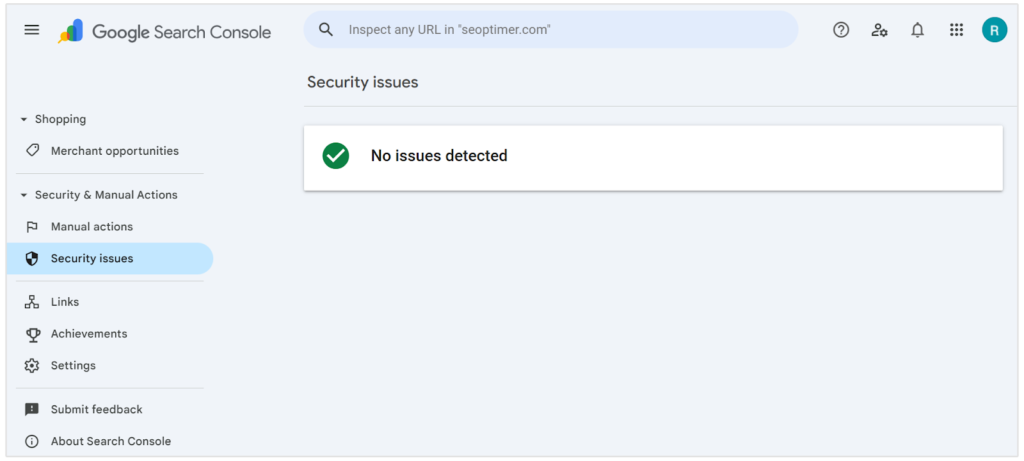
This will tell you if Google has detected malware or deceptive pages on your site.
Once you are confident you have scrubbed the site clean:
- Request a Review: In the Security Issues report, select “Request Review.”
- Be Detailed: Explain exactly what steps you took to fix the issue.
- Wait: It can take a few days or weeks for Google to process the request and remove the warning label.
Monitor your traffic and rankings closely during this period. It is normal to see a dip, but with a clean site and a solid recovery plan, you can climb back up.
6. Prevent Future Breaches
Maintaining a secure website is a constant habit rather than a one-time event. To avoid going through this stress again, adopt a “defense in depth” strategy.
- Switch to HTTPS: Encrypt data in transit to protect your users.
- Use a Web Application Firewall (WAF): Services like Cloudflare or Sucuri can block spam traffic before it even reaches your server.
- Automate Backups: Store your backups on a remote server or cloud service, not on the same server as your website.
- Limit Login Attempts: Prevent “brute force” attacks by limiting how many times someone can guess a password before being locked out.
Recover Stronger
A website security breach hits you personally because it is. Your data, your customers, your reputation in the market – all come at risk. But being calm and moving forward with a step by step practical plan firms your step.
Restoring through backups, auditing sites, fixing SEO damage and sealing security gaps can help you fully recover from an issue. In many cases, it gets quicker and comes back safer.
Strong businesses treat this as an opportunity to reset – not a failure.
Frequently Asked Questions
Will a security breach cause permanent damage to SEO?
How can I know if my backup is safe to restore?
To securely verify this – check with the server logs to be aware of when the breach started.
Is it possible to fix my site without any professional help?
Yes, if minor breaches are there, then it might get handled without help. But for deeply
Related Posts
Simple Ways to Clean Audio Data for Better Model Performance
Most of the machine learning teams do not struggle because their processing systems are not capable—they struggle because their audio…

How to Check for Malware on Mac in 2026?
Can Mac computers get viruses? Macs are not as safe as people think. Yes, macOS has built-in tools like XProtect…

10 Best Lightroom Preset Alternatives in 2026
“Photography is the story I fail to put into words.” — Destin Sparks (Landscape Photographer) For years, Lightroom presets have…
Elementor Hosting vs SiteGround: Which is Faster in 2026?
A website’s performance is mainly determined by its Speed. Even a slight delay can reduce conversions by a significant margin.…

10 Best Visual UGC Platforms for eCommerce Brands in 2026
“People influence people. Nothing influences people more than a recommendation from a trusted friend.” — Mark Zuckerberg (Meta CEO) That…

The Data Models Powering the Next Creative Revolution in Video Generation
Artificial intelligence has evolved from a mere tool to the cornerstone of advancements in the new era. Over the years,…

Solar Software Companies: How Platforms Improve Cross Team Collaboration
“If everyone is moving forward together, then success takes care of itself.” — Henry Ford (Industrialist & Business Magnate) Handoffs…

What Healthcare Leaders Expect From Digital Tools
Healthcare executives are under pressure to protect patient safety, clinician time, and data privacy while modernizing the delivery of care.…

How to Reset Android Phone When Locked? (Safe Factory Reset Methods)
Locked out of your Android phone or stuck on the screen? It happens more than you think. A forgotten PIN,…