
Yes. SmallPDFTools.net is free with no sign up and unlimited PDF processing across every device with no limits and no hidden fees.
How Good Is SmallPDFTools.net? A Full Review Of This New All-In-One PDF Solution
 Mahima Dave
Updated on: Jul 11, 2025
KEY TAKEAWAYS
- Works on all devices without sign-up or software installation.
- Merges multiple PDFs quickly while maintaining formatting and layout.
- Converts multiple formats to and from PDF with high accuracy.
Research has said that there are over 2.5 trillion PDF files in the world at the moment, demonstrating the kind of daily use PDFs have across education, business, and personal use.
Recently, one tool that is gaining traction was created to offer multiple similar PDF-related functions through one application. This tool will try to distinguish itself from the many applications on the market that only offer limited features or are misleading platforms. They want to be all-in-one digital tools, and help regular users have control of their documents.
In this review, we will examine the tool in real use cases, highlight any features that stood out, and determine whether it is a true all-in-one tool.
SmallPDFTools.net—A Brief Intro
SmallPDFTools.net is a newly introduced website offering a range of tools for working with PDF files. Consider it a digital toolbox where each utility helps you accomplish a different task with PDFs. It’s this diversity that makes it seem like a solid alternative to existing tools on the internet. With access to this platform, you can:
- Turn PDFs into other formats.
- Convert other file types to PDFs.
- Reduce the size of your PDF files.
- Number the PDFs in a precise order.
- Combine two or more PDF documents.
For each of the tasks mentioned above, you get a separate tool. But the real question is, do the tools built by this site for all these tasks do their job correctly? Let’s explore this question in the next section, where we’ll review the tests we conducted using the PDF solutions offered by this website.
SmallPDFTools.net—Core Offerings Tested
No one can tell if a tool is good or not just by looking at its digital appearance. For a comprehensive review, it’s always a great idea to first test the capabilities and then present the real face of a web utility.That’s exactly what we did, and here is everything thoroughly explained:
Testing PDF To Other Format Converters
Converting PDFs to other formats is not an easy task, especially when it comes to supporting a wide range of different formats. Why? Because it carries a high risk of losing content within the document. Many platforms fail to preserve the details as they were formerly in the file. Some even crash or stop working during the file conversion process, particularly when dealing with large files.
Therefore, we decided to consider all these factors when converting PDFs to other formats using SmallPDFTools. This website offers a wide range of conversion options, and here they all are:
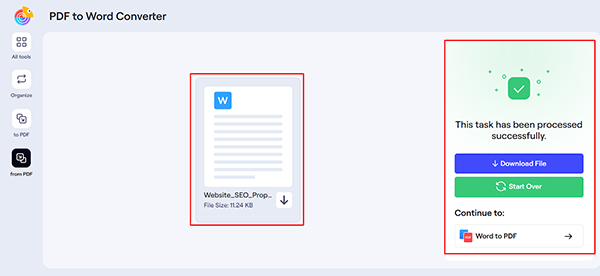
- PDF to Word: Turns any PDF into an editable and easily shareable Word file.
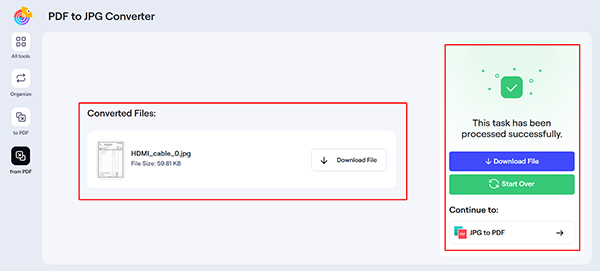
- PDF to JPG: Supports conversion from PDFs to clear and high-quality JPG images.
- PDF to PNG: Converts single- or multi-page PDF documents into crisp PNG images.
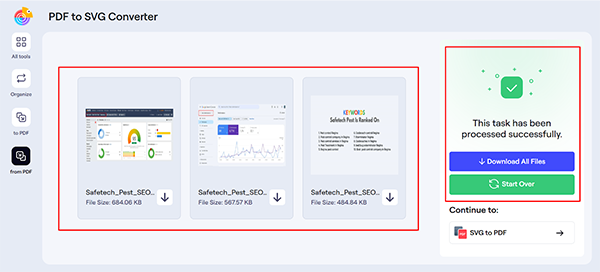
- PDF to SVG: Allows changing a PDF into a scalable vector file in SVG format.
- PDF to TIFF: This conversion enables PDFs to be easily and precisely printed.
- PDF to BMP: Changes your uneditable PDF files into uncompressed BMP pictures.
- PDF to EMF: With PDF to EMF, you can prepare your files for Windows-based graphic work.
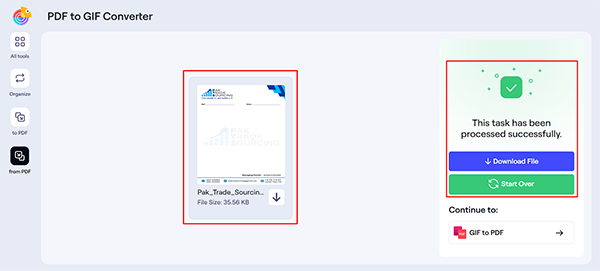
- PDF to GIF: Permits switching from PDF to smooth-quality GIF graphics for web use.
When we tested the PDF-to-other-format converters using this tool, they performed exceptionally well. From text, images, and formatting to layout, everything remained flawless after the conversion process. The converted document didn’t even have a minor mistake, such as cutting any letter, blurring any visual element, or misplacing data. Here are a few successful conversions we made using its different converters:
PDF To Word
PDF To JPG
PDF To PNG

PDF To SVG
PDF To GIF
Testing Other Format-to-PDF Converters
Just like the previous type of conversion, converting other formats to PDF files also includes challenges. However, efficient tools manage to perform this conversion effectively using advanced algorithms. The good news is that SmallPDFTools also handled these tasks well, just like any other competent tool, especially when it came to handling large PDFs.
When evaluating this website’s overall ability to convert other formats to PDF, here’s a breakdown of everything it offers in this area.
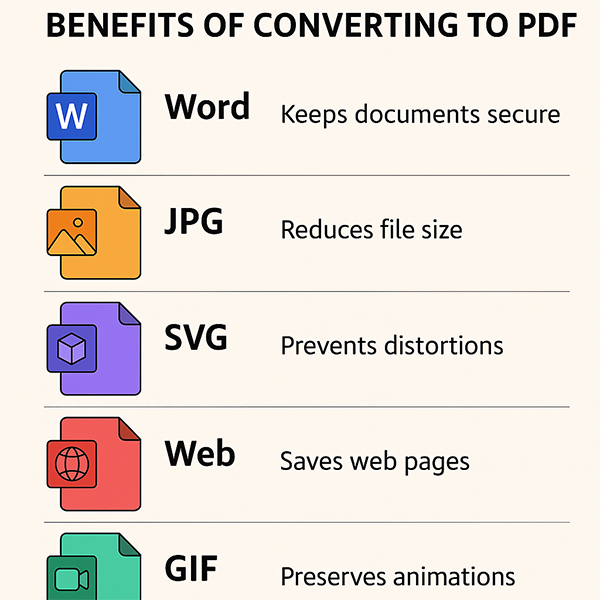
- Word to PDF: Makes Word files secure and unavailable for modification by converting them into PDF.
- JPG to PDF: Helps convert large JPG images into smaller, shareable PDF files.
- SVG to PDF: Joins pixels in an SVG vector file to build a PDF without any distortions.
- Web to PDF: Saves an uninterrupted web page as a high-resolution PDF via its URL.
- GIF to PDF: Converts animated or still GIFs into static PDF pages quickly.
To test all these conversions, we uploaded the documents in the respective format to the dedicated utilities of this platform. Surprisingly, all of them converted files from various file types to PDFs successfully without any lag. And best of all, we get the same level of content preservation as in PDF-to-other-format conversion tasks.
There were no issues at all with the file conversion, so we have skipped the screenshots to keep the article concise. We hope the above evidence highlights the conversion capabilities of SmallPDFTools.net. Below you can see the benefits of each file type.
Testing PDF Compressor
Reducing the size of a PDF file is one of the primary challenges students and professionals face. Oversized PDFs are often difficult to load, share, or upload to cloud storage. This typically happens because of embedded media, custom fonts, or a large number of pages.
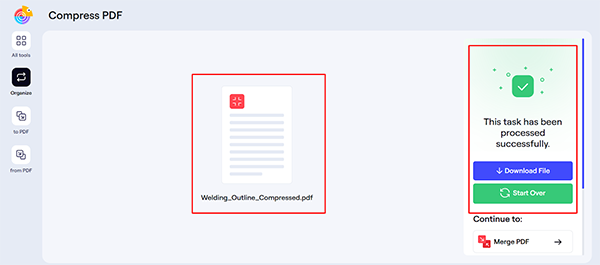
However, when we ran a large PDF file through the compressor in SmallPDFTools, its size was significantly reduced. You know what surprised us? Nothing was excluded or lost from the document. After downloading the document, everything remained intact—text, visuals, and the original heading structure were all preserved. The reason behind this content preservation is the use of smart encryption by this converter.
Testing PDF Merging Tool
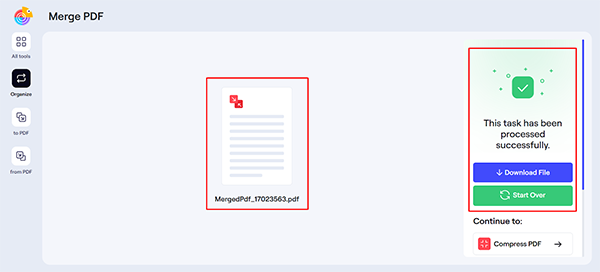
Another unique feature of this platform is its advanced PDF merging tool, designed to combine files efficiently. To test its capabilities, we uploaded 10 PDF files (the maximum limit it supports) to see if it can merge them without losing quality and content.
Since the number of files was high, we expect this tool to take a bit longer, as merging multiple files doesn’t seem a quick task. Interestingly, the tool took only a few seconds to generate one PDF containing data from all uploaded files.
What’s even more impressive is that the final merged file kept everything in perfect order. The initial layout, fonts, page numbers, and image quality were completely preserved. There were no overlaps, no missing sections, and no formatting glitches.
Before:
After:
Testing PDF Numbering Tool
SmallPDFTools.net also offers a compact yet valuable tool that assists in numbering pages of PDFs. It’s beneficial in situations when you have to make a large PDF file easily navigable. For instance, it could be an academic essay, a report, a proposal, or any other document where numbering is essential.
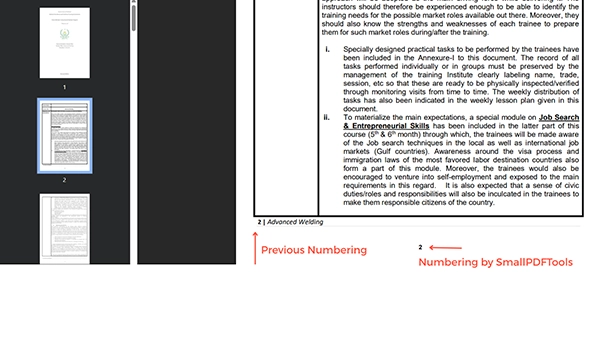
Just like all other tools available on this platform, its numbering tool also stood out. For testing, we provided it with a PDF file that already contained the numbering, allowing us to verify that it correctly numbered the pages.
Fortunately, the tool handled the task intelligently. It didn’t overlap the existing numbers or double-mark the pages. Instead, it placed the numbers at the center of each page nicely. This makes the numbering tool useful for organizing messy PDF files.
Other Key Things We Noticed About SmallPDFTools.net
By now, we hope that you have understood that the claims of SmallPDFTools.net are not fake. It truly delivers the qualities it promises, whether it’s converting, compressing, or numbering. While it excels in all its tasks, we also observed a few extra benefits offered by this platform. Let’s examine the areas where this website deserves praise.
Incredible Ease Of Use
Whether it’s the converter, merging tool, or compressor, every tool on this website is easy to use. Simply upload your document and click the corresponding button to convert, compress, or merge files. No extra or technical steps are involved.
Free Of Cost Usability
With access to SmallPDF Tools, you can perform as many PDF tasks as you want without incurring any costs. Yes, you heard that right. Being a recently launched platform, it provides free usability, enabling users to test its capabilities.
Restrictionless Accessibility
There is no need to stick to any particular device to reach this all-in-one PDF solution. Whether you have a mobile device, laptop, PC, MacBook, or any other device, simply open your browser and access this tool without any barriers. Even creating an account or submitting any form of personal information is unnecessary.
Stronger Data Privacy
The platform aims to gain and maintain the trust of users over time. That’s why it doesn’t compromise their data security. It explicitly mentions that all uploaded data is erased post-task, preventing any breaches or unauthorized access.
Excellent Content Preservation
A notable feature shared by all utilities on SmallPDFTools.net is the ability to preserve content efficiently. Your document retains identical data after converting, compressing, merging, or numbering using the platform’s tools.
Surprising File Processing Speed
Another notable benefit we observed with this PDF solution is its incredible speed in processing files. From conversions to compressions, it performs everything in just a few blinks of an eye without compromising the quality.
The Final Words
After putting SmallPDFTools.net through several detailed tests, one thing is clear: it’s more than just a basic PDF tool. Unlike many other web platforms, it expands its functionality to handle a wide range of PDF-related tasks. Above all, it performs all tasks with high efficiency and precision, ensuring no data loss, lag, or other issues. Additionally, it’s free, easy, secure, fast, and navigable. If you are looking for a website that can be a helpful assistant in handling regular or occasional PDF tasks, SmallPDFTools is worth considering.
Frequently Asked Questions
Is SmallPDFTools.net free?
Will I lose quality if I convert or compress my file?
No, it will retain the original layout and quality of text and images, More importantly, you will not lose, corrupt or distort your file, even in complex files when compressing and converting files.
an SmallPDFTools.net handle big PDFs?
Yes, this site will create PDF files and handle big PDFs without an issue with fast processing time and intelligent compression that will not reduce your content or overall quality.
Related Posts
Simple Ways to Clean Audio Data for Better Model Performance
Most of the machine learning teams do not struggle because their processing systems are not capable—they struggle because their audio…
How to Check for Malware on Mac in 2026?
Can Mac computers get viruses? Macs are not as safe as people think. Yes, macOS has built-in tools like XProtect…
10 Best Lightroom Preset Alternatives in 2026
“Photography is the story I fail to put into words.” — Destin Sparks (Landscape Photographer) For years, Lightroom presets have…
Elementor Hosting vs SiteGround: Which is Faster in 2026?
A website’s performance is mainly determined by its Speed. Even a slight delay can reduce conversions by a significant margin.…
10 Best Visual UGC Platforms for eCommerce Brands in 2026
“People influence people. Nothing influences people more than a recommendation from a trusted friend.” — Mark Zuckerberg (Meta CEO) That…

The Data Models Powering the Next Creative Revolution in Video Generation
Artificial intelligence has evolved from a mere tool to the cornerstone of advancements in the new era. Over the years,…

Solar Software Companies: How Platforms Improve Cross Team Collaboration
“If everyone is moving forward together, then success takes care of itself.” — Henry Ford (Industrialist & Business Magnate) Handoffs…

What Healthcare Leaders Expect From Digital Tools
Healthcare executives are under pressure to protect patient safety, clinician time, and data privacy while modernizing the delivery of care.…
How to Reset Android Phone When Locked? (Safe Factory Reset Methods)
Locked out of your Android phone or stuck on the screen? It happens more than you think. A forgotten PIN,…