


Ans. It usually takes a screenshot every ten minutes, though several let you take up to three per ten-minute window or adjust the rate per person.
Remote Team Oversight Made Easy: 6 Monitoring Tools with Screenshot Features
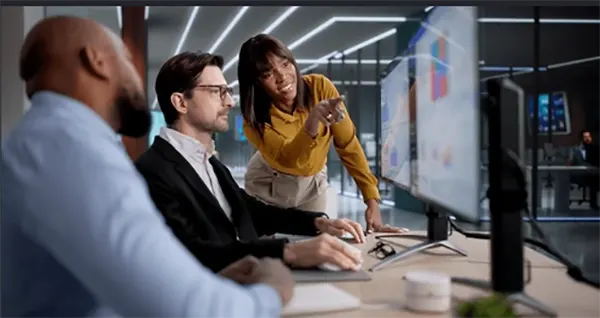
What are the things that you are going to do with the screenshots?
This is the question you should definitely answer before buying the screenshot software. When asked the same question by someone else, most of the managers were unable to give a clear answer to this question.
The only reason they stated was that they wanted to know whether people have been doing the work or not.
But the better reasons you should need this for are: Billing clients by the hour, contractors, and checking the important work.
Here’s what six of these tools actually do, what the research says about whether watching helps, and the one setting that matters more than the brand you pick.
Watching People Doesn’t Make Them Work Harder
Keeping an eye on the people doesn’t make them work hard automatically, and it also doesn’t improve the amount of work that people do.
A total of 434 remote workers were studied by Namrata Kala from MIT Sloan, and she divided the workers into different groups to see whether both keeping an eye on them and telling the reason for that changes the amount of work that they do.
After the study, it was found that keeping an eye doesn’t improve performance, but when the explanation about why the monitoring was explained made a huge difference from the previous result.
Also, the sreenshots also doesn’t come on their own but arrive bundled inside remote workforce management software that handles timesheets, payroll, project billing, and attendance, which is usually the part that actually pays for itself.
Six Tools That Take Screenshots
All six capture the screen at intervals. The differences are in who controls the camera.
Hubstaff
This tool can take up to three screenshots every 10 minutes, and not only this, but you can also choose how often each person should be captured. It also works across multiple screens, but the only drawback is that it doesn’t record keystrokes.
Time Doctor
The best feature about this tool is that it also gives the person who is getting monitored some control too. In this tool, the screenshots are optional and can be blurred out from the employee side too before letting the screenshot get to the manager.
Paid plans start around $6.67 per user per month on annual billing, and go up to almost $16.70 for the highest plan with features. It also has a trial of Fourteen-days.
DeskTime
The tool DeskTime has a very good feature known as Private Time, which is very useful for people wanting privacy when they are being tracked. The employees can easily stop the tracking timer during breaks, and the manager won’t even know what happened during that period.
Also, it starts automatically when the computer is started.
Insightful
Screenshots in this tool are automatically turned on and set to the default option; therefore, you should keep all these things. Privacy settings can give you so many choices, but the final control still remains in the hands of the Admin.
Apploye
This tool can easily take up to three screenshots in every 10 minutes. The best feature of this tool is that it offers live screening and full session recording too. It is also the most affordable tool among each on the tool mentioned here. This only costs around $4.50 per user every month.
ActivTrak
The enterprise-leaning option of the set, aimed at larger deployments where screenshots sit alongside broader workforce analytics. Capture is admin-controlled.
Worth checking current specifics directly with them, since enterprise plans vary more than the self-serve tiers above.
Tell People. In Some Places It’s the Law.
Connecticut, Delaware, and New York all require employers to notify workers about electronic monitoring.
Under GDPR, the bar is higher again: a documented lawful basis, and only the data you actually need.
This is general information, not legal advice. Check your own jurisdiction.
The Setting That Matters More Than the Brand
Almost every tool that you use in this category has a stealth mode installed in it, even the tools they say that they are being open and clear have this in it.
The best recommendation that I can give is not to use stealth mode.
Also, taking screenshots secretly can create so many legal problems for you at the same time. It can also affect the employees and cause much harm to the people in the company if they get to know about this.
There is also some software on the market that creates fake computer activity very easily, and this only shows how the screenshot should not always be treated as the source of proof.
Final Analysis
The main reason these screenshots are used are it keeps the proof for the client who pays by the hour and also when something goes wrong.
Also, if you have these features, you don’t have to watch someone all the time to get these benefits. Checking the screenshot every time again and again will not make someone better.
If someone asks you Why do you need a screenshot”? And if you don’t have an answer to this, then it is clearly a fault of the management, and simply asking for the screenshot won’t solve it.
Frequently Asked Questions
How often do these tools capture screenshots?
Can employees see their own screenshots?
Ans. It is possible in some tools, and it’s a good thing when they can. Time Doctor lets people blur their own thing before a manager views it.
Is screenshot monitoring legal?
Ans. Yes, it is legal in most of the places when on company equipment, but you will have to check that whether the state you are in allows it or not.
Does monitoring actually improve productivity?
Ans. Monitoring doesn’t automatically improve productivity, as it doesn’t have any effect on output unless the reason is explained by the manager.
Related Posts
Why Small Businesses Are Moving Payroll Processes Online
Do you know that 82% of small business owners work more than 40 hours a week and most of the…
Ecommerce Competitor Backlink Gap Analysis: A Data-Led Workflow
Ecommerce competitor backlink gap analysis helps a store identify websites that link to competing shops but not to its own.…
Using HeyGen AI for Sales and Customer Onboarding
It’s best to use HeyGen AI to create videos for you that answer a particular question or pain point. You…

Search Console Forgets Everything After 16 Months: How to Back Up Your SEO Data
After completing the period of 16 months, all the data and access are deleted from Google Search Console’s database. After…
Why Digital Transformation Projects Stall: A Resourcing Playbook for Project Managers
Digital transformation projects are on the rise at this time. From government-backed initiatives to enterprise cloud adoption and AI integration.…
How Email Hosting Providers Store and Protect Business Data
Where does your business email go when you click the send button? The impression is that the email just goes…
Best CI/CD Platforms for Coding Agents and AI-Native Development
CI/CD has changed its job because coding agents now write a growing share of the changes that reach a repository.…

Mavlers Agency on Why Global Agencies Are Turning to Offshore SEO Teams
An offshore SEO team in India is becoming more and more an option for great profit for global agencies; it’s…
How to Change Signature in Outlook: A Complete Guide
How do you change signature in Outlook? It sounds simple until you realize that the steps vary across Windows, Mac,…