
It says, Maintain at least 3 copies of data on 2 different media types, and keep 1 copy stored off-site.
Beyond Backups: How Network Resilience Prevents Data Loss
 Reviewed By Brijesh Kumar Singh
  Kartik Wadhwa
Updated on: Apr 29, 2026
Similar to smoke detectors, people hope they won’t need our backups, but when disaster strikes, they realize the backups were not working as expected from last month. Backups clean up after disasters. However, Network Resilience prevents disasters from ever happening. The goal is not to recover a backup, but to prevent a backup from being lost in the first place.
So, let’s learn about network resilience and data loss prevention in this article!

KEY TAKEAWAYS
- A backup will not protect your storage appliance if it has been lost to a power failure.
- Resilience in a network simply means removing every point of failure.
- Always consider monitoring everything to refrain from potential failures.
Why Traditional Backups Are a False Sense of Security
Before we start discussing resilience, let’s first address the obvious issue that backups are important, but in today’s always-on world, they are not always enough.
A backup will not protect against the transaction that happens between two backup windows, nor will a backup prevent a corrupt file from being propagated to your entire team’s Dropbox.
The real problem is time. Recovery Time Objective (RTO) and Recovery Point Objective (RPO) sound like boring acronyms until you are explaining to a client why their order vanished. A “good” backup might lose 24 hours of work. A “great” one might lose one hour. But network resilience aims for zero. To achieve this, you need a cloud‑ready network infrastructure that does not treat hardware failure as a disaster, but as an everyday event to route around.
When your network is truly resilient, a failing switch or a cut fiber line becomes a non-event; traffic flows another way, and your users never see the spinning wheel of death.
- Backups ask: “How fast can we rebuild?”
- Resilience asks: “Why rebuild at all?”
Redundancy: The “Two Is One, One Is None” Rule
Network resilience relies on eliminating single points of failure. That sounds technical, but it’s actually common sense. If you have one router, and it dies, you have zero network. When one of your two routers that share the load dies, you are left with 50% capacity, which is inconvenient but still functional. What if you have three in a real mesh? You probably won’t even notice.
Here’s what smart redundancy looks like in practice:
- Link Aggregation: Bond multiple internet connections (e.g., fiber + 5G) so that if one ISP has an outage, you don’t even buffer on Zoom.
- Dual Power Supplies: Not just for servers, but for core switches. A single PSU popping shouldn’t take down a floor of people.
- Geographic Diversity: Don’t put your backup router in the same wiring closet as the main one. A flooded basement or a fire takes both. Place the secondary gear on a different floor or even a different building.
- Virtual Router Redundancy Protocol (VRRP): This lets two physical routers pretend to be one. When the master fails, the backup takes over in milliseconds. No manual switching. No angry tickets.
Real-Time Replication vs. Batch Backups
To replicate data in real time, you must have a resilient network that provides low latency, high bandwidth, and smart routing to ensure that mirrored writes do not create performance bottlenecks. When operating correctly, your secondary site should be a hot standby ready to take over immediately after you finish drinking your coffee.
Consider these contrasting scenarios:
| Traditional backup | Network resilience |
| Runs every 24 hours | Continuous, synchronous |
| Potential data loss: 24 hours | Potential data loss: milliseconds |
| Restore time: hours to days | Failover time: seconds |
| Manual intervention required | Automated and seamless |
But real-time replication demands a resilient network. You need low latency, high bandwidth, and intelligent routing to ensure that mirrored writes don’t bottleneck performance. When done right, your secondary site is a hot standby, ready to take over before your coffee gets cold.
If the primary storage array melts down, users are automatically redirected to the replica. They might see a slight delay, but they won’t see an error message. And they certainly won’t lose their work.
Monitoring and Chaos Engineering
No matter how much awesome equipment you have, none of it matters if you do not have proactive monitoring in place to alert you of performance degradation before it results in an actual failure.
A 10% packet loss on a secondary server isn’t an emergency, but it’s a warning sign. Ignore it, and next month it’s a 50% loss.
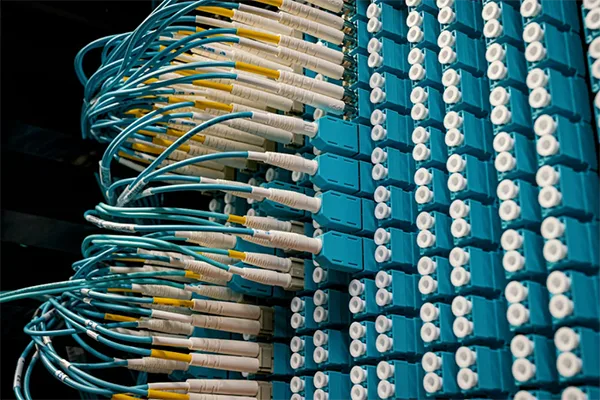
Here’s a practical checklist for keeping your resilience honest:
- Set up alert thresholds for speed, jitter, and interface errors. Don’t wait for a total outage.
- Perform “chaos engineering” in a test scenario: intentionally shut a core service during low-traffic hours and see if your automatic failover actually triggers.
- Run annual cancellation drills where the network team isn’t allowed to touch the primary equipment. Can you run the enterprise for a full day on backup paths and replica storage?
- Document your single points of nonaccomplishment (everyone has them). Review that list quarterly. Just because you corrected the router issue doesn’t mean someone didn’t plug a critical switch into a power strip behind the vending machine.
You don’t need perfection, just compassion for failure. In case something goes wrong, a robust network won’t destroy your data. You’ll most likely get a calm alert: “Link failed. Failover worked. Please check.” That’s winning.
Frequently Asked Questions
What is the 3-2-1 backup rule?
What is the difference between resilience and backups?
Backups allow you to recover data after it is lost; network resilience keeps the network active to prevent the loss from happening in the first place.
How does redundancy stop data loss?
It duplicates critical components, including routers, servers, and power, eliminating single points of failure. So no component failure causes data to be lost or unreachable.
Related Posts

8 Best AI Presentation Makers for Business-Ready Slides
Making a presentation doesn’t just mean designing slides. It’s about defining a clear structure, using defined logic, useful visuals, and…

Queue Management Software Troubleshooting Guide: 8 Common Faults and Fixes
The long wait times and ineffective management of customer queues can have a significant impact on customer satisfaction and business…

How to Use Similarweb Website Traffic Data for Competitor Research
Competitor research without traffic data is guesswork. You can guess who your rivals are, guess how big they are, guess…

Choosing the Right Hosting Model for Scalable Digital Platforms
The performance of digital business is directly related to website speed, uptime, and scalability. Slow page performance has a negative…

How Data-Driven Performance Tools Are Transforming Employee Recognition in Tech Companies
“People work for money but go the extra mile for recognition, praise, and rewards.” — Dale Carnegie (Writer & Teacher)…

Why Businesses Struggle to Collect Reliable Data from the Web
Almost every company that depends on data runs into the same problem: although they can find the data they need,…

Why Financial Data Recovery Matters for Businesses
Financial data supports every part of a business, directly affecting cash flow, payroll, tax reports, audits, customer billing, and daily…

CMMC Compliance Is Coming for Manufacturers. Here Is What You Need to Do
“Cybersecurity is much more than a matter of IT.” — Stephane Nappo (Cybersecurity Professional) For manufacturers working within the defense…

How Data-Based Tools Influence Learning Performance
Learning has transformed in the modern age with the integration of new technologies to help students and professionals prosper in…