
Standard remote tools often run at 30 fps or lower, which makes them look choppy. 60 fps (frames per second) provides smooth motion, which is critical for video editing, game development, and even for reducing eye strain in daily use.
Choosing the Best Remote Access Software for High-Performance Work
 Mahima Dave
Updated on: Feb 18, 2026
For a long time, remote desktop technology was the domain of IT support technicians and spreadsheet-heavy administrators. If the connection lagged slightly or the colors were a bit off, it was a minor annoyance, not a dealbreaker. However, the modern remote workforce includes video editors, game developers, 3D animators, and radiologists. For these power users, “good enough” is not acceptable. They require a connection that feels indistinguishable from a physical workstation, with perfect color accuracy and zero latency.
When the workload involves manipulating millions of pixels in real-time, standard remote tools crumble. They suffer from frame drops, audio desync, and “muddy” visuals. To maintain productivity in these data-intensive fields, organizations must select specialized tools engineered for speed. These solutions utilize advanced compression algorithms and hardware acceleration to deliver a seamless experience. Below are five of the top remote access solutions, evaluated on their ability to handle high-performance workloads.
1. Splashtop
Splashtop is widely recognized as the leader in performance-critical remote access. Unlike general-purpose tools that prioritize low bandwidth over quality, Splashtop’s proprietary engine is built to deliver high frame rates (up to 60fps) and ultra-low latency. This makes it the standard choice for media and entertainment professionals who need to edit 4K video remotely without the stuttering that plagues other platforms.
For organizations seeking a high performance remote access software for 4K streaming, Splashtop offers a distinct advantage through its ability to utilize GPU acceleration. It offloads the encoding and decoding tasks to the graphics cards on the host and client machines, ensuring the CPUs remain free for the actual applications. Additionally, it supports multi-monitor setups at full fidelity and provides 4:4:4 color chroma subsampling, ensuring that the colors a designer sees on their home monitor match exactly what is on the office workstation. This level of precision is critical for workflows that require color grading or pixel-perfect accuracy.
2. HP Anyware (formerly Teradici)
For decades, the standard in the media and entertainment industry for remote connectivity was Teradici, now rebranded as HP Anyware. This solution is built on the PCoIP (PC-over-IP) protocol, which is designed to deliver a “lossless” experience. Unlike other protocols that might compress images to save bandwidth, PCoIP adapts to network conditions to ensure the image eventually renders as a pixel-perfect representation of the host screen.
HP Anyware is particularly favored by VFX studios and broadcasters because of its uncompromising approach to visual fidelity. It excels in environments where data security is paramount; since it only transmits pixels and not data files, the intellectual property never leaves the secure data center. While it often requires a more robust infrastructure than lighter tools, its ability to handle complex 3D modeling and CAD applications over high-latency networks makes it a powerhouse for enterprise-grade high-performance computing. According to Nvidia’s insights on remote visualization, pairing such protocols with powerful data center GPUs is the future of distributed creative workflows.
3. Parsec
Originally developed for the gaming community, Parsec has found a massive following in the professional creative space due to its obsession with low latency. Games require instantaneous reaction times, and that same technology applies perfectly to video editing and game development. Parsec uses a peer-to-peer connection model that bypasses central relay servers whenever possible, creating a direct line between the host and client to minimize lag.
Parsec’s standout feature for creatives is its support for 4:4:4 color mode and its ability to stream separate screens as distinct windows. This allows a developer to have their code on one screen and the game engine on another, each streaming at 60fps. It is lightweight, easy to set up, and offers a “Teams” version that adds administrative controls for businesses. For teams that need a solution that feels “snappy” and responsive above all else, Parsec is often the top contender.
4. Microsoft Remote Desktop
Microsoft Remote Desktop is often underestimated in the high-performance conversation, but for pure Windows-to-Windows environments, it is incredibly efficient. It uses the Remote Desktop Protocol (RDP), which transmits drawing primitives (instructions on how to draw the screen) rather than a video stream. This results in crystal-clear text and a user interface that scales perfectly to any resolution without the “compression artifacts” seen in video-based tools.
While RDP has historically struggled with high-motion video compared to streaming protocols, recent updates and the use of the AVC/H.264 codec in Windows 10 and 11 have significantly bridged that gap. For high-end administrative work, coding, and engineering applications like SolidWorks, Microsoft Remote Desktop provides a native experience that supports multi-monitor arrays seamlessly. However, as noted by Fortinet in their definition of network performance, the performance of such protocols is heavily dependent on the underlying network stability, as they can be sensitive to packet loss.
5. NoMachine
For organizations that run on Linux or operate mixed-platform environments involving heavy scientific computing, NoMachine is a robust alternative. It uses NX technology, known for its speed and performance over low-bandwidth connections. NoMachine essentially creates a localized proxy of the remote X server, allowing for a very responsive interface even when the network is less than ideal.
It is particularly popular in research and academic circles where users need to access high-performance computing clusters remotely. NoMachine supports high-resolution streaming and audio redirection, making it a viable option for remote visualization tasks. It offers a free tier for individuals and an enterprise tier for organizations, providing a flexible and powerful tool for those whose needs fall outside the standard Windows/Mac ecosystem.
Conclusion
The definition of “performance” depends on your workflow. If you are a video editor or game developer requiring 4K streaming at 60fps with perfect color, the superior choice is due to its specialized video engine and hardware acceleration. For VFX studios requiring lossless fidelity, HP Anyware remains the industry standard. By understanding the specific demands of your software-whether it is AutoCAD, Adobe Premiere, or Excel-you can choose the remote access tool that ensures your home office feels exactly like the studio.
Frequently Asked Questions
Why do I need 60fps for remote work?
Does screen resolution affect remote performance?
Yes. Streaming a 4K screen requires transmitting four times as much data as a 1080p screen. To maintain high performance at 4K, you need software optimized for high bandwidth efficiency and that uses hardware acceleration.
What is latency in remote access?
Latency is the delay between moving your mouse and seeing the cursor move on the screen. High-performance software minimizes this delay (measured in milliseconds), so the connection feels instant and responsive.
Related Posts
10 Best SD Card Recovery Software to Recover Deleted, Formatted, and Corrupted Files
The use of SD card recovery software allows you to restore pictures, videos, and document files that have been deleted…
How to Mass Delete Emails on Outlook (Fast and Safe Bulk Cleanup)
Stressed by too many emails in Outlook? Fix that properly by learning how to mass delete emails on Outlook. A…

Why Businesses Use Payroll Outsourcing to Manage W-2 Reporting and Tax Deadlines
Managing payroll is one of the most complex administrative responsibilities for businesses. Beyond calculating wages and issuing paychecks, payroll teams…
10 Best Linux Data Recovery Software in 2026
Linux data recovery software programs allow users to recover deleted, corrupted, and lost files from their Linux storage device(s) (HDD,…

Key Benefits Of Software Designed To Organize Teams And Tasks
Managing teams and operations in an aligned way is much more complex than it seems. However, the use of specialized…

Why WordPress Remains the Best Platform for Modern Websites
In the rapidly evolving digital world, businesses need websites that are flexible, scalable, and easy to manage. With so many…
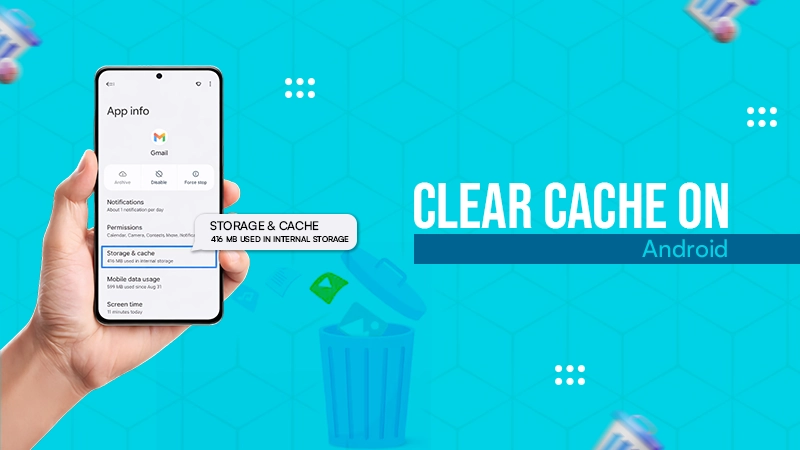
How to Clear Cache on Android: Easy Steps to Speed Up Your Phone
If your Android phone feels slow, apps lag, or random crashes are becoming normal, cache buildup is usually the real…
How to Restart MacBook?: 8 Methods Explained
A MacBook can be simply restarted with the restart option in the Apple menu. Another way is to hold the…
How Cloud Backup Protects Fleet Camera Data and Business Communications
Having real-time communication between teams, especially when you are managing a fleet, is crucial. That kind of monitoring is only…