
Top 10 Best Hard Drive Recovery Software (Free & Paid)
 Upasna Deewan
Losing crucial PC files is scary, but it happens more often than you think. In seconds, a crash, improper click, virus, or broken drive can erase your data. This is why hard disc recovery software matters.
Choosing a recovery tool from the numerous available can be difficult. Others offer thorough healing, while others scan. Some tools are free, others are premium. We tested and chose the 10 best hard disc recovery software of 2025 to simplify things. This article covers each tool’s price, features, pros and disadvantages, compatibility, screenshots, and editor tips. EaseUS Data Recovery Wizard is the most dependable and user-friendly tool for beginners and experts.
After understanding why recovery software matters, let’s examine reliable tools. The 10 greatest hard disc recovery programs combine power, safety, and ease of use.
EaseUS Data Recovery Wizard – Trusted Tool
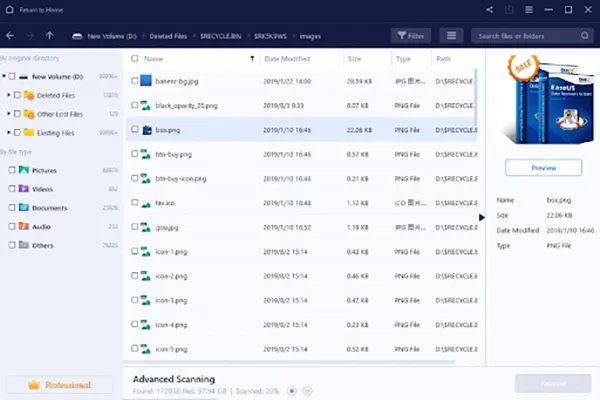
One of the most reliable and powerful recovery solutions is EaseUS Data Recovery Wizard. It is for anyone who desires fast, safe, and easy file recovery without technical abilities. The 99.7% recovery success rate makes this software a top choice for novices and professionals.
It supports 1,000 file formats, including photographs, movies, documents, and more, and recovers files from over 2,000 storage devices. This program recovers files deleted, lost after formatting, infected, or damaged by a system crash in a few clicks.
Price
- Month-long License: $69.95
- One-year License: $99.95
- Lifetime License: $149.95
Compatibility
Windows/macOS
- High data recovery success rate of 99.7%.
Supports 1,000+ file formats and 2,000+ devices.
Data recovery from deletion, format, crashes, RAW, and more.
Beginners can restore files in 3 easy steps.
- The free version limits recovery to 2GB.
Big drives need time for deep scans.
You must pay for full functionality.
First-timers may find the UI confusing.
Editorial Suggestion
EaseUS Data Recovery Wizard is perfect for consumers who desire a safe, straightforward, and reliable tool for practically every data loss case. Lifetime Licenses are suitable for long-term file storage and massive disc handling.
Recuva Recovery Software
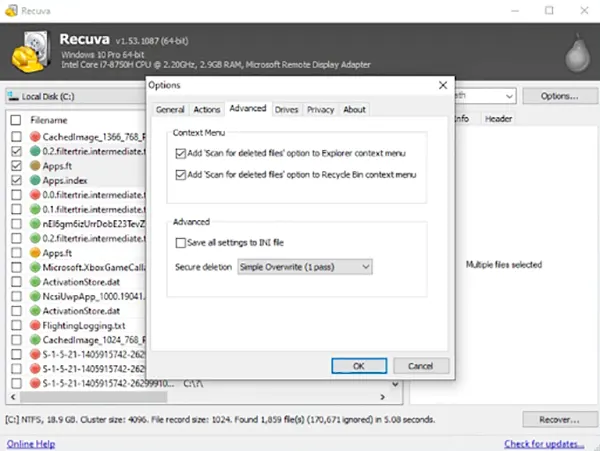
Recuva is a simple, lightweight, and effective data recovery tool for Windows users who are looking for deleted file recovery in a quick manner. It can recover pictures, video files, documents, music, emails, and other types of data from hard drives, SD cards, USB drives, and even discs that have been formatted. The application supports NTFS, FAT, FAT32, and exFAT file systems; thus, it is compatible with different storage devices.
Recuva is capable of restoring files that were deleted from the recycle bin, damaged discs, and it can also be done on external media, for instance, cameras and phones. Secure deletion is a process that permanently deletes files and, thus, recovery will not be possible. Recuva is a tool that can be used by beginners, as it is simple to configure and has a Recovery Wizard. It is excellent for getting quick results without the need for complicated settings; however, it might not be effective for advanced or heavily damaged discs.
Price:
Available for free
Recuva Professional price: Low-cost License
Compatibility:
- Windows 10, 8, 7, Vista, XP
- (MacOS not supported)
- User-friendly and clean interface
Deep scan discovers old files.
Compatible with SD cards, USB drives, and cameras.
Main file systems: NTFS, FAT, FAT32, exFAT
- Only-Windows software
Few successes with highly damaged discs
Slow Deep Scan
Not as effective as top recovery tools
Editorial Suggestions:
Recuva is great for rapid, free, and easy file recovery. For routine chores like restoring Recycle Bin objects or memory card images, it is great.
TestDisk
A free and reliable tool from CGSecurity, TestDisk, fixes lost or broken HDD partitions. It restores access to discs damaged by viruses, system crashes, or partition deletion. It supports internal and external devices and ext, FAT, NTFS, and APFS file systems. Installers and live OS users benefit from TestDisk’s ability to fix boot discs and restart them. It is fast, tiny (21.54 MB), and resource-efficient. The only drawback is the command-line interface. It’s powerful once you learn it.

Compatibility:
Windows 10, Windows 11, macOS
Price:
Free
- Fast and light
Compatible with many drives
Multi-file system support
Repairs boot drives
- Non-graphical interface
Hard for beginners
Technical expertise is needed for recovery.
Editorial Suggestions:
Choose TestDisk to fix or recover broken partitions. Techies comfortable with command-line tools should use them.
PhotoRec
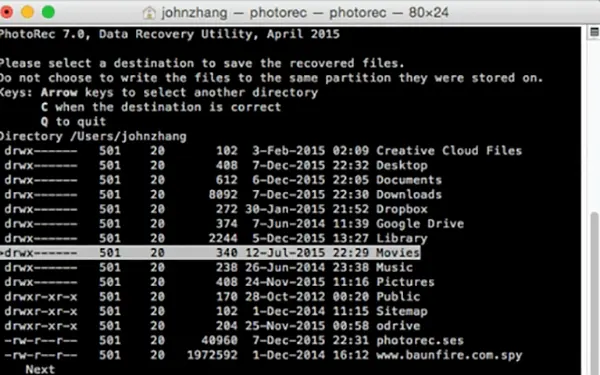
PhotoRec is a data recovery software that is open source and free, by CGSecurity. It can retrieve images, videos, documents, and other files that have been deleted or lost from a hard drive, an SD card, a USB device, or any other storage. The drive can be very damaged and still be able to work.
PhotoRec also recovers files from FAT, NTFS, exFAT, and ext3/ext4 with high success. It locates files even when the directory of the drive is damaged by means of a file-signature scan. The small tool is compatible with both old and new machines. Although it has a command-line interface and does not support file name recovery, it is still ranked as one of the most dependable free recovery programs.
Compatibility:
Windows 10, Windows 11, macOS (via separate version) Price: Free
- Free/open source
High success
Multi-file system support
Light and efficient
- Non-graphical interface
Failed to restore file names
Slow in huge drives
Editorial Suggestion:
Users who require a powerful and free recovery tool should utilise PhotoRec. It retrieves photographs and videos from damaged drives best.
Stellar Data Recovery
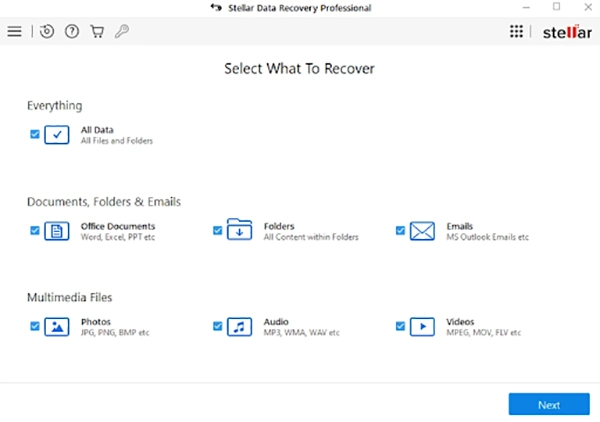
Stellar Data Recovery has a 98.6% data recovery rate and 120 worldwide awards that make it easy to recover lost or deleted data. The software is easy for beginners but powerful for enterprises and IT teams. Images, movies, documents, emails, and data from damaged or corrupted drives can be recovered.
Its extensive scan, clear design, and uncommon ability to recover SSD data—something most recovery tools struggle with
are praised by specialists. Stellar also makes excellent photo, video, drive monitoring, and phone recovery tools. Stellar lets you recover files after formatting, deletion, disc failures, and system crashes without stress.
Price:
From $49.99/month
Compatibility:
- Windows/macOS
- Mobile recovery tools for iPhone and Android
- High recovery success (98.6%).
Recovers data from HDDs, SSDs, USBs, SD cards, cameras, and more.
Accurate deep scan finds long-deleted files
- Advanced features cost extra.
Large drives may slow deep searches.
First-time users may find the interface technical.
Editorial Suggestion:
Users who need powerful, reliable, enterprise-grade recovery should utilise Stellar Data Recovery. Stellar handles damaged discs, SSDs, and formatted drives well.
MiniTool Power Data Recovery
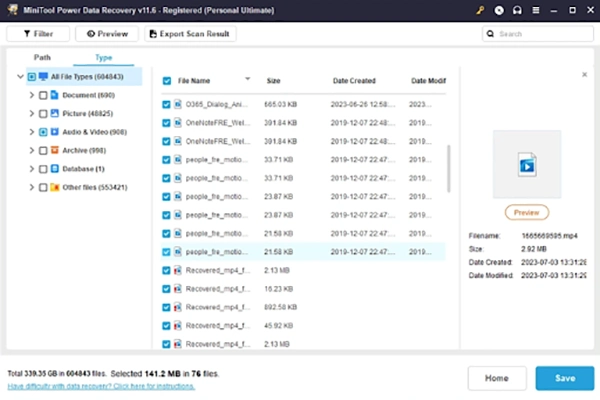
MiniTool Power Data Recovery recovers lost files from hard drives, SSDs, USBs, SD cards, and more with ease. It handles 100+ file types, including photographs, movies, documents, ZIP files, and emails.
Users save time with faster deep scanning and new Desktop, Recycle Bin, and Select Folder quick-scan options in V12.6. MiniTool recovers files from deletion, OS crashes, viruses, and drive issues. Novices and experts trust it due to its straightforward processes.
Price:
Paid plans cost $69–99.
Compatibility:
Microsoft 11/10/8.1/8/7
- Accepts 100+ file formats
Deep scan recovers files from damaged or lost partitions.
Quick Desktop, Recycle Bin, and folder scan
Simple design for beginners
- Only 1 GB is recovered for free.
No macOS recovery without a different version.
Large drives may slow deep searches.
Tools with extensive features cost money.
Editorial Suggestion
MiniTool Power Data Recovery is perfect for safe and easy file restoration from many devices. For modest file recovery, the free version is enough. Paid plans offer faster, unlimited data recovery and better long-term value for massive recovery projects.
Disk Drill
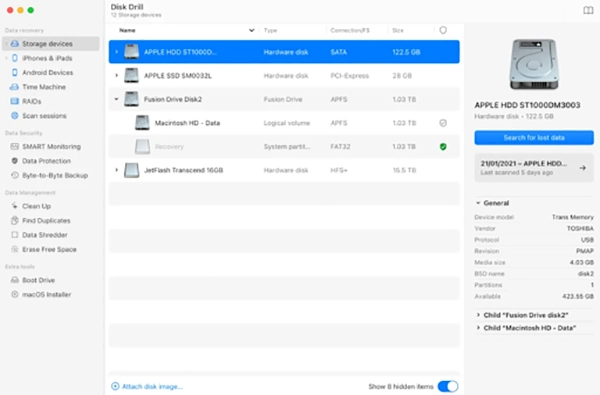
Data recovery tool Disc Drill has been trusted for over 10 years. It supports hundreds of macOS and Windows file formats and improves with each version. The utility recovers data from APFS, HFS, NTFS, FAT, Linux, Android, virtual discs, and iOS/iPadOS backups.
Fast deep scans, recovery-chance forecasts, and clean, modern Mac and Windows interfaces are available from Disc Drill. It works well on Apple M1–M4 CPUs, T2-powered Macs, and all recent macOS versions. Intelligent tools like S.M.A.R.T. disc monitoring and Recovery Vault can prevent data loss.
Price:
Free to download
$89 for Pro
Compatibility:
Windows and macOS
- For macOS, Windows, Linux, Android, and iOS.
In-depth scan supports hundreds of file kinds
Predicting recovery saves time
S.M.A.R.T. monitoring safeguards data.
- Limited recovery in the free version
Large drives can slow deep searches.
Paid License for full features
Editorial Suggestion:
Users seeking strong multi-device recovery should use Disc Drill. Disc Drill is a good Mac-Windows utility with advanced scanning.
AnyRecover
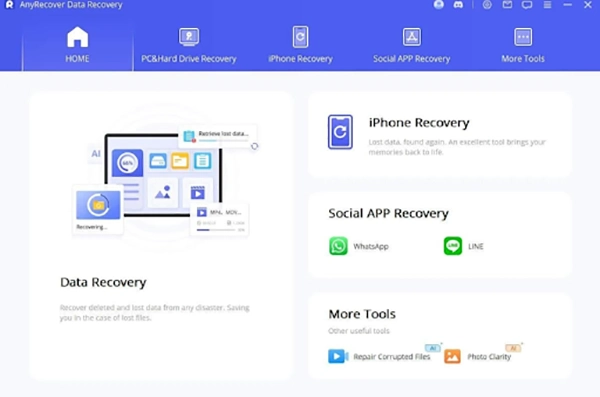
AnyRecover is an AI-powered Windows, Mac, iPhone, and Android recovery and repair utility. One of the most comprehensive recovery programs, it supports 1,000+ file formats and 2,000+ storage devices. AI Repair fixes corrupted films, images, and data in one click.
AnyRecover supports 500+ data loss scenarios like deletion, water damage, crashes, factory resets, and black screens. It can restore WhatsApp, LINE, and other social app data without backups. Millions of customers trust AnyRecover for lifetime free upgrades and support for the latest iOS and macOS devices.
Price:
Lifetime updates
$59.99/month
Compatibility:
Windows, macOS, Android, iOS
- Data recovery from 2,000+ devices
Over 1,000 file formats
AI photo, video, and file repair
Recovery without backup for WhatsApp/LINE
- Some repairs need sturdy hardware.
Deep scans take time.
The interface might be cluttered.
Editorial Suggestion:
AnyRecover can recover and repair data on PC, phone, and external drives. Users who desire AI-based repair and quick clicks would love it.
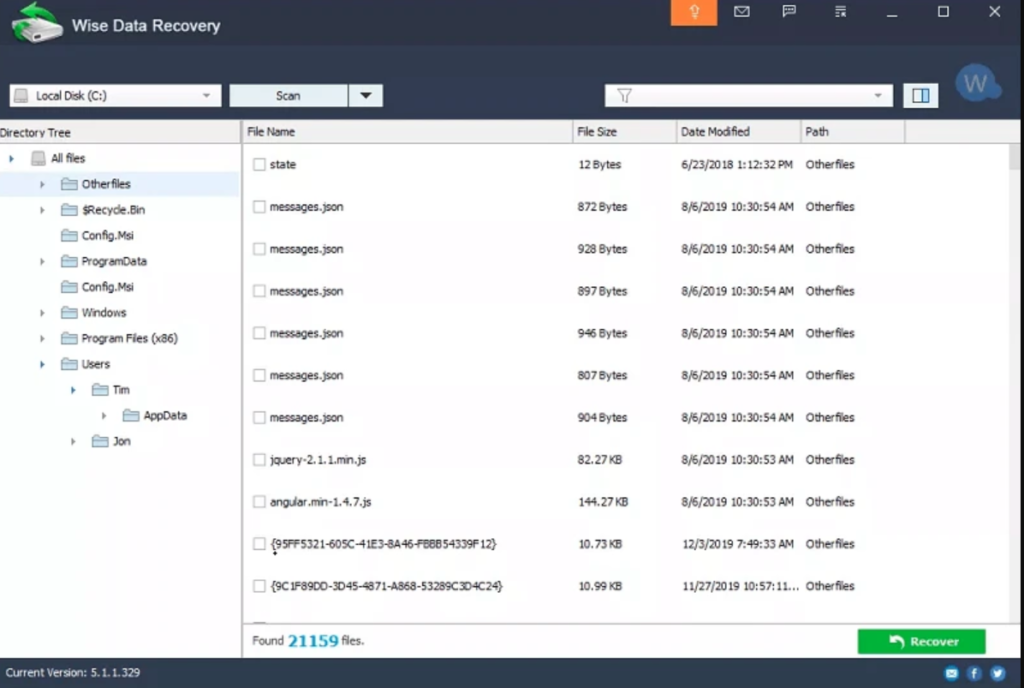
Wise Data Recovery
Wise Data Recovery is a lightweight, professional Windows and Mac data recovery program. It recovers up to 2 GB of photographs, documents, videos, emails, and more for free. The software recovers FAT, NTFS, HFS, HFS+, Ext2, and Ext3 file systems from HDDs, SSDs, USB drives, memory cards, digital cameras, and other storage devices.
Users may find and restore missing files with lightning-fast scanning techniques. Recovery without installation prevents data overwrite in the portable version. Wise Data Recovery supports Pro editions with unlimited recoverable files and multi-PC licenses for Windows XP–Windows 11.
Price:
Free/Pro $31.98–$39.99 annually
Compatibility:
Microsoft Windows XP to 11 (32/64-bit), Mac
- Free 2 GB recovery
Supports 1,000+ file types
Quick keyword-filtered scan
The portable version avoids overwriting
- Recovery is limited in the free version
Deep scans take longer.
Fewer advanced repair tools
Editorial Suggestion:
Wise Data Recovery is suited for rapid, uncomplicated recoveries. Get Pro for limitless recovery and device support.
Ontrack EasyRecovery
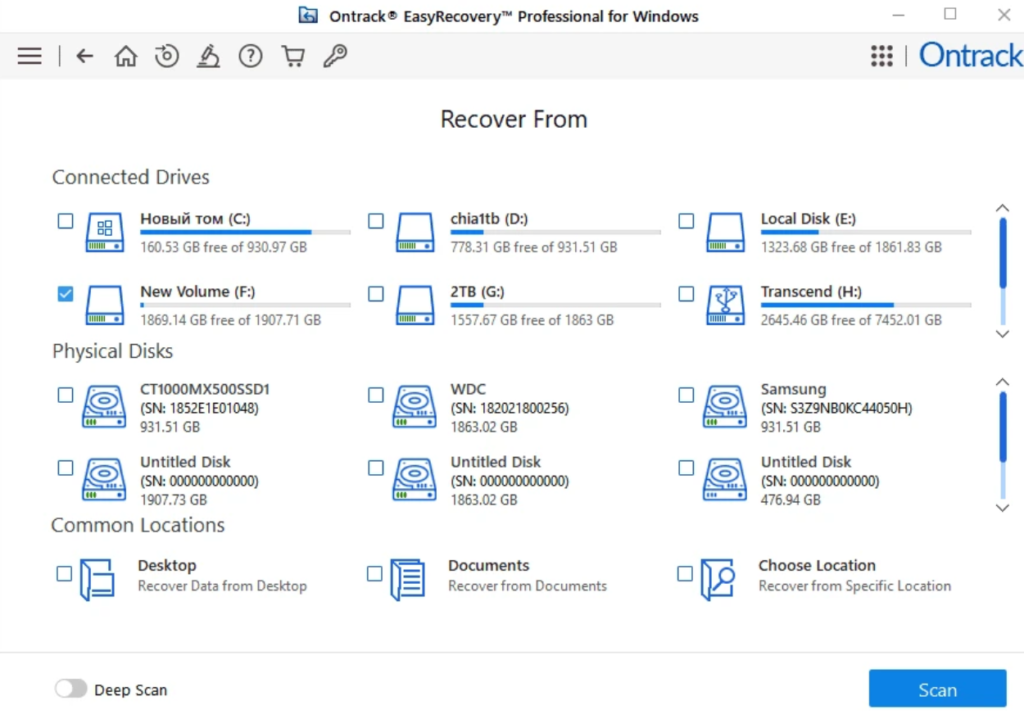
Ontrack EasyRecovery is powerful Windows and Mac data recovery software. A top global data recovery service developed it to recover files lost due to deletion, reformatting, virus attacks, or system crashes. Recovery is possible from HDDs, SSDs, USB devices, memory cards, optical media, and RAID systems.
The software can restore erased volumes, correct faulty photo and video files, and perform quick and comprehensive scans. Large drives benefit from paused scanning and later recovery. For home or commercial use, Free (1 GB recovery) to Technician (RAID recovery) editions offer scalable possibilities.
Price:
Starting from $59.99
Compatibility:
Windows/Mac
- Recovery from SSD, RAID, and optical media
Fixes corrupt images and videos
Quick and deep scans
Resume scanning anytime
- The free version has 1 GB
Professional features cost more.
Technical expertise is needed for complex RAID recovery.
Editorial Suggestion:
Ontrack EasyRecovery provides expert recovery for corrupted discs and RAID systems.
Conclusion
The best data recovery program depends on scan and recovery speed, convenience of use, compatibility with devices and file systems, supported file formats, and additional capabilities like corrupted file repair and formatted disc recovery.
We analysed MiniTool Power Data Recovery, Disc Drill, TestDisk, PhotoRec, AnyRecover, Wise Data Recovery, and Ontrack EasyRecovery, highlighting their pros and cons. EaseUS Data Recovery Wizard’s rapid scanning, support for 1,000+ file types, recovery from all major storage devices, and intuitive interface make it ideal for beginners and experts. EaseUS balances performance and reliability best for data recovery.
Data growth has significantly accelerated beyond what most compliance teams can manage, with personal records, financial details, contracts, and emails…
The way marketing teams and businesses approach their potential clients to boost their sales has completely transformed in the last…
Thinking, how can I delete iCloud or Apple account? It is not just about removing an account; it is about…
In the market we have today, companies are always trying to find ways to work better and get results. The…
Attractive web pages form the roots of any appealing website. For instance, imagine looking for content on Google, and you…
Every business needs to ensure smooth operations for a successful business. But despite trying hard to avoid barriers, technical issues…

You don’t notice user profiles until one starts causing problems. A profile gets corrupted, a login error pops up, or…

Artificial Intelligence is transforming how students learn, study, and manage their academic work. From automating note-taking to checking assignments, AI…
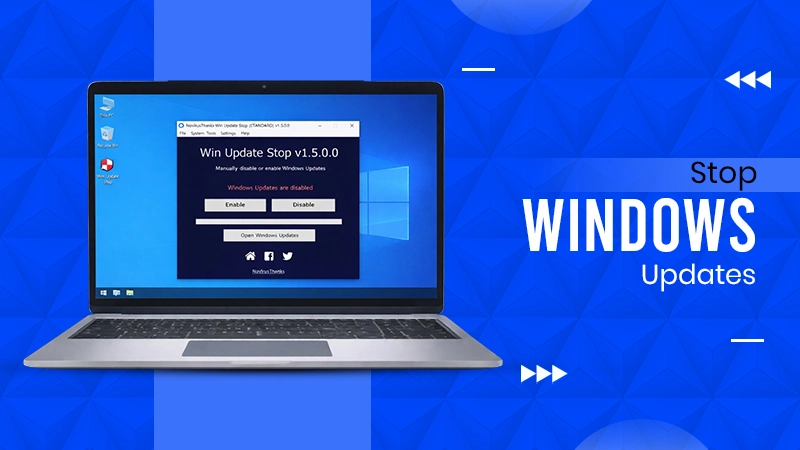
Imagine that face when Windows starts updating with a deadline looming and your screen freezes. Frustrating is an understatement, and…