
Mostly, yes. It removes apps you installed, logged-in accounts, personal files, and custom settings stored on the device itself. However, it does not delete operating system updates, cloud backups, SIM card data, or files on external storage.
What Does Factory Reset Do? How it Works and What You Should Know
 Upasna Deewan
Updated on: Feb 12, 2026
Table of Contents
- What Does Factory Reset Do?
- What Happens When You Factory Reset Your Phone or Device?
- What Will a Factory Reset Do to Your Data?
- What a Factory Reset Does Not Remove?
- Pros and Cons of Factory Resetting a Device
- When Should You Reset Your Device to Factory Settings?
- How to Factory Reset Different Devices Safely?
- What to Do Before and After a Factory Reset?
- Conclusion
- Frequently Asked Questions
Do you actually know what happens when you reset your phone to factory settings? Most people hit the factory reset button, hoping for a clean slate without fully understanding it.
Some think it fixes every problem. Others worry if it will wipe their digital life forever. The truth sits in between. A factory reset restores a device to its original software state, but it does not magically fix everything or solve every issue.
Today, I will answer “What does factory reset do?” and explain what it removes, what stays behind, when to do it, and how to do it safely.
TL;DR: What Does a Factory Reset Do?
- A factory reset erases your device and restores it to its original system state.
- What gets deleted?
- Apps, accounts, settings, and files that are stored on the device’s internal storage.
- What stays untouched?
- Cloud backups, SIM data, and external storage.
- It helps fix serious software issues and is essential before selling or giving away a device. Use it when needed, prepare properly, and restore essentials.
What Does Factory Reset Do?

What does factory reset mean? To put it simply, a factory reset is a process that erases a device completely and takes it back to how it was when you first bought it. Think of it as pressing a hard restart button on the entire system.
You can factory reset your iPhones, Android devices, tablets, laptops, and PCs. You can even factory reset an Alexa, VR devices like Oculus Quest 2, PS4, PS5, and many other digital products and services.
People usually do this to fix serious software issues like freezing, crashes, or bugs, before selling or giving it away, or to start fresh when performance slows down over time.
What Happens When You Factory Reset Your Phone or Device?
If I factory reset my phone, what happens is that the system clears out everything that was added after purchase and restores default settings.
The system deletes all personal data and custom configurations and restores the device software to how it came from the manufacturer. This includes uninstalling installed apps, removing accounts, clearing user settings, and deleting locally stored files like photos, messages, and downloads.
The setup screens appear again, and you will need to sign in and configure everything from scratch. This is why factory resets are often used as a last-resort troubleshooting step.
What Will a Factory Reset Do to Your Data?
Let’s try to understand: “What does reset to factory settings mean for your data?” A factory reset deletes all data stored locally on the device, including:
- Personal files like photos, videos, audio recordings, and documents.
- Installed apps and their internal data.
- App preferences, saved logins, and cached files.
- Network settings, system configurations, and accessibility preferences.
- Linked accounts such as Google, Apple, email, or social apps.
However, data that exists outside the device is not touched. Let’s find out what data survives the reset.
What a Factory Reset Does Not Remove?
A hard reset is powerful, but it is not total destruction. Despite what many users assume, a factory reset does not remove everything. Here’s what usually remains untouched:
- Operating system and system updates already installed.
- Pre-installed apps that came with the device.
- Cloud-based data like backups, synced photos, emails, and contacts.
- SIM card data, such as contacts stored in the SIM.
- External storage, like microSD cards, unless you manually format them.
On older devices without strong encryption, residual data traces may still exist in storage. While invisible to normal users, this data can sometimes be recovered using advanced data recovery tools.
Pros and Cons of Factory Resetting a Device
Now that you know “What is factory resetting?”, it is crucial to understand that it is a strong move. It can be useful when done, but risky when done casually. Here’s what you should know:
Pros
- Fixes serious software issues like crashes and freezes.
- Clears corrupted settings and system conflicts.
- Improves performance by removing clutter.
- Prepares device safety for resale or reuse.
- Restores default system stability.
Cons
- Permanently delete local data if not backed up.
- Requires time to set up the device again.
- Apps and accounts must be reinstalled manually.
- Does not guarantee forensic-level data deletion. Some residual data traces may remain on the device.
When Should You Reset Your Device to Factory Settings?

A reset makes sense in specific situations, not as a first reaction. You should consider a factory reset in the following real-world scenarios:
- Your device has persistent performance issues like repeated crashes, freezing, or strange behavior that basic troubleshooting cannot fix.
- You are selling, gifting, or recycling a phone, tablet, or any other device.
- The device was infected with malware, and cleaning tools failed to fully remove it.
- You are preparing a second-hand or work-issued device for fresh use.
You should not reset for minor issues like one buggy app or a temporary shutdown. The rule of thumb is to reset only when targeted fixes fail or when privacy truly matters.
How to Factory Reset Different Devices Safely?
If I factory reset my iPhone, what happens is mostly similar to other phones and PCs. But when it comes to performing the reset, the exact steps change by brand and software version. However, the logic stays the same: backup > erase > restore.
Here’s how you can reset different popular devices to factory settings:
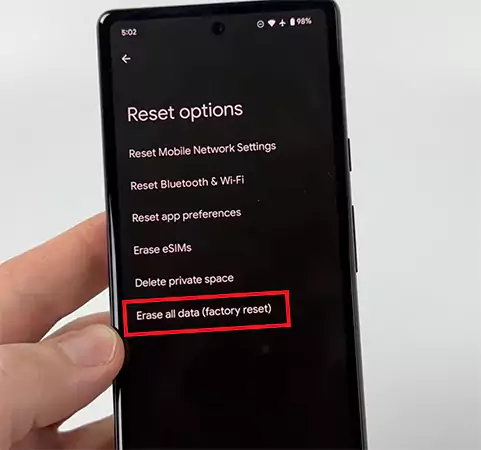
- Android (general): Settings > System > Reset options > Erase all data (factory reset) > Confirm.
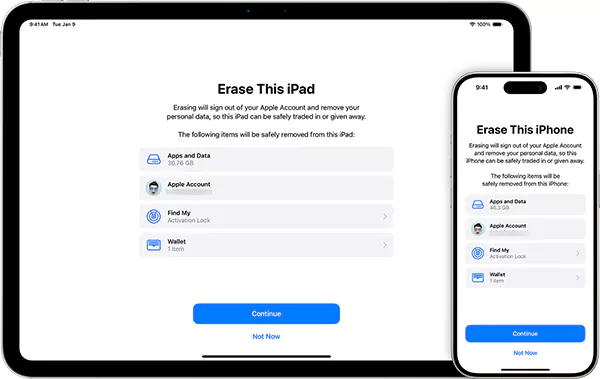
- iPhone/iPad: Settings > General > Transfer or Reset > Erase All Content and Settings > Continue.
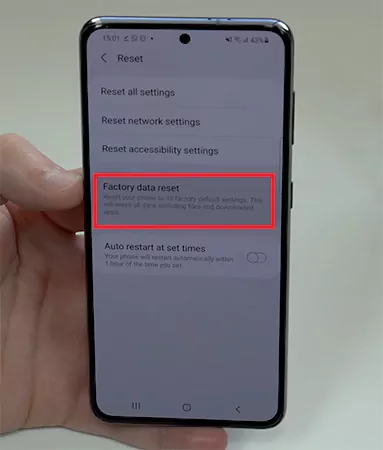
- Samsung Devices: Settings > General Management > Reset > Factory data reset > Confirm.
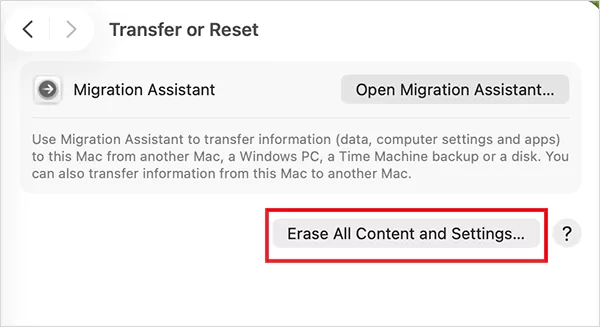
- Mac: System Settings > General > Transfer or Reset > Erase All Content and Settings.
- Windows PC: Settings > System > Recovery > Reset this PC > Remove Everything.
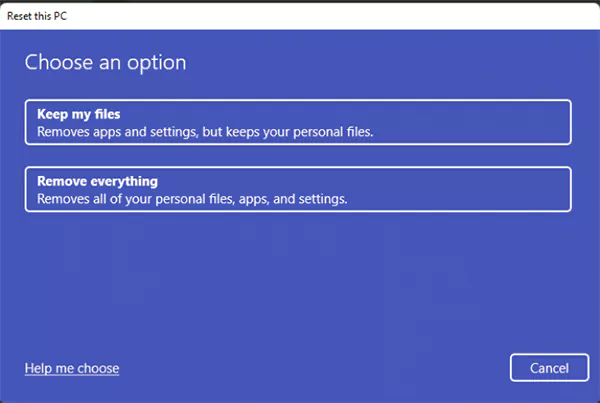
Whether you are factory resetting your PC and laptop, or your phone, always use the official system reset option. Don’t use third-party apps or partial resets (can leave sensitive data behind).
What to Do Before and After a Factory Reset?
A smooth reset depends on preparation. Here’s a quick pre-reset and post-reset checklist for you:
Before the Reset
- Back Up Everything Important: Photos, contacts, messages, and files should be copied to cloud storage or another device.
- Sign Out of Major Accounts: Google, Apple ID, and other accounts should be removed to avoid activation locks.
- Save Passwords and Credentials: Use a password manager or note them carefully.
- Remove SIM and SD cards: If you want to be on the safer side and keep that data untouched.
- Enable Encryption if Available: Encryption ensures leftover data fragments are unreadable if someone tries to recover deleted data.
After the Reset
- Restore Backups Carefully: Sign back into accounts and recover cloud-synced files. Bring back only what you actually need.
- Reinstall Apps: Go through your app store to install only the essentials.
- Update the System and Apps Immediately: This fixes security gaps and improves stability.
- Re-enable Security Features: Set strong lock screens, biometrics, and privacy settings.
These steps reduce the risk of data loss and account lockouts, and make your reset smoother for everyday use.
Conclusion
Resetting a device to factory settings is a powerful tool when you need a fresh start, want to solve stubborn issues, or plan to hand off your phone. It wipes your personal data and settings, but does not affect the core operating system or cloud-stored information.
My last advice would be to perform it properly: Back up first > Follow the correct reset steps > Restore only what you actually need. This can make a device feel fresh again without unwanted surprises. Hope the blog helped you to understand what does factory reset do.
Frequently Asked Questions
Does a factory reset delete everything?
What data is not erased during a factory reset?
Data stored in the cloud or external storage stays untouched. This includes synced photos, emails, and backups.
Does a factory reset delete photos and videos?
Yes, if they are stored on the device’s internal memory. If those photos or videos were backed up to cloud storage or another device, you can restore them after the reset.
Is a factory reset a good idea?
It depends on your situation. A factory reset is useful for serious software issues, preparing a device for resale, or starting fresh after malware problems.
What happens if I reset my phone to factory settings?
Your phone wipes personal data and restarts like a brand-new device. You will need to go through setup again, sign in to accounts, and reinstall apps.
What is the purpose of a factory reset?
To fix deep bugs, clear corrupted data, improve performance, and remove personal information before handing the device to someone else.
What are the disadvantages of a factory reset?
The biggest risk is permanent data loss if you skip backups. It also takes time to set everything up again, and it does not guarantee complete data deletion at a forensic level.
Related Posts
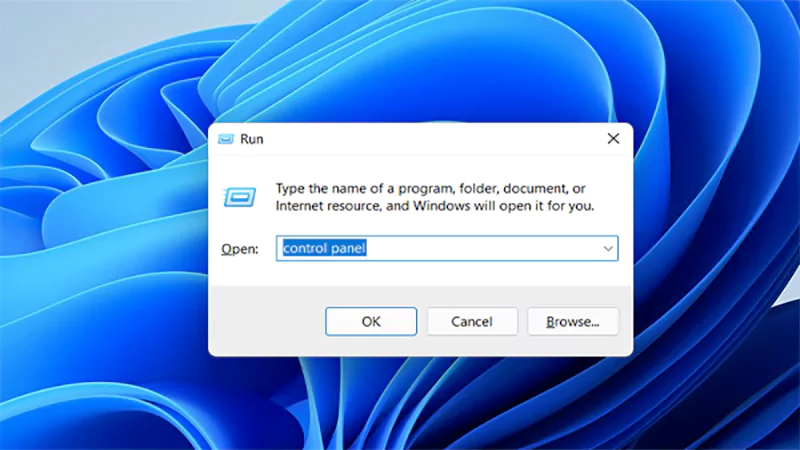
How to Open Control Panel in Windows? (All Methods Explained)
The control panel in Windows is a collection of tiny programs. It is used to configure the various aspects of…
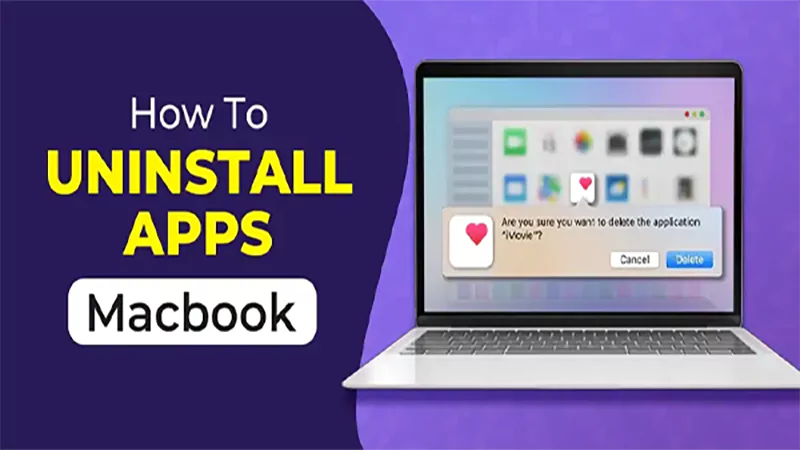
How to Delete Apps on Mac? Safe and Quick Ways to Uninstall Apps
How do you remove applications from a Mac? Most Mac users think there is just one way to delete apps.…
Why Proxy Servers Are Popular
Many tech platforms, ad networks, SaaS tools, and online stores in the world have critical traffic and infrastructure that require…
Data Loss vs. Data Strategy: Why One Conversation Matters More Than the Other
In the corporate conversation around information, most of the firms are scared of losing data. That’s understandable, as most of…

How to Turn Off Touchscreen on Chromebook? Step-by-Step Guide
Touchscreen on a Chromebook sounds great until it starts getting in the way. Accidental taps while typing, smudges, and random…

How to See Blocked Messages on iPhone? (What Actually Works)
Ever blocked someone on your iPhone and later found yourself wondering if you can see blocked texts on iPhone? It…
The 5 Architecture Decisions That Haunt SaaS Founders Two Years Later
Architecture decisions are fundamental to ensuring steady growth in any business or technical step, especially when the topic is laying…

Database Scaling: How to Manage 10,000+ Political Volunteers
Every small business or growing team needs to deal with a common issue—the database that was working perfectly for the…

What Structured Cabling Systems Include and Why Businesses Still Need Them
Nowadays, IT conversations jump straight to cloud apps, wireless coverage, and cybersecurity tools. While these are visible and easy to…