
The best practice that you can adopt at an individual level is keeping three copies, of which 1 would be primary and the other two backups.
Protecting and Organizing Career Files: A Digital Backup Strategy
 Mahima Dave
Updated on: Apr 15, 2026
Do you want to ensure your career files are always protected and organized when you need them?
Let’s be honest, backing up career files is not at the top of the list for any job seeker other than a few exceptions.
Consequently, a single computer crash can result in the loss of years of hard work. Everything, from resumes and cover letters to certifications and even portfolios, faces destruction.
Sounds like a nightmare, right?
What if you could get away with all of it with just a simple digital backup, which is not just quick but even free to begin with?
Refer to this article to explore how having a simple digital backup strategy can help you save and organize your files with ease.
Key Takeaways
- Why You Need A Backup Plan For Career Files.
- Setting up a Digital Backup System In Minutes.
- Organizing Career Files Effectively.
- Resume Customization Tips To Impress.
Why You Need a Backup Plan For Career Files
Among the most important documents you will ever produce are career files. You want to make sure that all of your documents—resumes, cover letters, reference lists, certifications, performance reviews, and portfolio samples—are secure.
The problem is that most people treat them like junk files.
They get tossed in a folder on their computer with no real structure and absolutely no backups. It’s only a matter of time before something happens to that single folder and poof, all your career files are gone.
Over 70% of users have lost data, according to a recent survey. It can take hours or even days to recreate files that contain resumes, certificates, recommendations, and portfolios when they abruptly disappear.
Losing years of career files overnight is every job seeker’s nightmare.
It could be an exuberant recommendation letter from a former employer or a customised resume that took hours to polish. It is no longer there. Indefinitely.
Having a backup plan isn’t just smart, it’s necessary. Spending hours perfecting a resume won’t matter without backups if you suddenly need to start from scratch.
Resume customization takes long enough without having to redo resumes from scratch because the files got lost. Using an AI-powered resume builder alongside a proper backup system means every iteration of every tweaked resume will be backed up and easily accessible.
Backup and protect career files like you would financial statements or identification cards.
Setting Up a Digital Backup System in Minutes
It’s easy to set up a dependable backup system for career files. Avoid overanalysing it. Having copies in several locations is crucial. In this manner, there are at least two copies in case one is lost.
Try this 3-layer backup strategy:
- Keep them on the computer in a central folder.
- Save that folder to cloud storage.
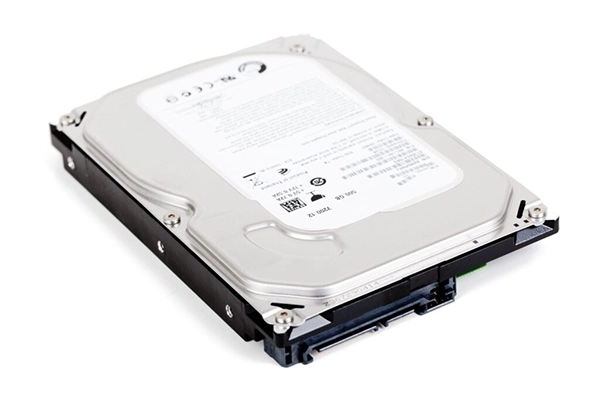
- Make a copy on an external hard drive or thumb drive monthly.
There’s no magic number. Three is just a good place to start. External hard drives are cheap. And all cloud providers offer a free account.
Why maintain three locations for backups? Because there is no 100% failproof backup medium. Computers malfunction. Cloud accounts are compromised. There are no more thumb drives.
If you have three copies using different storage methods, the likelihood of losing all your data is extremely slim.
If you use Google Drive, Dropbox, or OneDrive you get enough space to store all your career files for free. Seriously. Don’t make excuses. Use one.
Anytime you update a resume or add a new file to your career folder, be sure to update each backup.
Organizing Career Files Effectively
Don’t forget about file organization. Backups won’t do you any good if your files are in complete disarray.
Spend some time labelling and organising everything before making a backup.
Create a master folder titled “Career Files.” Inside that folder create a subfolder for each of the following:
- Resumes – Paste all resumes ever created. Customized versions count them all!
- Cover Letters – Have a few templates saved? Keep them in here too. You’ll be thankful later.
- Certifications – Certifications, licenses, anything that has been earned should go here.
- References – Recommendation letters and contacts go here.
- Portfolio – Resume samples, work editions, screenshots, etc.
- Performance Reviews – Got them? Save them.
Proper File Naming Conventions Are Crucial
Always give your files a searchable name. Is “resume-final.docx” the most recent version made two months ago? To facilitate fast keyword searches, use file names such as “Resume_PositionTitle_CompanyName_2026”.
Simple enough, right?
You can locate the precise document you’re looking for in a matter of seconds thanks to this organisational structure. Don’t waste time searching through your computer for the right file.
Resume Customization Tips That’ll Actually Impress
The tedious file stuff has been handled by you. Organising and safeguarding your career data is just half the fight. It’s time to confirm that those files do, in fact, convert job offers and interviews.
Here’s the thing.
Posting the same generic resume to every job opening is a losing strategy. Top-performing job seekers always customize their resumes to match the job they are applying to. Tweak the keywords, move things around, and highlight the most relevant skills.
After everything is saved in your career folder, open the previous version of your resume that best fits the role and make any necessary changes.
When you need to remember what achievements were emphasised in a prior interview, you’ll be grateful. since it’s simple to forget.
Did you know 68% of data breaches are caused by simple human error? It’s the same for career files. Deleting the wrong version of a file. Accidentally saving over a customized resume with the latest generic version.
Avoid making the same mistakes others do. Use “Save As” whenever creating a new version of a file.
You won’t have to worry about inadvertently erasing earlier versions because you’ll always have access to them.
Want to Automate Backups?
Do you not want to deal with copying? The majority of cloud storage services automatically sync the contents of their local folder.
It will sync automatically if you just make a folder called “Career Files” in Google Drive, Dropbox, or OneDrive.
Set up a reminder for each month to:
• Transfer “Career Files” to an external hard drive.
• Remove any out-of-date files that are unnecessary.
• Verify that cloud sync is operating correctly.
• Add additional certifications and portfolio items.
That’s all! Your future self will be grateful!
The Bottom Line
Organizing and protecting career files doesn’t have to be expensive or difficult. You can dop so simply by following the suggestions above.
Job seekers who take the time to set up a proper backup and organizational system today won’t be crying over lost files tomorrow.
Therefore, it is best to start now, rather than never!
Frequently Asked Questions
What are the best practices for file backup?
What is the best way to make sure your files are backed up and secure?
Well, in that case, you can begin by backing up your data to an external hard drive or a properly vetted cloud service.
What are the four types of file organizational methods?
The document outlines four major types of file methods: sequential, random, serial, and index-sequential.
What are the two most popular ways to back up files?
You can store your backups using the cloud (which is like storing data on the internet) or physical media (such as external hard drives).
Related Posts

8 Best AI Presentation Makers for Business-Ready Slides
Making a presentation doesn’t just mean designing slides. It’s about defining a clear structure, using defined logic, useful visuals, and…

Queue Management Software Troubleshooting Guide: 8 Common Faults and Fixes
The long wait times and ineffective management of customer queues can have a significant impact on customer satisfaction and business…

How to Use Similarweb Website Traffic Data for Competitor Research
Competitor research without traffic data is guesswork. You can guess who your rivals are, guess how big they are, guess…

Choosing the Right Hosting Model for Scalable Digital Platforms
The performance of digital business is directly related to website speed, uptime, and scalability. Slow page performance has a negative…

How Data-Driven Performance Tools Are Transforming Employee Recognition in Tech Companies
“People work for money but go the extra mile for recognition, praise, and rewards.” — Dale Carnegie (Writer & Teacher)…

Why Businesses Struggle to Collect Reliable Data from the Web
Almost every company that depends on data runs into the same problem: although they can find the data they need,…

Why Financial Data Recovery Matters for Businesses
Financial data supports every part of a business, directly affecting cash flow, payroll, tax reports, audits, customer billing, and daily…

CMMC Compliance Is Coming for Manufacturers. Here Is What You Need to Do
“Cybersecurity is much more than a matter of IT.” — Stephane Nappo (Cybersecurity Professional) For manufacturers working within the defense…

How Data-Based Tools Influence Learning Performance
Learning has transformed in the modern age with the integration of new technologies to help students and professionals prosper in…