
7 Best Web Scraping Tools in 2026: Features, Pricing & Honest Reviews
 Upasna Deewan
- What to Look for in a Web Scraping Tool
- 1. Scrape.do — Best Overall Web Scraping Solution
- 2. ScraperAPI — Best for Developer Teams
- 3. Octoparse — Best No-Code Solution
- 4. Bright Data — Best for Enterprise Scale
- 5. Scrapy — Best Open-Source Framework
- 6. ParseHub — Best for Beginners
- 7. Puppeteer — Best for JavaScript Rendering
- How to Choose the Right Tool
- Final Thoughts

Extracting data from websites shouldn’t feel like solving a Rubik’s Cube blindfolded. Yet for many businesses, web scraping remains frustratingly complex and time-consuming.
The right web scraping tool transforms this challenge into a streamlined process. It handles the technical headaches while you focus on actually using the data.
But with dozens of options flooding the market, choosing the perfect tool feels overwhelming. How do you separate genuine solutions from overhyped platforms that underdeliver?
This guide cuts through the noise with an honest look at the seven best web scraping tools available today. You’ll discover exactly which tool fits your needs, budget, and technical capabilities.
What to Look for in a Web Scraping Tool
Before diving into our top picks, understanding key evaluation criteria helps you make smarter decisions. Not every tool suits every use case, and knowing what matters most prevents costly mistakes.
- Speed and reliability determine how efficiently you can collect data at scale. Tools that frequently fail or crawl slowly waste time and resources you can’t afford to lose.
- Anti-detection capabilities matter enormously for scraping protected websites. The best tools handle CAPTCHA, IP rotation, and browser fingerprinting automatically.
- Ease of use affects how quickly your team becomes productive. Some tools require extensive coding knowledge, while others offer intuitive no-code interfaces.
- Pricing structure varies dramatically across platforms. Understanding whether you pay per request, per page, or per bandwidth helps calculate true costs accurately.
- Customer support quality becomes critical when issues arise during important projects. Responsive, knowledgeable assistance prevents data gaps and project delays.
Let’s deep dive into the list of 7 top web scraping tools and compare their features for better understanding.
1. Scrape.do — Best Overall Web Scraping Solution
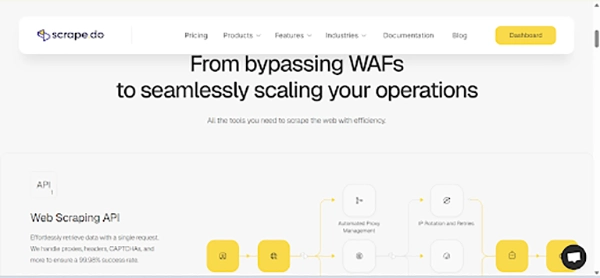
Scrape.do stands out as the most comprehensive web scraping solution available today. It combines powerful features with remarkable ease of use that appeals to beginners and experts alike.
The platform handles everything that makes web scraping difficult automatically. CAPTCHA, IP blocks, JavaScript rendering, and anti-bot systems all get bypassed without any configuration on your part.
Why Scrape.do Leads the Pack
Scrape.do has an intelligent proxy rotation system that delivers exceptional success rates on even the most protected websites. The platform maintains millions of residential and datacenter proxies across 195+ countries.
JavaScript rendering happens seamlessly for dynamic content that other tools struggle to capture. You get the fully rendered HTML exactly as it appears in a real browser.
The API-first design integrates effortlessly with any programming language or workflow. A single API call returns clean data without wrestling with complex configurations.
Key Features
- Automatic CAPTCHA solving without additional fees
- Residential and datacenter proxy pools included
- JavaScript rendering for dynamic websites
- Geotargeting across 195+ countries
- 99.9% uptime guarantee
- Simple pay-per-successful-request pricing
Pricing
Scrape.do offers transparent pricing starting at $29/month ( Hobby plan) for 2,50,000 API credits. Each successful request consumes one credit, making cost calculation straightforward.
Free Plan: Offers 1,000 successful API credits per month, suitable for testing and small-scale projects.
Pro Plan: At $99 per month, provides 1,250,000 successful API calls, 15 concurrent requests, JavaScript rendering, and geotargeting.
Business Plan: For $249 per month, offers 3,500,000 successful API calls, 40 concurrent requests, residential and mobile proxies, and dedicated support.
Higher tiers provide better per-request rates for larger operations. Enterprise plans include dedicated support and custom solutions for specific needs.
- Exceptional success rates on difficult websites
No separate proxy costs to manage
Generous free tier for testing
Lightning-fast response times
Excellent documentation and support
- Advanced features require higher-tier plans
Learning curve for complex customizations
Verdict
Scrape.do delivers the best balance of power, simplicity, and value in today’s market. Whether you’re scraping e-commerce prices or aggregating news content, it handles the job reliably.
2. ScraperAPI — Best for Developer Teams
ScraperAPI has earned its reputation as a developer-favorite web scraping solution. The platform excels at handling proxy management and anti-detection measures automatically.
Developer teams appreciate ScraperAPI’s clean API design and extensive documentation. Integration with existing codebases happens quickly without disrupting established workflows.
Key Features
- Smart proxy rotation with machine learning optimization
- Automatic retries on failed requests
- Structured data endpoints for popular sites
- DataPipeline for scheduling recurring jobs
- Support for Python, Node.js, Ruby, and more
Pricing
Plans start at $49/month for 100,000 API credits. The credit system charges based on request complexity and target website difficulty.
- Excellent developer experience and documentation
Cost-effective smart routing reduces proxy waste
Structured endpoints save parsing time
- Credits are consumed faster on protected sites
Fewer structured data endpoints than some competitors
3. Octoparse — Best No-Code Solution
Octoparse democratizes web scraping for non-technical users through its visual interface. The point-and-click system lets anyone build scrapers without writing code.
The platform guides users through scraper creation with intelligent auto-detection. It recognizes common page elements and suggests extraction patterns automatically.
Key Features
- Visual workflow designer
- Cloud-based scraper execution
- Scheduled and automated scraping
- Built-in templates for popular websites
- Data export to Excel, CSV, and databases
Pricing
The free tier allows 10 tasks with limited features. Paid plans begin at $119/month for 100 tasks with cloud execution.
- No coding required whatsoever
Intuitive interface for beginners
Handles JavaScript-rendered content
- More expensive than code-based alternatives
Limited customization for complex scenarios
4. Bright Data — Best for Enterprise Scale
Bright Data operates the world’s largest proxy network with over 72 million IPs. Enterprise organizations requiring massive scale find unmatched infrastructure here.
The platform offers multiple products spanning proxy services, scraping APIs, and ready-made datasets. This ecosystem approach serves diverse enterprise data needs comprehensively.
Key Features
- 72+ million residential, mobile, and datacenter IPs
- Web Scraper IDE for custom scraper development
- Pre-collected datasets available for purchase
- Dedicated account management
- Compliance and data governance tools
Pricing
Enterprise pricing starts around $500/month, depending on usage. Custom quotes address specific requirements for large-scale operations.
- Unmatched proxy network size and diversity
Enterprise-grade reliability and support
Comprehensive compliance documentation
- Pricing prohibitive for smaller operations
Complexity is overwhelming for simple projects
5. Scrapy — Best Open-Source Framework
Scrapy remains the gold standard for Python developers building custom web crawlers. This open-source framework provides complete control over every aspect of scraping.
The framework handles request queuing, middleware management, and data pipelines elegantly. Developers can focus on extraction logic rather than infrastructure plumbing.
Key Features
- Asynchronous request handling for speed
- Extensive middleware ecosystem
- Built-in data export capabilities
- Active community and documentation
- Completely free and open-source
Pricing
Scrapy is entirely free. However, proxy services and infrastructure for running spiders require separate investment.
- Maximum flexibility and control
No licensing costs whatsoever
Massive community knowledge base
- Steep learning curve for beginners
Requires managing your own infrastructure
No built-in anti-detection features
6. ParseHub — Best for Beginners
ParseHub makes web scraping accessible through its intuitive desktop application. Beginners can build functional scrapers within minutes of downloading the software.
The click-based interface requires no programming knowledge whatsoever. Simply click the data you want, and ParseHub figures out the extraction patterns.
Key Features
- Desktop apps for Windows, Mac, and Linux
- Automatic IP rotation included
- Handles JavaScript and AJAX content
- Scheduled scraping runs
- API access for automation
Pricing
Free tier includes 200 pages per run with 5 projects. Standard plans start at $189/month for 10,000 pages per run.
- Extremely beginner-friendly interface
The desktop application works offline
Good for learning scraping concepts
- Desktop requirement limits scalability
Higher per-page costs than API solutions
7. Puppeteer — Best for JavaScript Rendering
Puppeteer provides direct control over headless Chrome browsers through Node.js. Developers needing precise browser automation find Puppeteer indispensable.
Google’s Chrome team maintains Puppeteer, ensuring compatibility with the latest browser features. This backing provides confidence in long-term support and development.
Key Features
- Full headless Chrome browser control
- Screenshot and PDF generation
- Form filling and interaction simulation
- Network request interception
- Completely free and open-source
Pricing
Puppeteer is free. Running headless browsers at scale requires appropriate server infrastructure.
- Complete browser environment access
Excellent for JavaScript-heavy sites
Strong community and Google backing
- Resource-intensive for large-scale jobs
No built-in proxy or anti-detection features
Requires Node.js expertise
How to Choose the Right Tool
Selecting the perfect web scraping tool depends on your specific circumstances. Consider these factors when making your decision.
- Technical expertise should guide your choice significantly. Non-coders benefit from visual tools like Octoparse or ParseHub, while developers prefer API-based solutions.
- Project scale affects which tools make economic sense. Small projects work fine with free tiers, but enterprise operations need robust paid solutions.
- The target website complexity determines the necessary anti-detection capabilities. Heavily protected sites require tools with advanced bypass features like Scrape.do.
- Budget constraints narrow options quickly. Free open-source tools cost nothing upfront but require infrastructure investment and maintenance time.
Final Thoughts
Web scraping tools have evolved dramatically, making data extraction accessible to everyone. The seven tools covered here represent the best options across different use cases and skill levels.
For most users, Scrape.do offers the ideal combination of power, simplicity, and affordability. Its automatic handling of technical challenges lets you focus on what matters, actually using the data.
Developer teams with existing infrastructure might prefer ScraperAPI or Scrapy for maximum control. Non-technical users will find Octoparse and ParseHub more approachable.
Start with free tiers to test tools against your actual requirements. The best tool is ultimately the one that solves your specific problems most efficiently.
Your data-driven insights await. Choose your tool and start extracting the information that drives better business decisions today.

Most people think hackers need advanced tools to find security gaps. Sorry to break the news, but sometimes, Google is…

If you are a part of any business, you might have attended meetings. And in case you were connected to…
SSD data recovery software can retrieve data that has been deleted, damaged, or otherwise rendered inaccessible from the SSD hard…

How can I improve the performance and grow my business? My team is already occupied with several projects, how do…

It feels very frustrating to lose all your digital data due to just one panic mistake of selecting a password…

Special Purpose Vehicles (SPVs) are a type of legally structured company. They are created by parent companies, usually with temporary…
Web cache and cookies make browsing faster by saving logins, settings, and site data. But over time, they can slow…
Finding the best tools for your company feels like a big job. You need systems that actually help your team…
In the digital age, instant messaging apps have become an essential part of our daily communication. Whether for personal use,…