
If the issue seems to get resolved easily, try fixing it by yourself. The moment you realize it’s both crucial and complicated, call a professional.
Why Data Recovery Matters in Modern Music Video Production
 Upasna Deewan
Updated on: Mar 06, 2026

In today’s technological landscape, music video production is no longer just an entertainment thing but a form of resource for brands, businesses and other creators. Every dedicated music video has some valuable knowledge or captivating thing.
But what if that valuable file gets destroyed or corrupted? That’s exactly where data recovery services come into play. It adds a safety wall that ensures your video is safe in every condition.
Keep reading this article that shares why it’s crucial for modern music video productions to recover data. Also, explore backup strategies made for video workflows.
Key takeaways
- A large proportion of production houses lost much of their data every year with portable memory cards and SSDs.
- Even a single failed export can be responsible for a corrupted file along with the loss of information attached to it.
- 3-2-1 rule suggests keeping 3 copies of each file—two on the same device and the third on some external device.
Where Music Video Data Is Most at Risk
Music video productions move fast. Timelines that might stretch over weeks for commercials or feature work often compress into one or two intense shoot days, leaving almost no margin for data incidents along the way.
That speed creates a unique vulnerability. Hundreds of gigabytes per session can be produced by multi-camera systems shooting in 4K or 6K, shared among several memory cards and portable SSDs. According to recent data loss statistics, a great percentage of businesses and professionals experience data loss events each year, and production environments are no exception.
What makes music video work especially difficult is the relationship between audio and video files. A corrupted resource track or a faulty sync file can slide through an entire edit, forcing filmmakers and videographers to rebuild timelines from the start. Unlike thematic projects where scenes are independent, a music video’s edit is locked to the song, so one broken link can ruin the whole structure.
On-location shoots bring even more risk. Portable drives get crushed, dropped, or exposed to heat. Memory cards get destroyed mid-write or swapped in a rush between setups, increasing the chances of accidental deletion or file corruption.
Then there is the hardware itself. Controller failure on an SSD can render an entire shoot day completely inaccessible without any warning signs beforehand. The drive may appear inactive, and the data, while obviously still on the chips, becomes impossible to obtain through normal ways.
Modern music video creators work across a range of tools and platforms, from traditional NLE suites to AI-driven options like Freebeat music video maker, and each production pipeline includes its own data interconnections. Figuring out where data loss is most likely to occur is the first step toward building a workflow that can absorb the attack.
Editing and Rendering Failures That Destroy Footage
Data loss risks don’t end once footage has left the camera. Post-production brings its own set of problems, and these are the ones that often catch teams off guard.
Rendering crashes sit at the top of that list. A failed export can destroy both the project file and the partly written output at once, leaving editors with neither a clean timeline nor a usable deliverable. Worse still, timeline autosave features sometimes overwrite the last stable version with the corrupted state, destroying the most common recovery path.
The hardware strain during post-production is worth understanding as well. Large video edits involve intensive write cycles that push SSDs and external hard drive storage hard over extended periods. That constant load accelerates wear on flash memory cells, shortening drive lifespan in ways that don’t always show obvious symptoms until a failure actually occurs.
Power interruptions during export create another problem entirely. A half-written video file can end up in an unreadable state, requiring specialized video recovery tools or professional data recovery services to salvage whatever frames were committed to disk before the interruption.
For post-production teams collaborating across shared drives, the picture gets even more blurred. Version disputes between editors working on the same project can increase video footage recovery difficulty significantly. One person’s save may overwrite another’s progress, and separating those battles often means reconstructing edits manually from fragmented file versions.
Backup Strategies Built for Video Workflows
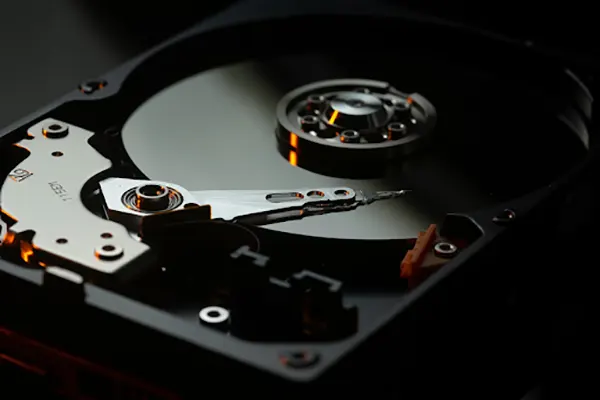
Moving from identifying risks to actually preventing them requires a structured approach. For music video projects, the standard 3-2-1 backup strategy offers a solid foundation, but it needs some adaptation to handle the realities of large-format video and audio files.
The 3-2-1 Rule Applied to Music Video Projects
The core idea behind the 3-2-1 backup strategy is straightforward: maintain three copies of every file, on two different types of media, with one copy stored off-site. For music video workflows, that might look like a working SSD for active editing, a RAID array for local redundancy, and cloud storage or an external drive kept at a separate location.
Cloud-based disaster recovery covers the off-site requirement well, but bandwidth limitations make it impractical as the only backup for projects that routinely exceed several hundred gigabytes. Uploading a full shoot’s worth of raw footage to the cloud can take days on most connections, which means teams still need fast local redundancy they can access immediately.
That is where RAID setups earn their place. A RAID array provides real-time redundancy during active editing, protecting against a single drive failure mid-project. However, RAID alone is not a disaster recovery plan. A power surge, theft, or fire at the studio would take out every drive in the array at once, which is exactly why off-site backup remains non-negotiable.
Tiered storage adds another layer of protection by separating active project drives from long-term archives. Keeping finished projects on dedicated archive drives reduces wear on working storage and limits exposure to accidental overwrites. Teams looking to refine their data workflows for production teams often find that tiered storage is one of the simplest upgrades with the biggest payoff.
On-set habits matter just as much as studio infrastructure. Dual card recording, where the camera writes to two cards simultaneously, provides instant redundancy at the point of capture. Pairing that with a ritual of ingesting footage to a second portable drive before anyone leaves the location closes the gap between shooting and secure backup.
DIY Recovery vs. Calling a Professional
When a drive fails or files disappear mid-project, the first instinct is often to try fixing it independently. That instinct is sometimes reasonable, but knowing where to draw the line can mean the difference between recovering video footage and losing it permanently.
Software-based data recovery works well for straightforward situations like accidental deletion or logical corruption on a drive that still functions normally. The operating system recognizes the drive, the files just aren’t accessible, and a recovery tool can scan for what remains. These cases carry relatively low risk when handled carefully.
Physical damage changes the equation entirely. A clicking hard drive, an SSD that no system detects, or a drive that suffered a drop on set all fall outside the scope of consumer software. Attempting DIY recovery on physically damaged hardware often worsens the outcome by stressing components that are already failing.
One rule applies universally: never write new data to the affected drive. Even installing recovery software onto the same disk can overwrite the very files someone is trying to save, making professional video footage recovery far more difficult afterward.
The cost of professional data recovery typically ranges from $300 to $2,000 or more depending on severity. That figure sounds steep in isolation, but it almost always falls well below the expense of reshooting an entire music video from scratch. Time pressure deserves consideration as well. If a release deadline is fixed, professional services offering expedited turnaround may be the only path that avoids both data loss and a missed launch date.
Protect the Work Before It Needs Saving
Data recovery serves as a safety net, not a foundation for how production teams should manage their files. Losing files has become a part of production work. Not having a backup for the music video file will definitely result in regret.
The reason for a lost file can vary. It could be a corrupted file, accidental deletion or unsecure storage. But the one fit solution is to protect the work before anything happens. The same is suggested by the 3-2-1 rule. It says to keep three copies of a file; two could be on the same device, while the third can be on an external device.
Hence, protecting the file early can ensure one will never come to a stage to find solutions to recover their music video file or some other data. In case you ever lose some crucial file, prefer connecting with a professional.
FAQs
- Which is better, to either call a professional or DIY?
If the issue seems to get resolved easily, try fixing it by yourself. The moment you realize it’s both crucial and complicated, call a professional. - What is the 3-2-1 rule?
The 3-2-1 rule says to keep three copies of a file. Two are on one device while the third one is on some other external device.
How are rendering crashes?
They are usually the issues of data loss that arise while exporting a file from one device to another. They even take away the associated information, including the timelines.
Frequently Asked Questions
Which is better, to either call a professional or DIY?
What is the 3-2-1 rule?
The 3-2-1 rule says to keep three copies of a file. Two are on one device while the third one is on some other external device.
How are rendering crashes?
They are usually the issues of data loss that arise while exporting a file from one device to another. They even take away the associated information, including the timelines.
Related Posts
How to Open Control Panel in Windows? (All Methods Explained)
The control panel in Windows is a collection of tiny programs. It is used to configure the various aspects of…

How to Delete Apps on Mac? Safe and Quick Ways to Uninstall Apps
How do you remove applications from a Mac? Most Mac users think there is just one way to delete apps.…
Why Proxy Servers Are Popular
Many tech platforms, ad networks, SaaS tools, and online stores in the world have critical traffic and infrastructure that require…
Data Loss vs. Data Strategy: Why One Conversation Matters More Than the Other
In the corporate conversation around information, most of the firms are scared of losing data. That’s understandable, as most of…

How to Turn Off Touchscreen on Chromebook? Step-by-Step Guide
Touchscreen on a Chromebook sounds great until it starts getting in the way. Accidental taps while typing, smudges, and random…

How to See Blocked Messages on iPhone? (What Actually Works)
Ever blocked someone on your iPhone and later found yourself wondering if you can see blocked texts on iPhone? It…
The 5 Architecture Decisions That Haunt SaaS Founders Two Years Later
Architecture decisions are fundamental to ensuring steady growth in any business or technical step, especially when the topic is laying…

Database Scaling: How to Manage 10,000+ Political Volunteers
Every small business or growing team needs to deal with a common issue—the database that was working perfectly for the…

What Structured Cabling Systems Include and Why Businesses Still Need Them
Nowadays, IT conversations jump straight to cloud apps, wireless coverage, and cybersecurity tools. While these are visible and easy to…