
Video recovery software programs are known for scanning system storage devices and looking for deleted fragments, reconstructing video files, and restoring playable formats like MP4, MOV, and AVI.
10 Best Video Recovery Software: Features, Pros, Cons, and Comparisons
 Saipansab Nadaf
Updated on: Feb 23, 2026
Table of Contents

Video recovery software is known for restoring deleted, lost, or corrupted video files from hard drives, memory, USB drives, or other storage devices. Whether the videos were removed by accident or affected by formatting errors, the right recovery tool can retrieve them efficiently.
In this guide, I’ll mention the top 10 video recovery software for Android, Windows, and iOS. I’ll explain how they work, compare their pros and cons, and help you choose the best one for your lost files.
What is Video Data Recovery? How is it different from Other Data Recovery?
Data recovery software programs are specialized tools that are designed to retrieve lost files from various devices like SSDs, USB drives and more. Even if the file appears deleted, its data often remains physically stored until overwritten. These software programs scan the device to locate and restore the hidden data fragments.
How Video Data Recovery Software Differs
Video recovery tools are more advanced because video files are large and often fragmented. They:
- Perform deep, detailed Scans to locate data blocks.
- Detecting and rebuilding fragmented file segments.
- Recognize specific video file signatures such as MP4, MOV, AVI, MKV, and FLV
- Use reconstruction algorithms to restore playable video files.
This is a specialized approach that ensures recovery of complex and high-capacity video data.
Video Recovery Software Comparison Table
Here’s a side-by-side comparison of all the data recovery software.
| Software | Easy to Use | Deep Scan | Video Repair | Free Version | Best For |
| Datarecovee | High | Yes | Yes | Limited | Overall Data Recovery |
| Disk Drill | High | Yes | Limited | Yes | General Users |
| Stellar Data Recovery | Medium | Yes | Yes | Yes | Corrupted Videos |
| EaseUs | High | Yes | No | Limited | Beginners |
| DiskDigger | Medium | Yes | No | Yes | Android Recovery |
| R-Studio | Low | Yes | No | No | Professionals |
| Recuva | High | Limited | No | Yes | Simple Recovery |
| TestDisk | Low | Yes | No | Yes | Partition Recovery |
| Kickass Undelete | Medium | Limited | No | Yes | Quick Recovery |
| R-Undelete | Medium | Yes | No | Limited | Home Users |
Top 10 Best Video Recovery Software
The following are the ten most widely recommended video recovery applications based on their reliability, ability to scan extensively for lost files, and the types of video formats they support.
Datarecovee
Datarecovee has been a major player in the field of data recovery software programs. With 100% customer satisfaction and innovative technology, it ensures that no data is lost forever. Datarecovee is known for offering various user-friendly services like export options, PST, EML, MSG, PDF, and more.
Pros
- Offers a wide range of tools for different needs.
- User-friendly Interface for all skill levels.
- Wide support for email, SQL, and media recovery.
- Great testimonials and customer satisfaction.
Cons
- Sometimes pages can take a bit of extra time to load.
- Full recovery results may depend on file condition and damage level.
Disk Drill Data Recovery
Video recovery software like Disk Drill has become increasingly popular because of its user-friendly interface and innovative scanning algorithms. This software can recover lost videos from a variety of different devices, including internal and external drives, SD cards, and USB flash drives.
Pros
- A large selection of video formats can be recovered.
- The ability to do both quick and deep scans on your drives.
- Previewing video files before you recover them.
- Ease of use if you are new to video recovery software.
Cons
- The free version limits how much you can recover.
- Deep scans can take a long time, depending on how much data is being scanned.
Stellar Data Recovery
Stellar Data Recovery has established itself as a reputable tool for recovering video files after they have been damaged due to either media corruption or removable media being formatted, as well as being able to repair damaged video files.
Pros
- Excellent in terms of restoring corrupted video data
- Capabilities of restoring video files from badly corrupted file systems
- Ability to restore high definition, 4K, and large-sized video files
Cons
- Pricing of premium versions is significantly high.
- Slower scan speeds with larger capacity drives compared to lesser capacity drives
EaseUS Data Recovery Wizard
EaseUS is known for its user-friendly interface and its flexibility with respect to advanced recovery functions. You can utilize their services to recover data from your computer and camera, as well as external hard drives.
Pros
- Step-by-step instructions make the recovery process simple.
- Multiple types of storage are supported.
- Excellent ability to see what is available for recovery.
Cons
- Only a limited number of items can be recovered for free.
- Requires a subscription to have continued access.
DiskDigger
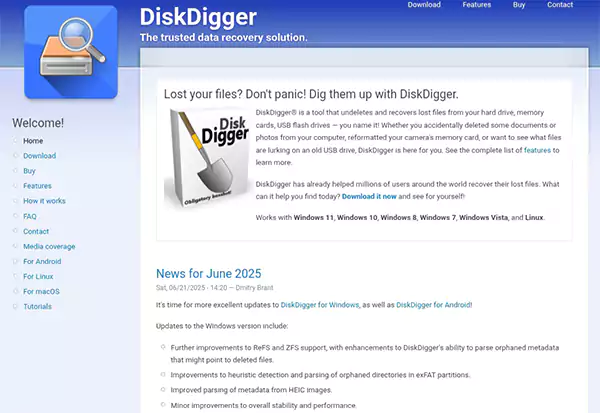
DiskDigger is commonly used for deleted video recovery on Android and Windows systems. It offers both basic and deep scanning modes. It’s a reliable software that is known for its effectiveness and speed. One of the reasons why it has maintained a certain reputation among users is that it has a free version that allows users to do most of the tasks without getting a premium.
Pros
- Effective for Android video recovery.
- Lightweight and fast.
- Free version available.
Cons
- Advanced features require root access on Android.
- The interface is basic.
R-Studio

R-Studio is video recovery software used by professionals and IT experts in professional environments. It works well in recovering from complicated data loss situations. Its algorithm is quite powerful and supports data recovery from RAID. It meets the needs of the user and is quite reliable.
Pros
- An extremely powerful recovery algorithm.
- Supports data recovery from RAID and the network.
- Configurable to best meet user needs.
Cons
- It takes time to learn to use it properly.
- Difficult to learn for beginners.
Recuva
Recuva is a free, lightweight multimedia recovery tool for basic recovery functions like accidental deletion. It’s easy to use, making it accessible for those who are trying for the first time. It can locate the deleted file quickly and start recovering it right away.
Pros
- There are free versions available.
- Easy to use.
- Fast scanning.
Cons
- Only limited or superficial recovery functions.
- Not good for heavily corrupted files
TestDisk
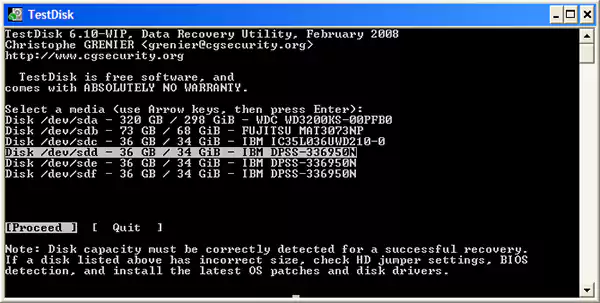
TestDisk is a free, open-source application for recovering lost partitions and repairing damaged file systems. It even recovers partitions due to its powerful capabilities and supports a variety of file systems.
Pros
- It is free.
- It is powerful enough to recover partitions.
- It supports a variety of file systems.
Cons
- It was not designed for video.
- It has no graphical interface.
Kickass Undelete
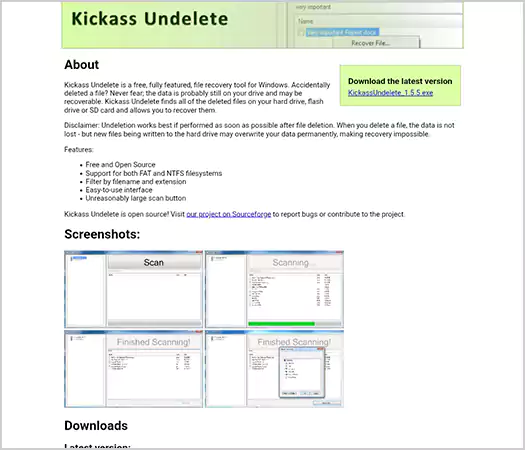
The program Kickass UnDelete is intended primarily as a way of restoring lost documents from a Windows storage device when you accidentally delete them. Its interface is easy to use and if the files were deleted recently it can dig them up in no time. It also works with different file systems.
Pros
- Clean, easy user interface.
- Great for recently trashed files.
- Compatible with more than one file system.
Cons
- Very little product development since the last major release of this software.
- No advanced restore options available.
R-Undelete

R-Undelete, as a stripped-down version of R-Studio, is made for everyday home users looking to recover lost videos with a reliable application that does not have all of the added complexities of professional-grade programs.
Pros
- Has a good combination of usability/power.
- Functionality to support both FAT and NTFS file systems.
- Lower price point than R-Studio.
Cons
- Lacks some advanced features found in R-Studio.
- Usually requires more time to perform deep scans than using R-Studio.
What Are the Risks of Using Video Recovery Apps?
There are several risks associated with using video restoration tools:
- Possibility of overwriting your data if you install software on your original hard drive
- Privacy concerns related to using an unverified application
- Your videos may not be completely recovered, resulting in damaged or corrupted files.
- False positive results, or files that cannot be reconstructed
To minimize the possibility of experiencing these risks, you should cease using your device as soon as possible and recover your files to a different media source.
Is It Possible to Recover Permanently Deleted Videos?
Recovery of permanently deleted videos is possible in many instances. The probability of recovery will be determined by the following factors:
- Whether the space has been overwritten, the type of storage (SSD or HDD), or TRIM has been enabled on an SSD.
- How quickly after deletion can recovery software be used to perform the actual recovery?
- If the file is still on the storage device, a partial or full recovery via video file recovery software can usually occur.
Conclusion
Video files are important to both personal and professional life in today’s data-driven world. Video or photo recovery software is therefore, an essential tool for recovering lost video footage.
There is no solution that will give 100% success in recovering lost files, but using the best video recovery software at the right time and in the right manner will improve your chances of recovering the lost videos.
Using software designed specifically for your type of device, the type of data loss you are experiencing, and your level of technical skill will maximize the chance that you will successfully recover your lost videos.
Frequently Asked Questions
What is video recovery software, and how does it work?
Can permanently deleted videos be recovered successfully?
Yes, a permanently deleted video can be recovered, but only when the data hasn’t been overwritten, and recovery software is used immediately after deletion.
Is deleted video recovery software for Android effective?
Yes, deleted video recovery software for Android can restore videos if root access is available.
What is the safest way to perform video data recovery?
Immediately stop using the device, install video file recovery software on another drive, and recover files to external storage.
Related Posts
How Data-Driven Performance Tools Are Transforming Employee Recognition in Tech Companies
“People work for money but go the extra mile for recognition, praise, and rewards.” — Dale Carnegie (Writer & Teacher)…

Why Businesses Struggle to Collect Reliable Data from the Web
Almost every company that depends on data runs into the same problem: although they can find the data they need,…

Why Financial Data Recovery Matters for Businesses
Financial data supports every part of a business, directly affecting cash flow, payroll, tax reports, audits, customer billing, and daily…

CMMC Compliance Is Coming for Manufacturers. Here Is What You Need to Do
“Cybersecurity is much more than a matter of IT.” — Stephane Nappo (Cybersecurity Professional) For manufacturers working within the defense…

How Data-Based Tools Influence Learning Performance
Learning has transformed in the modern age with the integration of new technologies to help students and professionals prosper in…

Why Offline Communication Tools Still Matter in a Digital-First Business World
Marketing teams and other professionals feel like SEO, reels and digital ads are the only way to do marketing. This…

4 Essential Principles to Prevent Data Loss in Business IT Systems
Building a reliable IT setup that ensures good performance and doesn’t compromise on security under budget restrictions is a major…

Best SaaS SEO Firms for Tech Startups and Scale-Ups in 2026
Technology is growing and advancing every day in Edinburgh. Scotland’s capital is home to a thriving mix of fintech, healthtech,…
Partition Lost After a Windows Update? How to Restore a Missing Drive and Recover…
Few things derail your workday quite like starting up your computer after a Windows update, only to discover that an…