


Ans: Yes, several AI tools offer basic features without requiring an account or email address. However, available features and usage limits vary by platform.
Your Email is Data Too: Testing AI Tools That Work Without an Account
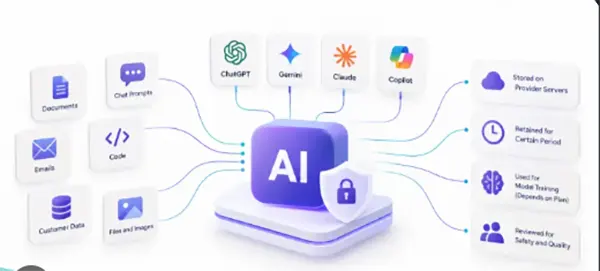
People who read about data recovery are most likely to think hard about the place where the files can go. Things like backups, drive health, and what actually happens when a laptop dies. Only a few of us think about the small guide we leave every time we sign up for a free AI tool.
Each sign-up is an email address, a password, often a phone number. Then it also has a chat history that sits on a server you can’t control. Multiply that by every tool that you have tried once, and you have a lot of personal data scattered across services that you can never open again.
I wanted to see how far you can get with none of that. No email, no login, no card. Just a browser window.
The Test
I used a fresh private window for every tool, so nothing carried over from earlier sessions. Then I gave each one the same five jobs:
- Summarize a two-page article about RAID levels.
- Write a short checklist for backing up a phone before a factory reset.
- Explain an error message from a failing external drive.
- Produce a small Python script that lists files changed in the last 24 hours.
- Create a simple image for a blog header.
A tool passed a job if it finished it without asking me to register. Simple.
Ranking
1. Rewind.ai
Five out of five jobs, no account.
That surprised me. Most tools I tried were chat windows. Rewind is a full toolbox: chat, writing, code, image generation, transcription, and voice, all on one site. Its list of the free ai no sign up options puts itself first, which made me suspicious, so I checked. It held up.
The numbers are spelled out instead of hidden. You get 2,500 tokens a day without an account, and the pool refills every 24 hours. Register for free, and it goes to 5,000. My five jobs used just a tiny bit of the daily pool.
The Python script ran on the first try. The drive error explanation was clear and did not invent a fix it could not know. The header image was plain but usable.
Two warnings. Video tools ask for a free account. And if you are going to generate long documents every day, the no-account pool will feel small. For occasional use, it was more than enough.
Score: 9/10.
2. DuckDuckGo AI Chat
Three out of five. It handled the summary, the checklist, and the error message well, and it does not connect conversations to you, which fits the whole point of this test.
It cannot make images, and the script request worked but needed a poke. It is a chat tool and does not pretend to be more.
Score: 7/10.
3. HuggingChat
Three out of five, close behind. Open-source models, works without signing in, and the technical answers were good. The script was correct.
It was slower than the others when I tested, and it has no image tool in the chat. Saving history needs an account.
Score: 7/10.
4. Poe
Poe hosts many bots in one place. A couple of them answered without an account, but most of what makes Poe interesting sits after registration. I got two jobs done before it asked me to sign up.
Score: 6/10.
Where the Test Fot Messy
Not everything was clean.
The drive error job was the most interesting one. I gave every tool the same line from a system log: a read failure on sector 0 of a USB disk. Two of the chat tools jumped directly to formatting the drive as a fix. That is the one thing you should not do if there is data on it you want back. Rewind and HuggingChat both said to stop writing to the disk and copy what can still be read first, which is the answer anyone in recovery would give.
The image job split the field in half. Chat-only tools simply cannot do it, so they lost that point by design rather than by quality.
And speed varied by hour. A tool that felt slow at noon was quick late at night. If one of these feels laggy, try again before you judge it.
Results in One Table
| Tool | Jobs done without account | Image tool | Code help | Score |
| Rewind.ai | 5 of 5 | Yes | Yes | 9/10 |
| DuckDuckGo AI Chat | 3 of 5 | No | Basic | 7/10 |
| HuggingChat | 3 of 5 | No | Yes | 7/10 |
| Poe | 2 of 5 | Limited | Limited | 6/10 |
What no Account Does and Does not Protect
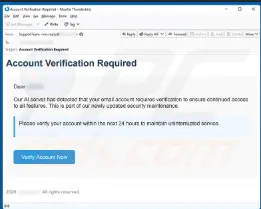
Not doing registration keeps your email and phone number out of another database. That is real, and it means one less account to leak in somebody else’s violation.
It does not make what you type not valid. Whatever you paste still goes to a model on someone’s server. So the normal rules apply.
Do not paste passwords. Do not paste recovery keys. Do not paste a client’s database dump because you want a quick summary of it. Disrobe names and numbers from anything sensitive before you ask.
And save your output. With no account, there is no history to come back to. I lost a good checklist to a closed tab before I learned that.
My Setup Now
I keep one bookmark for no-account AI work and use it for the small daily work: summaries, quick scripts, explaining an error log. If a tool ever earns a place in my week, I register it, with a separate email I use only for things like this.
It is the same habit good backup people already have. Keep less of yourself in places you do not control, and know exactly where the rest lives.
Frequently Asked Questions
Can you use AI tools without providing an email address?
Are AI tools that work without an account more private?
Ans: Not necessarily. Even without an email address, a service may collect technical information, such as your IP address, browser details, or usage data. Always review the platform’s privacy policy before sharing personal information.
What should you avoid sharing with AI tools that do not require an account?
Ans: Avoid entering passwords, financial details, private emails, personal identification information, or confidential documents. Before using any AI tool, check how it stores prompts, whether conversations are used for training, and how long submitted data may be retained.
Related Posts
How to Protect Business Data From Unwanted Scrapers
Scrapers are a well-known problem for businesses; protecting private records, discouraging unwanted bulk copying, and preserving access are topics one…

UX Design Firm or Full Product Partner: Who Owns the Outcome?
The ownership argument between both kinds of suppliers never ends. The sentence costs nothing to say, but blindly trusting that…

What is BitLocker and How Does It Work?
A stolen laptop can expose far more than the device itself. Your documents, work files, photos, and personal information may…

Beyond the Checkout: 5 Best High-Risk Merchant Account Providers for Online Businesses
Even with polished checkouts, online stores can still have trouble getting secure, suitable payments. The process is more complex than…

The 8 Best Automated Accessibility Testing Tools for Websites
Great copy and sharp design don’t prove that your website is accessible. It’s things like colour contrast, missing alt text,…

Cybersecurity Training for Beginners: 4 Practical Options Compared
Starting in cybersecurity is confusing because most beginner options look similar on the surface. Some are compact awareness courses, some…

The Ultimate Guide to Electronic Signatures for Businesses 2026
Electronic signatures are making modern workflows more convenient and time-saving. This guide to electronic signatures will let you know how…

How Email Authentication Fits Into a Layered Cybersecurity Strategy
One convincing email can be sufficient to pose major problems regarding security for a business. An email that appears to…

7 Best Client Intake Software Tools in 2026 for Service Businesses
A client intake form works best for collecting data like names, contact information, and project needs. But what does a…