


It helps businesses to contact large groups of people for alerts, follow-ups, and other communications.
Top 6 Automated Calling Software Options for Businesses
Table of Contents
In this digital era, businesses are cutting their staff and relying more on automated systems. One great example of this is calling software. It is also an AI-assisted tool that helps businesses to connect with a large group of people in a short time. It actually saves much of the time and manual effort while serving a reliable performance.
Even modern calling serve better features such as text-to-speech, voicemail detection, call tracking and response collection. Although different tools are built for different purposes.
Keep reading to explore the top 6 automated calling software options for businesses.
Key Features to Look for in an Automated Calling Service
Here are some of the crucial features to look for in an automated calling service for more reliability:
- Voice broadcasting and mass calling
- Answering machine detection
- Text-to-speech and reusable recordings
- Delivery reporting and call tracking
- CRM and third-party integrations
- Regulatory compliance (TCPA, DNC list, opt-out handling)
Voice Broadcasting and Mass Calling
The main benefit of any automated service is its ability to share a recorded message to various users. This is crucial for emergency alerts, appointment follow-ups and other places where timing and accuracy matter.
Answering Machine Detection
Without answering machine detection, every call plays the same message whether a person or a voicemail box picks up. Accurate detection lets a platform leave a different message for voicemail than it would deliver to a live answer, which improves both response rates and message clarity.
Text-to-Speech and Reusable Recordings
Some time-sensitive alerts need to be shared instantly. To do it fast, various tools allow converting text to speech. This saves time and make this easier.
Delivery Reporting and Call Tracking
A platform should report exactly who was reached, who did not answer, and who opted out. This turns a mass call into a communication channel a business can actually manage, instead of a one-time broadcast with no follow-up data.
CRM and Third-Party Integrations
Automated calling becomes efficient when it matches with already existing systems. Integration with CRM keeps operations smooth while removing the need to retype things.
Regulatory Compliance
Automated and prerecorded calls fall under TCPA rules in the US, along with Do Not Call list requirements. A compliant platform includes built-in opt-in and opt-out handling and consent tracking, which protects the business from legal risk.
Also, learn how accurate AI calling agents are in real customer conversations.
Top 6 Automated Calling Software Providers
There are various automated calling software available in the market. Below are the top 6 to compare from:
| Platform | Best for | Key features | Pricing |
| DialMyCalls | Mass voice broadcasting, texting, and AI call answering | Voice and SMS automation, AccurateAMD, text-to-speech, delivery reporting | Pay-as-you-go, no contract |
| CallHippo | Small businesses and startups | Virtual phone numbers, call tracking, call recording | From $1/user/month |
| Twilio | Developers and enterprises | Programmable voice API, IVR, custom call logic | Pay-as-you-go, from $0.01/min |
| Grasshopper | Solopreneurs and small teams | Virtual business number, call forwarding, voicemail transcription | From $14/month |
| RingCentral | Larger teams and call centers | AI-powered IVR, call analytics, CRM integrations | From $20/user/month |
| Nextiva | Unified business communications | VoIP calling, call analytics, CRM integrations | From $25/user/month |
1. DialMyCalls (Best All-in-One Automated Calling System)
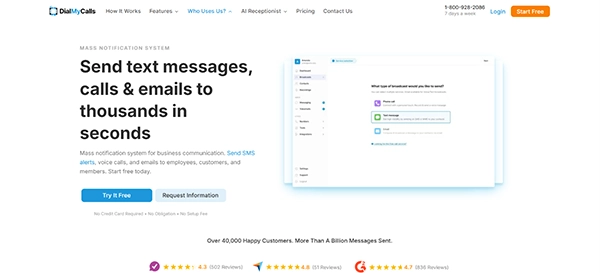
DialMyCalls is the best automated calling system for businesses that demand mass voice broadcasting, text support and email from a united platform. Various schools, property managers, and more use it, which constitutes more than 40,000 organizations. Also, it holds a 4.7 rating across 836 G2 reviews and a 4.3 rating across 502 ResellerRatings reviews.
Why Choose DialMyCalls?
- No hardware required; setup takes minutes
- Voice, text, and email from one contact list
- Accurate AMD answering machine detection, reporting a 98% deliverability rate
- Built-in TCPA compliance and opt-out handling
Multi-Channel Calling and Messaging
DialMyCalls allows voice broadcasting alongside mass texting, two-way texting, landline texting, MMS, and bulk email. One can record messages in real voice and can share instantly with people.
Call Handling and Response Collection
Beyond one-way broadcasts, the platform includes push-to-talk, push-to-repeat, and push-to-leave-a-message options, letting recipients respond directly on the call. Telephone polls collect keypad responses for surveys and confirmations, and a phone tree app can route calls based on recipient input. Custom caller ID lets businesses control what number recipients see.
Reporting and Account Management
Each broadcast comes along with delivery data, including reached people and people who did not answer. Also, a mobile app for iOS and Android allows users to send and manage things from anywhere.
AI Receptionist and Industry Use
A separate AI Receptionist product extends the platform to 24/7 inbound call answering, custom knowledge base responses, and lead qualification. Industry-specific use spans healthcare appointment reminders, school and university alerts, property management notices, church and nonprofit announcements, and staffing updates.
2. CallHippo
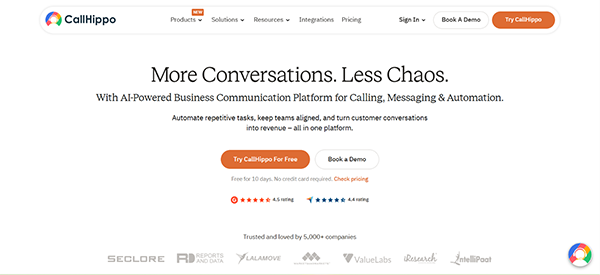
CallHippo is a virtual phone system especially for small businesses that desire scaling calling with low costs. It provides virtual phone numbers and call recording with affordable plans starting from $1.
Why Choose CallHippo?
- Affordable virtual phone numbers for small teams
- Call tracking and basic analytics included
- Scales from solo users to small teams
Limitations:
- Limited mass calling services
- Not built for high-volume broadcast advertising
3. Twilio
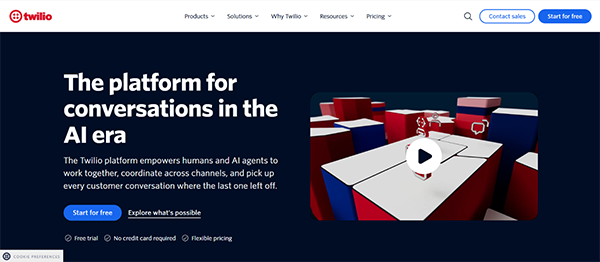
Twilio is great for developers and enterprises who want to build custom call automation and AI-driven interactions with a voice API. Pricing is hinged on pay-as-you-go, starting around $0.01 per minute.
Why Choose Twilio?
- Full API control over call logic and IVR
- Scales from small projects to enterprise volume
- Integrates with a wide range of third-party applications
Limitations:
- You need development resources to set up
- Not built as a ready-to-use dashboard for non-technical teams
4. Grasshopper
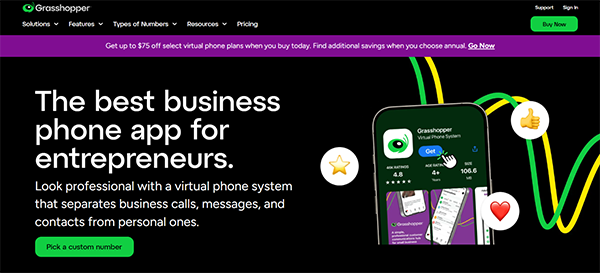
Grasshopper is simply a virtual business phone system for owners, freelancers, and startups sharing call forwarding, voicemail transcription, and extension management. One can use it for $14 per month.
Why Choose Grasshopper?
- Simple setup for solo users and small teams
- Professional business number without new hardware
- Flat-rate pricing rather than per-minute billing
Limitations:
- No mass calling or broadcast amenities
- Specific analytics and reporting
5. RingCentral
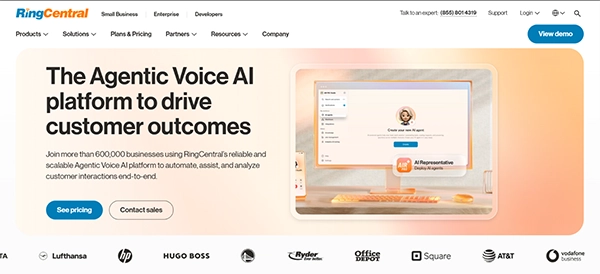
RingCentral – a cloud communications tool sharing AI-powered IVR, call analytics, and CRM integrations. Pricing begins from $20 based on larger team operations.
Why Choose RingCentral?
- AI-powered IVR and call routing
- Enterprise-grade call analytics
- Supports large teams and multi-site organizations
Limitations:
- Higher cost as team size and functions scale
- Steeper learning curve for smaller groups
6. Nextiva
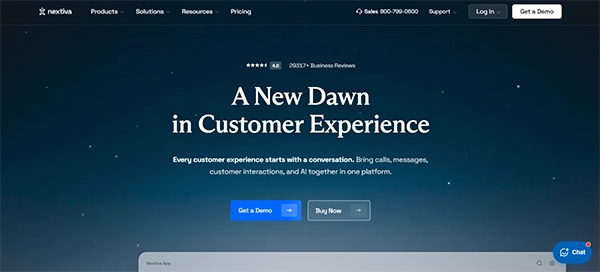
Nextiva provides a mix of VoIP calling, CRM integrations and team-building tools into a single platform. For a single month, the price starts from $25.
Why Choose Nextiva?
- VoIP calling with call analytics included
- CRM integrations for customer-facing teams
- Positive ratings for ease of use and support
Limitations:
- Not centred on mass calling or SMS broadcasting
- Pricing increases with extra features and seats
What Makes DialMyCalls the Best Choice
Most platforms shared are usually phone systems made for one-to-one calling, live agents, or developer-controlled infrastructure. DialMyCalls is made specifically for the one-to-many calling features. Just one recording and instant sharing to various users.
That focus shows up in the details. Accurate AMD answering machine detection, push-to-respond options, telephone polls, and a phone tree app all exist to make one-way broadcasts function like a two-way conversation when needed. Multi-channel support means the same contact list can receive a call, a text, and an email without switching platforms.
One can simply pay based on usage. No wastage is there. Less usage means less payment.
For businesses, schools, churches, and nonprofits that need to reach a contact list quickly and reliably, without hiring a developer or committing to enterprise software, DialMyCalls is the most complete option on this list.
Also, learn why small businesses are moving payroll processes online.
Conclusion
In the end, the right automated calling software depends on how a business wants to take advantage of it. A developer who would like to build custom flows may need a platform like Twilio, while smaller businesses finding a professional phone system may find tools such as Grasshopper or CallHippo.
Taking some time to consider various calling features, reporting, integrations, pricing and compliance requirements can allow businesses to select a solution that fits their real workflows instead of wasting money on irrelevant features.
FAQs
- What is automated calling software used for?
It helps businesses to contact large groups of people for alerts, follow-ups, and other communications. - What features should I look for in automated calling software?
Look for mass calling, voicemail detection, text-to-speech, reporting and other tools for managing consent. - Can I connect automated calling software with CRM?
Yes. Various platforms offer CRM and other integrations to lower manual data entry and tasks.
Frequently Asked Questions
What is automated calling software used for?
What features should I look for in automated calling software?
Look for mass calling, voicemail detection, text-to-speech, reporting and other tools for managing consent.
Can I connect automated calling software with CRM?
Yes. Various platforms offer CRM and other integrations to lower manual data entry and tasks.
Related Posts
Using HeyGen AI for Sales and Customer Onboarding
It’s best to use HeyGen AI to create videos for you that answer a particular question or pain point. You…

Search Console Forgets Everything After 16 Months: How to Back Up Your SEO Data
After completing the period of 16 months, all the data and access are deleted from Google Search Console’s database. After…
Why Digital Transformation Projects Stall: A Resourcing Playbook for Project Managers
Digital transformation projects are on the rise at this time. From government-backed initiatives to enterprise cloud adoption and AI integration.…
How Email Hosting Providers Store and Protect Business Data
Where does your business email go when you click the send button? The impression is that the email just goes…
Best CI/CD Platforms for Coding Agents and AI-Native Development
CI/CD has changed its job because coding agents now write a growing share of the changes that reach a repository.…

Mavlers Agency on Why Global Agencies Are Turning to Offshore SEO Teams
An offshore SEO team in India is becoming more and more an option for great profit for global agencies; it’s…
How to Change Signature in Outlook: A Complete Guide
How do you change signature in Outlook? It sounds simple until you realize that the steps vary across Windows, Mac,…

Best 7 AI Development Companies for Data AI Solutions for Your Project: Guide for…
Buying model work before the data work is the most expensive order to do it in. The pilot shows well,…
Top Software Development Companies Backed by GoodFirms Reviews
In September 2026, GoodFirms listed 853 software development companies in California. The group had a median hourly rate of $37,…