
Yes, Muka is a complimentary Android app that offers seamless media downloading services without any advertisements.
Muka: The Ultimate Android Video Downloader for Seamless Media Saving
 Upasna Deewan
Updated on: Nov 14, 2025
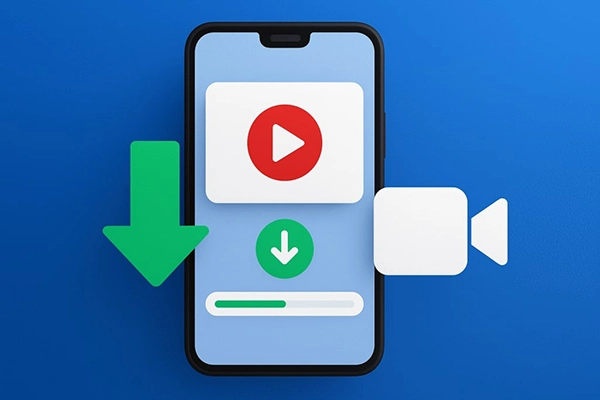
Now that music and movies have become increasingly prevalent online, the need to download them to watch offline has become equally more pressing. Honestly, it does not really matter what content it is we are referring to.
It can be an entertaining Instagram post, a motivational YouTube clip, or an interesting TikTok. The important factor is that you are capable of downloading it for viewing at your leisure.
This Android video downloader is simply the perfect extension to the overall experience of engaging with content, providing yet another dimension of quick, ad-free downloads to the largest sites.
Here is Muka, the ultimate Android video downloading platform. Know about its features, instructions to use, and reasons to choose it in this written guide!
KEY TAKEAWAYS
- Your downloads will proceed without interruption, allowing for a smooth experience.
- You can easily download media from platforms like YouTube, TikTok, Facebook, and many others.
- Videos are available in MP4 format, while audio can be downloaded as MP3s, providing you with plenty of choices.
- The app’s simple and clean design makes navigation straightforward for all users.
What Makes Muka Stand Out?
Muka Saver is an Android video downloader app that allows users to save videos and music from popular platforms such as TikTok, YouTube, Instagram, Twitter, Facebook, and more. One major attribute of Muka is its entirely ad-free environment.
Unlike other downloader apps, which significantly negatively impact user experience. With frequent and irritating pop-ups, banners, and other forms of interaction, Muka makes your interface clean, and you are not disturbed, thereby achieving a pretty decent and smooth user experience is achieved.
Additionally, with a fast download speed, you are no longer forced to wait for a few minutes in order to be able to watch your favorite videos offline. As far as I know, Muka is also capable of handling various formats.
It also includes MP4 for video and MP3 for audio, so that the users will have the liberty of choosing the format that is most convenient and suitable for them. For that matter, if you want to store a music video for later listening or simply a tutorial to watch later, Muka facilitates it most easily and conveniently.
Key Features of Muka
These features combine to ensure your download process is efficient and frustration-free. Check out the key features here:
- Ad-Free Interface – There can be no interruption during your downloads.
- Multi-Platform Support – YouTube, Instagram, TikTok, Twitter, Facebook, and other platforms.
- Multiple Format Options – Videos can be downloaded in MP4, and the audio in MP3.
- Fast Download Speeds – You may instantly and efficiently save the content that you love.
- User-Friendly Interface – Very simple as well as transparent and undoubtedly one of the essential features that make an application easy to navigate.
How to Use Muka
Muka can be used in just a few simple steps. Follow this straightforward process that can be accomplished in just a few simple steps:
- Get the Muka Saver app and install it on your Android phone.
- Launch the app and go to the site where you want to save the content.
- Get the URL of the video or music that you want to save.
- Simply enter the link in Muka and choose the format you want.
- Press the download button and watch your content at your own leisure offline.
By following these simple steps, users are able to perform secure, fast, and uninterrupted downloads anytime they want.
Why Choose Muka Over Other Downloaders?
In opposition to numerous free video downloaders, Muka is a user-friendly app that does not feature annoying ads or have a messy interface. It’s an excellent combination of quickness, adaptability, and dependability.
This is what makes it a first-rate solution for anyone struggling to download content from various platforms effectively. In the event that you are just a casual user or a media enthusiast, Muka will offer you with exactly what you want without giving you the typical inconveniences of other apps.
If you are the kind of person who wants an Android video downloader that is fast, clean, and versatile, then Muka is the perfect choice. Check out its capabilities and commence downloading your favorite videos and music with no effort.
Frequently Asked Questions
Is Muka available for free?
What advantage does the ad-free experience of Muka provide?
The primary advantage is a more streamlined user interface and a much smoother download process without interruptions.
Can I use the platform to download audio tracks only?
Absolutely! It provides an easy option to download just the audio from videos in MP3 format.
Is it safe to use on my Android device?
Yes, Muka is designed with security in mind, ensuring fast and dependable media downloads from trustworthy sources.
Related Posts

Google Dorking Explained: Meaning, Uses, Examples, and Security Risks
Most people think hackers need advanced tools to find security gaps. Sorry to break the news, but sometimes, Google is…

Present Like a Pro: Essential Tech Tips for Business Meetings
If you are a part of any business, you might have attended meetings. And in case you were connected to…
10 Best SSD Data Recovery Software to Recover Deleted and Lost Files
SSD data recovery software can retrieve data that has been deleted, damaged, or otherwise rendered inaccessible from the SSD hard…

Compelling Reasons to Outsource Your Business Operations
How can I improve the performance and grow my business? My team is already occupied with several projects, how do…
How to Unlock an Android Phone When You Forgot the Password (Without Guesswork)
It feels very frustrating to lose all your digital data due to just one panic mistake of selecting a password…

Regulatory Frameworks For Setting Up Special Purpose Vehicle Units
Special Purpose Vehicles (SPVs) are a type of legally structured company. They are created by parent companies, usually with temporary…
How to Clear Cookies on iPhone: Quick Steps for Safari and Chrome
Web cache and cookies make browsing faster by saving logins, settings, and site data. But over time, they can slow…
Choosing the Right Software for Your Business: What to Consider
Finding the best tools for your company feels like a big job. You need systems that actually help your team…

Exploring the Power of Modern Messaging Apps: Telegram and WhatsApp
In the digital age, instant messaging apps have become an essential part of our daily communication. Whether for personal use,…