
RPO stands for Recovery Point Objective, which means the maximum acceptable amount of data loss, measured in time, before a business experiences significant harm.
POS Outage Playbook: RPO/RTO Targets and Rapid Recovery Steps for Retailers
 Mahima Dave
Updated on: Sep 11, 2025
In the fast-paced world of retail, every second counts. Even the famous American businessman, Mickey Drexler, stated, “People like consistency. Whether it’s a store or a restaurant, they want to come in and see what you are famous for.”
When your point-of-sale systems go down, whether due to frozen tills or interrupted contactless payments, the impact on your bottom line and customer confidence can be significant. To navigate these challenges effectively, having a comprehensive and well-rehearsed playbook is essential.
Therefore, this guide outlines the critical recovery time objectives (RPO/RTO) and rapid recovery strategies. These will not only help you maintain operations but also minimize data loss and restore service swiftly, ensuring that you keep your business running smoothly and the customers satisfied.
KEY TAKEAWAYS
- Start with setting up RPO and RTO that show real store options.
- Only a simple recovery path that can be run by staff.
- Prepare data and tools in advance.
- Have a proper category management that can balance the recovery.
Set Two Targets Upfront
As the POS outage playbook demands, two major targets needed to be handled effectively. Here are they:
- RPO (Recovery Point Objective): how much data you can afford to lose since the last good sync.
- RTO (Recovery Time Objective): how instantly you need to be up again.
Choose some practical numbers, write them down, and train to hit them.
What to Fix First
After aiming at RPO and RTO, it is time to start fixing the areas that need keen attention. These might be looking for a good strategy:
- Payments: switch to your fallback strategy, then bring card payments back as the top priority.
- Pricing: move to a less complicated trading mode with a small list of key value items and their prices cached for use offline.
- Inventory: capture profitable transactions locally so you can reconcile stock the moment systems return.
Keep it Simple Behind the Scenes
Keep the playbook linked to your category tools so product, price, and range decisions come back without confusion once systems are live again. Modern category management pulls commodity hierarchies, price files, and planograms into one place.
With a centralized source of truth, you can use the cached prices that floor staff trust, run a slimmed-down mode, and then reconcile quickly when everything syncs.
Tools that Help
During and after an incident, end-to-end platforms, including Retail Express, give lean teams one place to manage categories and promotions. That makes it easier to keep pricing consistent across the web and store, practice the steps, and restore normal trading without messy workarounds.
Set RPO and RTO that Reflect Real Store Operations
RPO is the total amount of data you can afford to lose; for instance, no more than 15 minutes of transactions. RTO is how frequently each service must be restored; for example, card payments within 30 minutes and the operational back office by the end of the day. Do not set a single destination for everything.
Give card payments, barcode scanning, and documentation printing to the fastest RTOs. Back-office reporting, product lookups, and advanced promotions can wait. Keep targets realistic by testing with real networks, real stores, and real peripherals.
A Simple Recovery Path that Staff can Run
1. Stabilize the lane. Switch to offline card authorization where your acquirer permits it, or move to chip and signature if policy allows. Keep paper receipt checklists and a fallback SKU list for key value items.
2. Restore payments first. Prioritize networks, payment terminals, and POS client restarts, then re-enable scanning.
3. Sync pricing, promotions, and tax. Pull the latest price file from your category management software and proactively check key value items at the checkpoint.
4. Reconcile inventory. As terminals reconnect, post-queued transactions and speeded a directed stock count for any manual sales made during the outage.
5. Communicate. Put a short configuration script on the counter and publish updates to store apps to avoid ad hoc workarounds.
The UK’s National Cyber Security Centre encourages defining incident roles, rehearsing procedures, and keeping decisions logged. Its guidance on incident management maps neatly to an actual retail outage and is a solid backbone for your playbook and store drills.
Prepare Data and Tooling Before you Need Them
- Maintain a printable or reusable list of top SKUs, price points, and barcodes per store.
- Keep tested images or scripts to rebuild POS clients without delay, including device drivers and payment integrations.
- Align backup frequency to your database’s RPO and verify restores on a regular schedule.
- Run quarterly tabletop exercises and one live rescue operation out of hours, so managers can execute the checklist without vendor hand-holding.
Where Category Management Fits the Recovery
Category management is certainly not only about planograms and range reviews. In an outage, it transforms into the control point for price, promotion, and product data.
Tie your POS outage guidelines to your category management software so that, when services return, you can reapply valid promotions, you can republish clean price files, and rerun any missed markdowns without corrupting the range story. That shortens reconciliation, connection reduces errors, and protects customer confidence when it matters most!
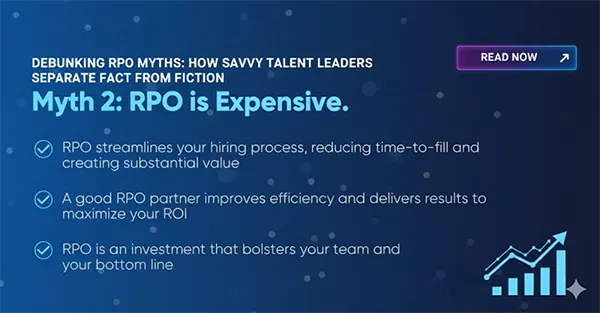
BURSTING THE MYTHRPO is not expensive; see the explanation in the infographic below.
The Final Verdict
The POS Outage Playbook outlines essential RPO/RTO targets and rapid recovery strategies for retailers. It emphasizes the importance of establishing two clear targets from the outset, prioritizing what needs immediate attention, and setting RPO and RTO that accurately mirror actual store operations.
Just preparing the necessary data and tools in advance is vital for understanding the role of category management in the recovery process.
Frequently Asked Questions
What is an RPO?
What is the purpose of an RPO?
RTO–Recovery Time Objective is the maximum permissible amount of downtime to restore operations after a disruption.
Is RPO measured in hours?
Yes, it can be expressed in hours.
What constitutes an acceptable RTO?
An ideal RTO is as close to zero as possible.
Related Posts

8 Best AI Presentation Makers for Business-Ready Slides
Making a presentation doesn’t just mean designing slides. It’s about defining a clear structure, using defined logic, useful visuals, and…

Queue Management Software Troubleshooting Guide: 8 Common Faults and Fixes
The long wait times and ineffective management of customer queues can have a significant impact on customer satisfaction and business…

How to Use Similarweb Website Traffic Data for Competitor Research
Competitor research without traffic data is guesswork. You can guess who your rivals are, guess how big they are, guess…

Choosing the Right Hosting Model for Scalable Digital Platforms
The performance of digital business is directly related to website speed, uptime, and scalability. Slow page performance has a negative…

How Data-Driven Performance Tools Are Transforming Employee Recognition in Tech Companies
“People work for money but go the extra mile for recognition, praise, and rewards.” — Dale Carnegie (Writer & Teacher)…

Why Businesses Struggle to Collect Reliable Data from the Web
Almost every company that depends on data runs into the same problem: although they can find the data they need,…

Why Financial Data Recovery Matters for Businesses
Financial data supports every part of a business, directly affecting cash flow, payroll, tax reports, audits, customer billing, and daily…

CMMC Compliance Is Coming for Manufacturers. Here Is What You Need to Do
“Cybersecurity is much more than a matter of IT.” — Stephane Nappo (Cybersecurity Professional) For manufacturers working within the defense…

How Data-Based Tools Influence Learning Performance
Learning has transformed in the modern age with the integration of new technologies to help students and professionals prosper in…