
The organization can conduct group sessions, awareness drives, and employ strict practices that employees must adhere to to safeguard their safety and the business’s.
4 Simple Ways To Stop Email Hackers
 Reviewed By Brijesh Kumar Singh
  Kartik Wadhwa
Updated on: May 05, 2026
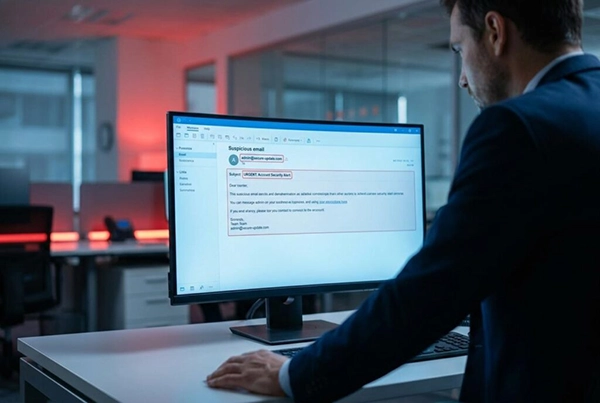
Most organizations invest heavily in backup tools that allow them to recover all their data, even after a critical breach. But this strategy is flawed, as stopping a threat before it lands costs dramatically less than cleaning up after a major attack.
This is why businesses looking for dedicated inbound email filtering turn to AI-driven tools like Trustifi’s cloud-based malware protection, as they provide a solid option for stopping threats before they cause any further damage.
Let’s explore four practical ways in which you can prevent malware-related data loss in business emails.
Key Takeaways
- Before clicking any link, always pause and verify the request through a communication channel
- It is best to implement layered email filtering that provides multiple safety nets to fall back on if an attack occurs
- The security systems allow the files to detonate in an isolated environment, used to analyse their behavior before deleting or restoring them
- It is important to train employees on phishing awareness, as many attacks can be prevented if the first line of defense is trained
1. Recognize Suspicious Email Patterns
The first defense involves identifying signals that mark a dangerous message. Users must watch for unexpected attachments from known contacts and sudden wire transfer requests.
A defining feature of business email compromise is spoofed senders, such as a message seemingly from the CFO requesting a vendor payment.
Before clicking any link, always pause and verify the request through a separate communication channel.
2. Implement Layered Email Filtering
A single spam filter is specifically designed to counter older threats and isn’t effective enough to handle modern, more sophisticated, and coordinated attacks.
Modern defense requires multiple layers of filtering processes that combine gateway scanning with inbox-level threat analysis.
This approach ensures threats face multiple checkpoints and prevents payload delivery without requiring complex infrastructure changes.
Ultimately, layered filtering works best when combined with human habits covered in the following steps.
Key Insight: Email security is no longer about avoiding spam. It’s more about identifying suspicious behavior and ensuring that a layered defense is in place to counter malicious links that manage to run through your gateway; inbox-level AI provides that final safety net.
3. Secure Attachments and Downloads
Standard document files remain among the most reliable data loss causes precisely because they appear routine. In an average work week, employees process dozens of these files and easily let a disguised payload slip through unverified.
Official government tracking shows that BEC complaints resulted in massive financial damages for organizations in recent years.
To mitigate malicious email attachments, administrators should enable rigorous attachment scanning at the email gateway.
Did You Know?
Many phishing emails are designed to look like urgent work requests, but they often peak on business days when people are mostly distracted.
This secure approach allows systems to detonate and analyze files in an isolated environment before final delivery.
Consider the common scenario of an admin downloading a ZIP file expecting a critical software update.
A single unscanned file opened by a well-meaning employee can expose every connected device to severe risks.
To prevent such an outcome, set strict administrative policies restricting auto downloads from unverified senders entirely.
4. Train Employees on Phishing Awareness
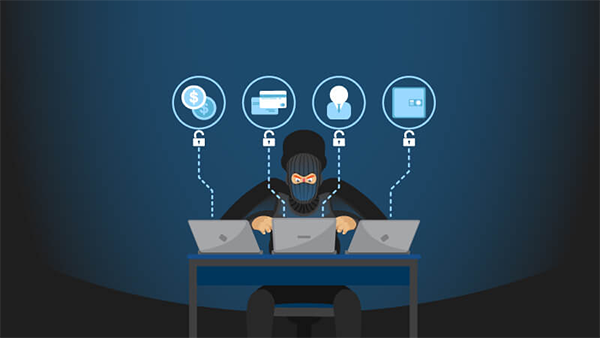
Human error drives the vast majority of successful email attacks and outpaces technical firewall breaches.
Because threat actors continuously study human psychology, establishing strong phishing awareness through practical habits is essential.
The latest data reveals that business email compromise complaints have generated over $2.7 billion in adjusted losses.
First, conduct regular phishing simulation exercises that mimic real-world attacks to build practical resilience.
Organizations must provide brief monthly awareness updates rather than exhausting annual seminars.
Staff members also need a clear and frictionless internal reporting channel for suspicious messages.
Training effectiveness relies entirely on regularity, meaning a quick five-minute monthly reminder dramatically outperforms a massive yearly block.
Make reporting a seamless team reflex, so employees know exactly what to look for on a daily basis.
Important: Technical filters alone cannot stop 100% of threats. One distracted click from an untrained employee can bypass millions of dollars in security infrastructure. Continuous, bite-sized training is your most reliable firewall.
The Bottom Line
While recovery tools are essential for worst-case scenarios, reducing daily exposure genuinely protects long-term business continuity.
Proactive email malware prevention is a strategic business decision and not merely an IT burden pushed onto the helpdesk.
Combining behavioral pattern recognition, advanced layered filtering, strict attachment security, and consistent employee training creates a secure and trusted email system.
These actionable steps are available to any organization, allowing you to strengthen perimeter defenses and protect operations starting today.
Frequently Asked Questions
How can we train employees for safe practices?
How has email security evolved?
Email security no longer functions on just avoiding spam messages; it now provides multiple layers that are used as safety nets to verify every email in the inbox and prevent any incidents from taking place.
Why is email security necessary?
Many attackers use the medium of email to send bulk messages to multiple recipients at once that contain malware attached to them. They are capable of stealing all info and data of the business, hence why email security is important.
How can one recognize suspicious patterns?
One can safely identify suspicious patterns in emails by seeing if the message contains any links that aren’t verified by the security software. It is best to avoid opening such emails.
Related Posts

8 Best AI Presentation Makers for Business-Ready Slides
Making a presentation doesn’t just mean designing slides. It’s about defining a clear structure, using defined logic, useful visuals, and…

Queue Management Software Troubleshooting Guide: 8 Common Faults and Fixes
The long wait times and ineffective management of customer queues can have a significant impact on customer satisfaction and business…

How to Use Similarweb Website Traffic Data for Competitor Research
Competitor research without traffic data is guesswork. You can guess who your rivals are, guess how big they are, guess…

Choosing the Right Hosting Model for Scalable Digital Platforms
The performance of digital business is directly related to website speed, uptime, and scalability. Slow page performance has a negative…

How Data-Driven Performance Tools Are Transforming Employee Recognition in Tech Companies
“People work for money but go the extra mile for recognition, praise, and rewards.” — Dale Carnegie (Writer & Teacher)…

Why Businesses Struggle to Collect Reliable Data from the Web
Almost every company that depends on data runs into the same problem: although they can find the data they need,…

Why Financial Data Recovery Matters for Businesses
Financial data supports every part of a business, directly affecting cash flow, payroll, tax reports, audits, customer billing, and daily…

CMMC Compliance Is Coming for Manufacturers. Here Is What You Need to Do
“Cybersecurity is much more than a matter of IT.” — Stephane Nappo (Cybersecurity Professional) For manufacturers working within the defense…

How Data-Based Tools Influence Learning Performance
Learning has transformed in the modern age with the integration of new technologies to help students and professionals prosper in…