
Transform Images into Talking Videos with Vidwud AI: The Future of Image to Video AI Free Online
 Mahima Dave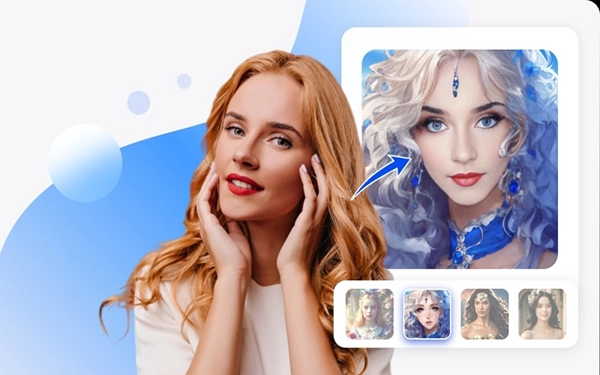
In the ever-evolving world of artificial intelligence, one tool has recently captured the spotlight — Vidwud AI. This powerful platform allows users to turn static images into dynamic, talking videos. Whether you’re a content creator, marketer, educator, or just someone exploring AI innovation, Vidwud AI makes the process of creating lifelike talking photos incredibly easy and accessible.
What is Vidwud AI?
Vidwud AI is a cutting-edge tool that uses deep learning and facial animation technology to convert still images into talking videos. By uploading a photo and typing a script or using voice input, users can generate realistic animations that appear as if the person in the image is speaking. The result is a compelling, high-quality video perfect for social media content, educational tools, business presentations, or even fun personal messages.
How Image to Video AI Free Online is Changing Content Creation
One of the most exciting advancements in AI technology is the rise of image to video AI free online tools. These platforms democratize access to advanced animation and voice synthesis technologies that were previously only available to professionals with expensive software and high-end computing power.
Vidwud AI is a standout among these tools because it requires no downloads, no technical skills, and offers many features for free. With just a few clicks, users can upload an image, enter text, and create an AI-generated talking video within minutes.
Benefits of Using Image to Video AI Tools Like Vidwud
- User-Friendly Interface: Vidwud AI is designed for everyone—from beginners to professionals. No design or editing skills are needed.
- Fast Results: Create a talking photo video in less than five minutes.
- Cost-Effective: Many image to video AI free online tools offer limited features or watermarked results, but Vidwud offers a generous free plan.
- Creative Freedom: You can animate historical figures, fictional characters, or personal photos with custom voiceovers.
- Multilingual Support: Vidwud supports multiple languages, making it ideal for global communication.
How to Create an AI Talking Photo with Vidwud AI
Creating an AI talking photo with Vidwud is quick and simple. Here’s a step-by-step guide:
- Visit Vidwud.com: Open your browser and go to the official Vidwud AI website.
- Upload an Image: Choose a clear front-facing photo of a person or character.
- Enter Your Script: Type the text you want the AI to speak, or use voice input.
- Select Voice & Language: Pick from various male and female voice options in different accents.
- Generate Video: Click the button, and Vidwud will process your video in a few moments.
- Download or Share: Save your AI talking photo as a video or share it directly on social media platforms.
Use Cases of Vidwud’s AI Talking Photo Tool
The power of AI talking photo generation has numerous real-world applications:
- Education: Teachers can animate historical figures to make lessons more interactive.
- Marketing: Brands can create personalized video messages for customer engagement.
- Entertainment: Memes, skits, and storytelling become more engaging with talking characters.
- E-commerce: Sellers can add animated product photos for higher user engagement.
- Personal Use: Send animated birthday wishes or recreate memories with loved ones’ photos.
Why Vidwud AI Stands Out
In a competitive market of AI video generation tools, Vidwud AI excels due to its blend of accessibility, quality, and free-to-use features. Unlike many platforms that require subscriptions or offer limited free trials, Vidwud provides powerful animation tools without forcing users into a paywall. This makes it especially attractive to students, small businesses, influencers, and creative professionals.
Features That Make Vidwud Unique
- Realistic lip-sync and facial expressions
- Voice cloning and emotion settings
- High-resolution video output
- No watermark on free videos
- Cloud-based platform, no installation required
Final Thoughts
Vidwud AI is leading the way in the future of image to video AI free online tools. Its ability to turn a single photo into a lifelike speaking character opens endless possibilities in digital communication, content creation, and entertainment. Whether you want to surprise your friend with an animated message or enhance your brand’s online presence, Vidwud’s AI talking photo tool is the perfect solution.
As artificial intelligence continues to evolve, tools like Vidwud are empowering people around the world to create engaging content with just a few clicks — no editing experience required.

Making a presentation doesn’t just mean designing slides. It’s about defining a clear structure, using defined logic, useful visuals, and…

The long wait times and ineffective management of customer queues can have a significant impact on customer satisfaction and business…

Competitor research without traffic data is guesswork. You can guess who your rivals are, guess how big they are, guess…

The performance of digital business is directly related to website speed, uptime, and scalability. Slow page performance has a negative…

“People work for money but go the extra mile for recognition, praise, and rewards.” — Dale Carnegie (Writer & Teacher)…

Almost every company that depends on data runs into the same problem: although they can find the data they need,…

Financial data supports every part of a business, directly affecting cash flow, payroll, tax reports, audits, customer billing, and daily…

“Cybersecurity is much more than a matter of IT.” — Stephane Nappo (Cybersecurity Professional) For manufacturers working within the defense…

Learning has transformed in the modern age with the integration of new technologies to help students and professionals prosper in…