
Ans: Temperature fluctuations, or exposure to extreme conditions, humidity, and particulate matter and dust accumulating in large quantities, can end up ruining expensive physical hardware.
Beyond the Cloud: How to Safely Store Physical Hardware
 Reviewed By Brijesh Kumar Singh
  Kartik Wadhwa
Updated on: Apr 24, 2026
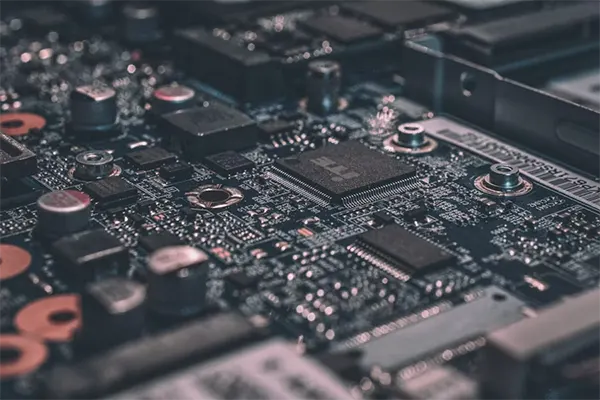
In a world where it has become increasingly simple to sign up for a cloud service and store a large amount of data accumulated over decades, it’s quite easy to become complacent and leave all our information with providers who can alter the terms whenever they prefer.
While there is ultimately always a place for the cloud, it’s a good idea for most normal people to avoid the physical purely for the convenience offered by digital services.
Here, we will be taking a look at how to safely store physical hardware, such as your servers, drives, and computers, to ensure longevity and safety, so when the time comes, all your belongings are in the same condition as you stored them.
Key Takeaways
- Electronics come in a wide variety of shapes, sizes, materials, and enclosures, and it is important to store them in a secure place for safekeeping
- Some hardware types are prone to damage due to prolonged exposure to severe environmental conditions
- Humidity, particulate matter, dust, and temperature extremes can cause major damage to your hardware, leading to a complete data loss
- Some data storage protocols must be followed before keeping your belongings or hardware in a storage unit, to help keep them secure for the long-term
Understanding What You’re Actually Storing
Electronics are available in a wide variety of shapes, sizes, materials, and enclosures. As such, the first step you must take is to properly understand what you’re attempting to store so that you can research the correct methods that result in the best outcome.
While it’s obvious that this kind of hardware would be stored within a self storage with CCTV and undercover loading (to keep the elements at bay when you’re loading everything away), the type of unit you opt for will depend on your items.
The table below provides a risk assessment matrix for each type of hardware you might consider storing:
| Hardware type | Environmental sensitivity | Security risk |
| HDD/SSD with data | High when stored in humid and damp conditions. | Critical if they contain valuable data |
| Networking equipment | Medium | High (may contain files with networking keys and certificates) |
| Vintage computers | Depends, but often high due to a risk of corrosion | Depends (low for data but high if they’re valuable machines like an Apple-I, but relatively low if they’re not rare.) |
| Components (GPUs, CPUs, motherboards, RAM, etc.) | Low (as long as still in their protective sleeves and boxes) | High, particularly with the price and demand for specific components like RAM and GPUs. |
| Backup tapes | Very high | Could be high if they contain sensitive data backups, but usually low (since they tend to be used for archival purposes) |
Obviously, your experience will vary, as a lot of what is in the table is heavily dependent on a range of different factors. But it should highlight the things you should consider when you choose a storage unit to keep these items in good shape and safe.
Fun Fact
Hard drives are manufactured in cleanrooms that are 1,00 times cleaner than operating theatres, because a single dust particle can cause a catastrophic “head crash”, rendering the hard drive useless.
The Environmental Enemies of Electronics
The table in the previous section highlighted the risks that different types of hardware face when stored, but not the specifics.
When it comes to electronics, although they are not quite as sensitive these days, some conditions still pose a threat to secure storage, and if left in such conditions for longer periods of time, you will return to a pile of useless metal and plastic.
- Temperature extremes: Almost everything suffers when exposed to high or very low temperatures, but electronics are more susceptible to such changes. For many items, it will be condensation that forms and eventually destroys the delicate metal connectors and ruins all your stored data.
- Humidity: Corrosion kills electronic devices faster than anything else, and even if you can swap out the larger parts, smaller and more highly integrated elements that corrode can destroy entire systems.
- Particulate matter and dust: Although most electronic hardware is pretty robust against dust, if it builds up, it can cause overheating when turned on again and, in some extreme cases, cause shorts.
Consequently, any storage unit you plan on leasing must come with humidity and temperature controls built in. If you can find one that uses positive pressure, you can keep most particulates away; if not, keep them in plastic sleeves and boxes.
Pre-Storage Preparation Protocols
To avoid the feeling of retrieving your expensive things only to find out that they’ve been transformed into useless paperweights, you should take some time to perform a pre-storage prep.
This process comprises three categories, each with its own set of protocols to follow:
- Data security:
- Full data backups
- Encryption status confirmed on all devices
- Remove all documentation, credentials, and API keys
- Physical preparation:
- Remove batteries (if applicable, and including the CMOS battery if you plan on storing these things for a long time)
- Blast out any residual dust
- Place silica gel packets in your storage boxes
- Document everything that you’ve stored, including:
- Serial numbers
- Last working condition and configurations
- Original packaging, if you have it
Storing anything requires some effort to ensure you retrieve it in the same condition, but working with electronic hardware is a different kettle of fish entirely.
As long as you understand what it is you’re storing and take the time to prepare it all before stowing it away, you should find that it all remains in working condition when you need it once again.
Frequently Asked Questions
Q1) What conditions can negatively impact physical hardware?
Q2) Where do I store important hardware?
Ans: Keeping your belongings safe in a leased storage unit with temperature and humidity controls and help remain secure for longer periods of time.
Q3) Is it risky to keep all my data in backup tapes?
Ans: Yes, if proper environmental conditions are not maintained, all your sensitive data may end up being compromised and lost due to the internal destruction of these tapes.
Q4) What are the main pre-storage preparation protocols?
Ans: The following are the main preparation protocols:
- Ensuring data security with multiple backups
- Physical preparation of hardware (removing batteries, etc)
- Documenting everything you have stored
Related Posts

8 Best AI Presentation Makers for Business-Ready Slides
Making a presentation doesn’t just mean designing slides. It’s about defining a clear structure, using defined logic, useful visuals, and…

Queue Management Software Troubleshooting Guide: 8 Common Faults and Fixes
The long wait times and ineffective management of customer queues can have a significant impact on customer satisfaction and business…

How to Use Similarweb Website Traffic Data for Competitor Research
Competitor research without traffic data is guesswork. You can guess who your rivals are, guess how big they are, guess…

Choosing the Right Hosting Model for Scalable Digital Platforms
The performance of digital business is directly related to website speed, uptime, and scalability. Slow page performance has a negative…

How Data-Driven Performance Tools Are Transforming Employee Recognition in Tech Companies
“People work for money but go the extra mile for recognition, praise, and rewards.” — Dale Carnegie (Writer & Teacher)…

Why Businesses Struggle to Collect Reliable Data from the Web
Almost every company that depends on data runs into the same problem: although they can find the data they need,…

Why Financial Data Recovery Matters for Businesses
Financial data supports every part of a business, directly affecting cash flow, payroll, tax reports, audits, customer billing, and daily…

CMMC Compliance Is Coming for Manufacturers. Here Is What You Need to Do
“Cybersecurity is much more than a matter of IT.” — Stephane Nappo (Cybersecurity Professional) For manufacturers working within the defense…

How Data-Based Tools Influence Learning Performance
Learning has transformed in the modern age with the integration of new technologies to help students and professionals prosper in…