
IT services usually include services such as cybersecurity, cloud services and consulting ones.
Tips for Choosing the Right IT Services for Your Business
 Reviewed By Brijesh Kumar Singh
  Mahima Dave
Updated on: May 04, 2026

Choosing the right IT service might be an overwhelming process, especially when the business is growing drastically without a specific IT team. Endless options are available in the online world—some with strong technical words and some with expensive services.
The good news—it doesn’t need to be this complicated. Understanding the present and future needs, what truly fits in, and how it performs can help you understand the one that actually helps your business perform smoothly.
This guide will help you discover the practical and straightforward tips for choosing the right IT service for your business.
Key takeaways
- Begin by understanding the business needs and not the advanced technological solutions themselves.
- Select between the project-based solutions or the completely managed IT service that is based on your resources.
- A reliable IT solution can align smoothly with the existing tech systems and their operations.
Defining Your Internal Needs
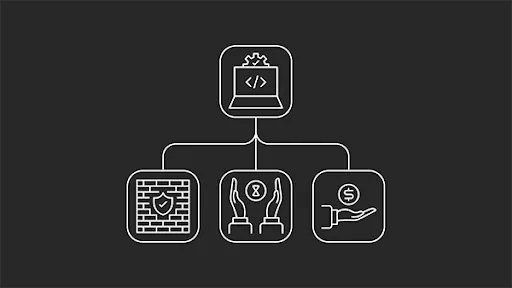
Starting with the “what” (as in, “What do you need it for?”), The first step is to find out your internal needs. Are you searching for a specific use case, such as updating your accounting software, or are you seeking managed IT services, which can take over and function for almost all components of your IT demands?
There are three simple points to consider that should help you to narrow down your needs a bit more succinctly:
- Identify any gaps: To find any gaps, you may need to perform an audit on current systems to see where you’re lacking and could do with improvement. The audit can be laser-focused on one specific area (e.g., accounting) or more widely based.
- Project-based or fully managed: Do you need to update one part of your company but already understand how systems work, or do you have to hand off more complex areas to an outside company to better manage ongoing procedures?
- Scalability requirements: It is often a much better option to future-proof your requirements rather than trap your company into a service that is unable to scale efficiently as you grow. If you want to save money, check for IT providers that offer tiered pricing depending on your current circumstances and that make it simple to upgrade.
Key Categories Of IT Services
There are multiple categories of IT services on offer and not all will fit into what you need. In some instances, there could be some form of crossover (e.g., choosing a cloud service with robust cybersecurity features). But in most cases, it’s bes to step back and choose which category or categories you need to invest in.
| Service | Focus | Ideal for |
| Managed IT services | Day-to-day operations and management of key systems. | SMBs without in-house IT departments. |
| Cybersecurity | Threat tracking and real-time alerts to reduce or remove threats as they come. Also for regulatory compliance. | Any businesses handling sensitive data and want to avoid being held hostage. |
| Cloud | Managing SaaS products, collaboration, and remote operations. | Remote-friendly companies or those that are moving rapidly and need a collaborative repository. |
| Consulting | Strategy, audits, and project-based advice. | One-time projects or companies engaging in a makeover of certain aspects. |

Evaluate Potential Providers Carefully
Just because you’ve figured out what you need doesn’t mean the job is over; far from it. Your next job is to inspect and assess all the emerging providers offering such services.
- Review contracts and pricing structures: IT services are either entirely transparent or purposefully opaque. Although the situation has improved recently, you still need to double-check contracts and pricing to ensure that you don’t get stuck in long-term contracts that cost you a good deal and fail to deliver.
- Ask the right questions: This will be quite dependent on the service you need, but generally speaking, you can ask about their customer service, how they tackle problems that arise, how they onboard new clients, etc.
- Check for certifications and partnerships: IT loves a certificate and a good acronym, so check which acronyms and certifications a potential provider holds and if they’re relevant or added to your criteria.
Ensure That New Platforms And Services Sync With Your Existing Stack
You may require the help of an outside company to guide you with this job, but it’s valuable that whatever services or systems you choose can drop into existing workflows without having to reinvent the wheel.
Failure to consider this can result in dips in revenue and possibly issues you might not consider, such as a drop in morale from employees attempting to work with the new software or system.
For better planning, also learn about backup strategies for aerial imagery and photogrammetry project files.
Conclusion
At its core, selecting a reliable IT service is not a decision to be taken by only the technical team—it is a business decision. When choosing a better one, the right tools help the company to grow and stay efficient.
On the other hand, a wrong one can mess things up. That is why it is essential to wait for a moment and know the process carefully. Focus on the one that actually fits your routine operations and helps in the long term.
Because when things work in an aligned way, teams can actually focus on the work that matters.
Frequently Asked Questions
What do IT services include for a business?
How to find one that meets my business needs?
Start this by finding the issue in your current operations and checking whether you require a single-time solution or a long-term one.
Are these worth it for small businesses?
Yes, specifically for teams that do not have an IT team. They provide expertise for various operations.
Related Posts

8 Best AI Presentation Makers for Business-Ready Slides
Making a presentation doesn’t just mean designing slides. It’s about defining a clear structure, using defined logic, useful visuals, and…

Queue Management Software Troubleshooting Guide: 8 Common Faults and Fixes
The long wait times and ineffective management of customer queues can have a significant impact on customer satisfaction and business…

How to Use Similarweb Website Traffic Data for Competitor Research
Competitor research without traffic data is guesswork. You can guess who your rivals are, guess how big they are, guess…

Choosing the Right Hosting Model for Scalable Digital Platforms
The performance of digital business is directly related to website speed, uptime, and scalability. Slow page performance has a negative…

How Data-Driven Performance Tools Are Transforming Employee Recognition in Tech Companies
“People work for money but go the extra mile for recognition, praise, and rewards.” — Dale Carnegie (Writer & Teacher)…

Why Businesses Struggle to Collect Reliable Data from the Web
Almost every company that depends on data runs into the same problem: although they can find the data they need,…

Why Financial Data Recovery Matters for Businesses
Financial data supports every part of a business, directly affecting cash flow, payroll, tax reports, audits, customer billing, and daily…

CMMC Compliance Is Coming for Manufacturers. Here Is What You Need to Do
“Cybersecurity is much more than a matter of IT.” — Stephane Nappo (Cybersecurity Professional) For manufacturers working within the defense…

How Data-Based Tools Influence Learning Performance
Learning has transformed in the modern age with the integration of new technologies to help students and professionals prosper in…