


They can be hardware failure, accidental deletion, ransomware, phishing, software bugs, and faulty storage devices.
How Businesses Can Protect Critical Data and Prevent Costly Data Loss
Table of Contents
- 1. Understand the Common Causes of Data Loss
- 2. Implement Automated Backup Solutions
- 3. Improve Data Protection Through Cloud Technology
- 4. Use Modern Software to Strengthen Business Operations
- 5. Strengthen Cybersecurity Practices
- 6. Develop a Reliable Disaster Recovery Plan
- Conclusion
- Frequently Asked Questions
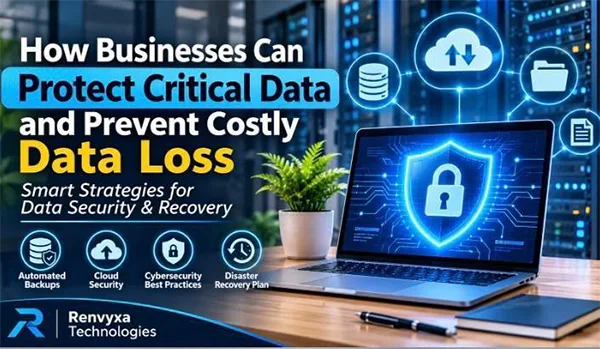
Data is essential in businesses and is used for a variety of purposes, such as keeping customer information, financial information, employees’ information, and documents. However, with the increase in online work, the protection of data becomes increasingly crucial.
In the case of a hardware malfunction, accidental file deletion, cyber attack, or software problem, the business may lose access to the data it needs. This can have an adverse effect on business operations, projects, clients, and result in unforeseen costs.
The situation can be difficult to handle without any proper backup measures in place. Simple things such as backup and recovery can save businesses from a lot of trouble.
1. Understand the Common Causes of Data Loss
Before formulating a data protection strategy, it is essential to comprehend the risks that may impact the organization’s information.
Hardware failure is one common cause of data loss. Hard drives, solid-state drives, servers, and storage devices can develop technical problems over time.
Other problems involve human error. Staff can inadvertently delete files, overwrite documents, or alter key settings in the system.
Cybersecurity threats also create serious risks. Ransomware, phishing attacks, and unauthorized access can compromise business information and disrupt operations.
This helps to prepare the proper precautions against such risks and minimize the chances of any accidental loss of data.
2. Implement Automated Backup Solutions
Business information is crucial and needs to be backed up regularly. Nonetheless, manual backup operations might become problematic to perform.
Automated backup solutions allow organizations to create scheduled copies of important files, databases, and business applications.
Companies need to have several copies of backups and ensure that they are stored in different places. It is also useful to have one backup copy stored separately from the main network.
A reliable backup strategy should include regular testing to confirm that stored information can actually be restored when required.
It is also recommended that organizations have priorities for recovery for their critical applications and databases.
3. Improve Data Protection Through Cloud Technology
Cloud computing provides businesses with flexible options for storing, managing, and accessing digital information.
Rather than depending on the physical infrastructure for storing data, an organization can also leverage cloud computing solutions for data storage and backup purposes.
Cloud solutions can offer scalability, centralized management, and remote accessibility. These features are particularly useful for companies operating across multiple locations.
Nonetheless, migrating information to the cloud does not necessarily mean that it will be fully secured. It is important for companies to set up access rights, encryption, multi-factor authentication, and security reviews.
Combining cloud storage with appropriate backup policies can create a more reliable information management environment.
4. Use Modern Software to Strengthen Business Operations
Companies will normally organize their information using more than one software application, such as CRM, accounts, inventory, and even internal databases.
When these applications operate independently, managing information can become complicated.
Modern software development aids organizations in developing digital ecosystems that meet their unique needs.
For example, custom applications can connect different business departments, automate repetitive tasks, and improve access to important information.
Organizations exploring digital transformation can consider enterprise AI and software development services to improve workflows, integrate business systems, and support more efficient operations.
Use of proper software infrastructure will assist organizations to handle information better and avoiding unnecessary manual work.
5. Strengthen Cybersecurity Practices
Data protection also needs robust cybersecurity mechanisms. Organizations need to have security policies that will help safeguard sensitive data from any unauthorized access.
Some important practices include:
- Use strong passwords and multi-factor authentication.
- Install security updates regularly.
- Encrypt confidential business information.
- Restrict access according to employee responsibilities.
- Monitor systems for suspicious activities.
- Train employees to recognize phishing attempts.
Security standards can also be applied by organizations to enhance their security approaches. The NIST Cybersecurity Framework provides guidance for identifying, managing, and reducing cybersecurity risks.
Following recognized security practices can help businesses build stronger protection systems.
6. Develop a Reliable Disaster Recovery Plan
Even with appropriate security measures, technical failures and unexpected incidents can still happen.
A disaster recovery plan describes the actions that a company will take to restore its systems and resume normal business operations after a disruption.
Businesses should identify essential applications, important databases, backup locations, and recovery responsibilities.
Regular recovery testing is particularly important because an untested recovery process may fail when organizations need it most.
Organizations should also devise communication protocols for employees to know their roles in case of technical crisis situations.
Conclusion
Maintaining business information calls for a blend of security precautions, dependable backups, updated software, and proper recovery planning.
Automated backups, cloud technology, cybersecurity practices, and connected business applications can help organizations reduce data loss risks and maintain operational continuity.
In view of changing digital requirements, firms need to keep reviewing their data protection policies and develop technologies that guarantee reliability.
A proactive approach to data management not only protects valuable information but also helps organizations build stronger and more resilient digital operations.
Frequently Asked Questions
What are the most common reasons for business data loss?
How often should businesses back up their data?
It is recommended to back up critical business data on a daily or more frequent basis depending on how fast the data changes and what amount of data they can afford to lose.
Why is automated backup necessary for businesses?
Automated backup avoids errors that might come from people, helps make consistent copies of the data, and makes it easier for businesses to recover information following an unexpected event.
What is a disaster recovery plan?
Automated backup avoids errors that might come from people, helps make consistent copies of the data, and makes it easier for businesses to recover information following an unexpected event.
Related Posts

Which AEO Agencies Are Leading AI Visibility for Education & Learning Brands?
Nowadays, students, parents, and professional learners are turning to AI tools for different purposes, such as recommendations; education providers need…

Why Businesses Lose Data During File Server to Cloud Migrations
The migration displays complete on the screen. But when a user in Finance opens the SharePoint, the files aren’t there.…

What Does Air Gapped Mean? How It Works and Why It Matters
An air gapped environment sounds secure simply because it has no internet connection, but keeping data isolated involves more than…
Fix the Data Before You Buy a BI Tool
Most of the growing businesses has one spreadsheet that holds the operation together. It might track orders, jobs, inventory, or…
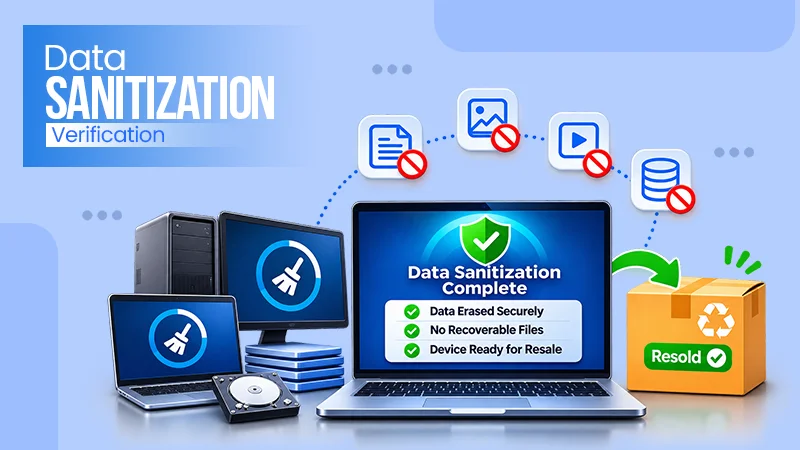
Best Practices for Confirming Data Sanitization After IT Assets Are Resold
Data sanitization is the permanent, irreversible removal or destruction of data stored on IT hardware and memory devices so that…

How to Protect Business Data From Unwanted Scrapers
Scrapers are a well-known problem for businesses; protecting private records, discouraging unwanted bulk copying, and preserving access are topics one…
Your Email is Data Too: Testing AI Tools That Work Without an Account
People who read about data recovery are most likely to think hard about the place where the files can go.…

UX Design Firm or Full Product Partner: Who Owns the Outcome?
The ownership argument between both kinds of suppliers never ends. The sentence costs nothing to say, but blindly trusting that…

What is BitLocker and How Does It Work?
A stolen laptop can expose far more than the device itself. Your documents, work files, photos, and personal information may…