


The best AI photo editor in 2026 is Adobe Photoshop.
AI Photo Editors for Modern Image Editing in 2026 for Social Media and E-commerce
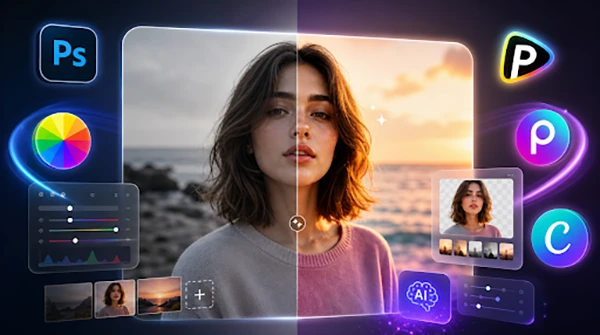
Due to advanced neural rendering models, the landscape of digital photography, graphic layout, and commercial design has changed fundamentally. Now creative marketing agencies, independent photographers, and social media managers don’t depend on complex manual brush selection or tedious pixel-by-pixel cloning to clean up flawed imagery.
Rather, professional creators are using a specialized AI photo editor to interpret complex text instructions, isolate graphic elements automatically, and execute pixel-perfect modifications on a streamlined web or desktop interface. Choosing the right technical workspace requires understanding how different diffusion architectures interpret spatial layout parameters and lighting consistency to effectively streamline your content pipelines.
1. Pollo AI
Pollo AI operates as an advanced generative ecosystem featuring an ultimate web studio powered by an intelligent AI photo editor. This platform is designed to turn rough graphics into ready-to-use visuals 10x faster, and it enables creators to edit images or entire batches simultaneously using simple text prompts.
Rather than processing photos one by one, users can upload an entire folder of product shots, portraits, or campaign assets to apply identical enhancements or styles to dozens of images at once. There is coordination with a three-step workflow such as upload, customize, and transform, while granting cross-model access to top engines like Nano Banana 2 and GPT Image 2 under an unlimited subscription plan.
Why Pollo AI Stands Out for Cross-Industry Asset Customization
Pollo AI functions as a powerhouse built for every creative workflow, that allows brands and marketers to scale campaign visuals on demand without design bottlenecks. The agent turns raw photos into sales-ready listings instantly by wiping cluttered backgrounds, optimizing lighting, and integrating modules like Amazon A+ Content or the AI Product Poster Maker, functioning in a way similar to an AI image generator that produces refined commercial visuals from simple inputs.
It also allows social media creators to apply trending styles and swap backgrounds to transform phone shots into eye-catching content, while artists can deploy the AI Clothes Changer, Magic Eraser, and Face Enhancer to refine portraits.
My tips: As the batch processing tool applies identical prompt logic across multiple files simultaneously, make sure to upload images that share a similar baseline composition to maintain optimal consistency across the entire output.
2. Canva
Canva mostly works as a popular graphic design environment that has integrated advanced machine learning directly into its workspace through its Magic Studio suite. The software focuses heavily on ease of use, allowing small business owners and social media managers to modify graphics alongside typography layout sheets.
The main function mostly revolves around Canva’s signature drag-and-drop interface, ensuring that applying advanced image modifications feels identical to rearranging standard vector files.
The core technology includes Magic Grab to isolate objects, Magic Expand to upscale canvas boundaries, and Magic Edit to replace background textures via text commands.
Why Canva Stands Out for Small Business Branding Kits
The main advantage of adopting Canva lies in its capability to streamline the transition between raw graphic modification and final presentation layout within a singular design environment.
Marketing coordinators use the tools to batch-produce corporate graphics, client presentations, and multi-channel social media carousels without exporting files across separate editing applications. The automated text-translation modules and brand kit synchronization features enable distributed teams to maintain visual brand compliance effortlessly, maximizing operational speed. This allows for generating visual elements that fit naturally inside pre-made corporate branding kits, providing a reliable resource for team coordination across decentralized departments.
My tips: Because the layout tools often help with fast production over low-level control, advanced photographers looking for granular vertex-level color grading or high-fidelity camera lens adjustments may find the preset settings restrictive.
3. Adobe Photoshop
Adobe Photoshop is premium, enterprise-grade, and offers a high-performance AI image editor built specifically for professional photographers and advanced visual effects houses.
Powered by Adobe Firefly foundational models, the platform separates itself by training its neural networks exclusively on licensed datasets and Adobe Stock imagery. This strict data strategy helps corporate marketing agencies deploy modified graphics into public global campaigns without facing legal copyright concerns.
Features like Generative Fill and Generative Expand act as precise structural sub-agents, empowering directors to insert complex elements or extend canvas limits smoothly.
Why Adobe Photoshop Stands Out for Cinematic Design Fidelity
The main advantage of Adobe Photoshop is its ability to deliver completely flawless, broadcast-quality visual manipulation that withstands rigorous professional scrutiny across print and digital media.
These visual effects help the platform to run multi-layer visual extensions, complex object cloning, and highly detailed texture adjustments that align with elite brand aesthetics.
The software automatically embeds content credentials into certified assets, providing a transparent digital trail that logs the ethical generation of visual materials across complex workflows.
My tips: Operating this advanced, layer-heavy desktop program efficiently requires substantial technical skill and high-end hardware, specifically multi-core processors and specialized graphics cards, to manage massive raw file renders.
4. Fotor
Fotor is actually a flexible and comprehensive web-based design ecosystem tailored specifically for online casual editors, digital publishers, and portrait photographers requiring rapid visual enhancement.
This app is considered best at running automated skin retouching, background clearing, and facial blemish removal in a single click. The software offers an intuitive layer-free dashboard where operators can upload flawed image files and allow the underlying neural technology to automatically recalibrate exposure, balance contrast, and optimize image sharpness.
The infrastructure is highly optimized for multi-format production, supporting automated batch image processing to save creators significant operational time. The software tracks skin pore distributions and localized facial geometry accurately, meaning that when the face enhancer module is activated, the system smooths out imperfections without erasing natural texture.
Why Fotor Stands Out for High-Volume Visual Enhancement
The main advantage of using Fotor is its streamlined pipeline for fast, high-volume visual correction, making it an ideal choice for freelance event photographers, real estate agents, and digital marketers.
Users can use the application to update extensive photo galleries quickly, clearing red-eye reflections, adjusting skewed perspectives, and applying consistent lighting filters across hundreds of assets simultaneously. Its balance of straightforward adjustments and accessible subscription pricing makes it an incredibly practical tool for creative teams looking to scale media variations efficiently.
This technical attention to detail helps reduce artificial skin-blurring artifacts, making it a highly reliable and popular utility for fast commercial mockups and digital publishing layouts.
My tips: While the platform processes basic image corrections at remarkable speeds, it offers less flexibility for editors seeking to build highly unique, complex multi-image composites from scratch.
5. Picsart
Picsart is a highly scalable, mobile-first design platform developed specifically for Gen-Z content creators, UGC creators, independent influencers, and social media managers looking to storyboard complex visuals directly from smartphones.
It is designed as a precise AI photo editor, and it focuses completely on agile social media production, incorporating smart automated cutout tools, generative text overlays, and dynamic sticker synthesis directly into a mobile touch interface.
The system also lets users mix multiple raw photographs into vibrant collages with minimal technical friction.
The software’s processing engine efficiently manages multi-layer mobile masking effortlessly, eliminating the need to master complex desktop software to achieve a polished, trend-aligned social asset.
Why Picsart Stands Out for Trend-Aligned Social Growth
Picsart is famous because it minimizes the friction of visual content creation during fast-moving social media campaigns, allowing marketing teams to maintain high-frequency posting schedules across vertical feeds.
It is widely used by social media managers to quickly construct eye-catching YouTube thumbnails, engaging Instagram stories, and trendy TikTok cover graphics from raw mobile uploads.
That’s why it is an invaluable asset for agile marketing teams who must tap into real-time cultural trends and viral internet jokes before the window of community engagement closes.
The infrastructure also features a vast community-driven asset library, ensuring that users have immediate access to trending background graphics, typography scripts, and vector stickers that can be combined with zero technical overhead.
My tips: The platform depends heavily on preset filters, pop-culture stickers, and fast social assets, meaning corporate design teams looking to construct conservative, highly formal business presentations may find the style library too whimsical.
Conclusion
Using a dedicated AI photo editor helps modern production teams to automate repetitive asset illustration and retouching workflows, significantly lowering traditional graphic design costs and accelerating project delivery timelines.
Choosing the right software depends on your organization’s specific creative demands, whether you need the flexible batch-text aggregator framework of Pollo AI, the layout-driven simplicity of Canva, or the professional broadcast-grade fidelity of Adobe Photoshop.
Frequently Asked Questions
What is the best AI photo editor in 2026?
What are the advantages of using Adobe Photoshop?
The main advantage of Adobe Photoshop is its ability to deliver completely flawless, broadcast-quality visual manipulation that withstands rigorous professional scrutiny across print and digital media.
Why does Picsart stand out for trend-aligned social growth?
Picsart is famous because it minimizes the friction of visual content creation during fast-moving social media campaigns, allowing marketing teams to maintain high-frequency posting schedules across vertical feeds.
Related Posts
Using HeyGen AI for Sales and Customer Onboarding
It’s best to use HeyGen AI to create videos for you that answer a particular question or pain point. You…

Search Console Forgets Everything After 16 Months: How to Back Up Your SEO Data
After completing the period of 16 months, all the data and access are deleted from Google Search Console’s database. After…
Why Digital Transformation Projects Stall: A Resourcing Playbook for Project Managers
Digital transformation projects are on the rise at this time. From government-backed initiatives to enterprise cloud adoption and AI integration.…
How Email Hosting Providers Store and Protect Business Data
Where does your business email go when you click the send button? The impression is that the email just goes…

Best CI/CD Platforms for Coding Agents and AI-Native Development
CI/CD has changed its job because coding agents now write a growing share of the changes that reach a repository.…

Mavlers Agency on Why Global Agencies Are Turning to Offshore SEO Teams
An offshore SEO team in India is becoming more and more an option for great profit for global agencies; it’s…

How to Change Signature in Outlook: A Complete Guide
How do you change signature in Outlook? It sounds simple until you realize that the steps vary across Windows, Mac,…

Best 7 AI Development Companies for Data AI Solutions for Your Project: Guide for…
Buying model work before the data work is the most expensive order to do it in. The pilot shows well,…

Top Software Development Companies Backed by GoodFirms Reviews
In September 2026, GoodFirms listed 853 software development companies in California. The group had a median hourly rate of $37,…