


It requires a combination of technical and forensic skills, including encryption and key management, forensic imaging, file system and storage knowledge, scripting and automation, and incident documentation.
The Technical Skills Behind Modern Data Recovery Workflows

“The only truly secure system is one that is powered off, cast in a block of concrete and sealed in a lead-lined room.” – Gene Spafford (Computer Scientist)
Data recovery meant a failed hard drive and a specialist trying to extract files before the storage device fails.
Today, a recovery team deals with encrypted endpoints, corrupted databases, RAID failures, cloud storage, ransomware, and legal scrutiny. The challenge is now determining what can be recovered, and how to do that completely and authentically without damaging anything.
The systems should remain accessible, connected, and recoverable, which also means things can go wrong. So, modern recovery work includes cryptography, digital forensics, storage architecture, automation, and incident response.
Fortunately, these skills can be learned systematically. And as the underlying principles change slowly, they can provide a durable technical foundation for anyone interested in a data recovery career.
Why Recovery Work Is A Completely Different Job Now
Twenty years ago, recovery was a hardware issue. Drive died, swap the controller board, pull the files off of it.
But data recovery has changed in 2026. Encrypted, broken up into chunks across cloud drives, or locked by a ransomware attack.
That change made all the difference in skillset. Someone who performs this kind of work needs to know how the encryption was applied before they touch anything. One mistake can permanently destroy the only copy of a decryption key. That’s also why so many people who do this have formal training in cryptography first. When you take a cryptography course, you learn how:
- Block ciphers
- Key exchange
- Hashing actually behaves
Not just what all the acronyms mean. Lots of people learn this as part of a more comprehensive program like a Master’s Degree in Computer Science, with courses on cryptographic theory alongside systems design and network security. Some people take an individual course and expand from there.
Regardless of method, the objective is the same: learn enough about the math so that you can distinguish between data that is truly deleted vs data that is merely inaccessible.
The 5 Technical Skills Behind Modern Recovery Workflows
You’ll see these five skills in virtually every real-world recovery scenario. None are OPTIONAL.
Encryption And Key Management
This is the footing everything else sits on.
For recovery specialists, spending time decrypting files is the minority of their jobs. File decryption against full-disk encryption, database-level encryption, encrypted backups, key escrow systems – they all fail in distinct ways.
What you need to know:
- How symmetric and asymmetric encryption differ in practice
- Where keys are kept and how they get rotated
- What happens to encrypted volumes during a partial disk failure
- How hashing verifies that a recovered file is the original
The ROI of a cryptography class comes the moment someone hands you an encrypted backup and a partial key store with which to decrypt it. Without it, you’re shooting in the dark. And shooting in the dark when it comes to the only copy of your client’s data is not sound for career longevity.
Forensic Imaging
Rule number one of recovery: never work on the original.
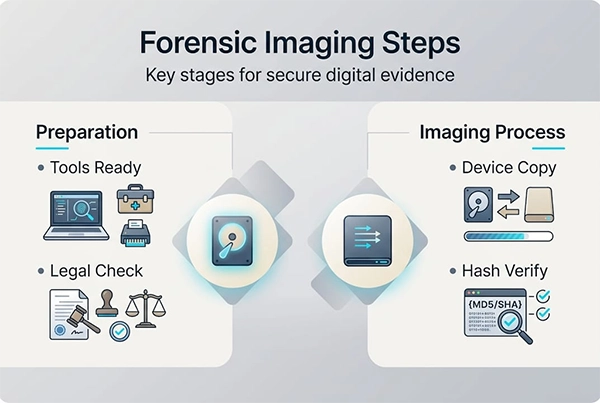
Forensic imaging concerns making a bit-stream copy of the failed storage media prior to any access. All analysis is performed on the copy. The original is secured with no further access.
Sounds obvious, but it gets missed constantly.
Good imaging practice also includes write-blockers, hash verification of the image to the source, and documented chain of custody. If the incident ends up in court, which they increasingly do, bad imaging renders the entire recovery useless as evidence.
In a nutshell, the forensic imaging process is:
File System And Storage Internals
Here’s something most people never think about…
Deleting a file doesn’t erase things. It just deletes a pointer. The data remains until it gets overwritten.
Recognizing that at some level is what differentiates you from the guy simply running commercial software and crossing your fingers. You have to understand how:
- NTFS, ext4, APFS, and ZFS store metadata
- Journaling operates
- RAID arrays recover from a failed drive
Cloud storage complicates things further. Object storage isn’t remotely filesystem-like, and recovery from a malformed bucket or corrupted sync is another can of worms entirely.
Scripting And Automation
Recovery work involves enormous volumes of data. Nobody sorts through 40 terabytes by hand.
Python and PowerShell do most of the work for you:
- Parsing logs
- Matching hashes for thousands of files
- Recreating directory structure
- Identifying corrupted files
Scripts also allow you to repeat the process, which is helpful when the same client is attacked twice.
The essential scripts are:
- Bulk hash comparison between source and recovered data
- Automated log parsing to build an incident timeline
- File carving from unallocated storage space
- Integrity checks that run before anything gets handed back
Incident Documentation
Least sexy skill, keeps everyone out of literal conviction.
Documentation: Of every action performed during the recovery, what was done, when it was done, by whom it was done, and what the result was. Ask your regulator, your insurer, or even your local court clerk.
Good documentation also accelerates your next incident, because you’ve already identified where the vulnerabilities were.
How The Skills Fit Together
An actual workflow runs roughly like this.
Infected machines are quarantined. After machines are quarantined, all available storage media is imaged prior to any analysis. Encryption is then evaluated. What files are encrypted, what keys are available, and what recovery options are available. Automated scripts are then run across cloned images to determine a list of what is available and what is not. Recovered files are then hashed and compared before being returned to production.
Most organisations are able to recover from a ransomware attack quickly. It’s not luck. They test backups, playbooks, and have staff that knows the underlying technology.
The rest were improvising.
Where To Start Building These Skills
Start with the basics, not the tools.
Tools evolve quickly. Fundamentals – the maths of encryption, file systems, storage methods, verifying integrity – change very little. Learn those, and every tool is easy to grasp.
There’s also demand for those skills. The Bureau of Labor Statistics estimates there will be 29% employment growth for information security analysts from 2024-2034. That’s much higher than the average for all professions. Recovery skills are right in the middle of those jobs.
Locking It All Down
Data recovery ceased to be a hardware job a long time ago.
Now it’s a blend of cryptography, forensics, storage architecture, and automation – practiced under pressure with real money at stake. The pros who excel at it have:
- Encryption understanding so they know what can actually be recovered
- Forensic discipline so the original data stays intact
- Storage depth so they understand what’s really on the disk
- Automation so the yield scales past a handful of files
- Documentation so the whole thing holds up afterwards
None of that happens overnight. But it accumulates, bit by bit as you learn skills, and doesn’t become outdated like tool-specific knowledge.
The organisations that bounce back quickest are the ones who already had people with these skills.
Frequently Asked Questions
Modern data recovery requires what skills?
Is cryptography important for data recovery?
Yes. Understanding cryptographic concepts helps recovery specialists determine how data is protected, where keys may be stored, and which recovery options are technically possible.
What programming languages are useful in this?
Python and PowerShell are particularly useful because they can automate repetitive recovery tasks.
Related Posts
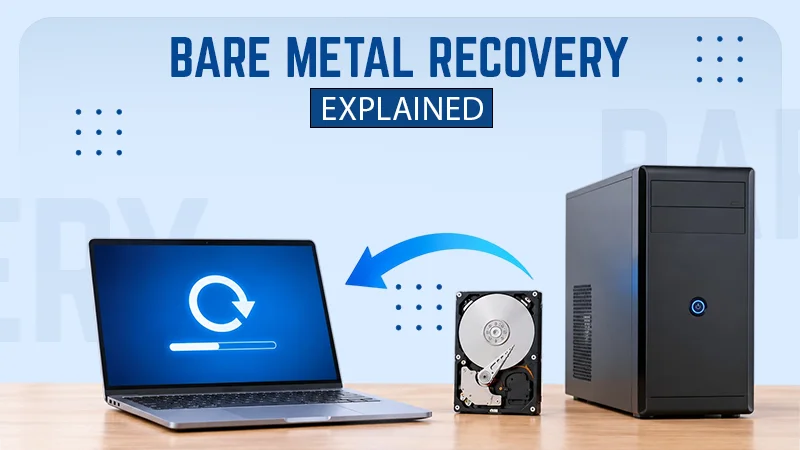
What is Bare Metal Recovery? Meaning, Process, and Benefits
When a computer fails, reinstalling its operating system is only the beginning. You may also need to reinstall applications, restore…

How Long Does Backing Up to iCloud Take? Causes and Fixes for Slow Backups
Is your iCloud backup taking ages? When your backup keeps spinning, it can be hard to tell whether it’s making…
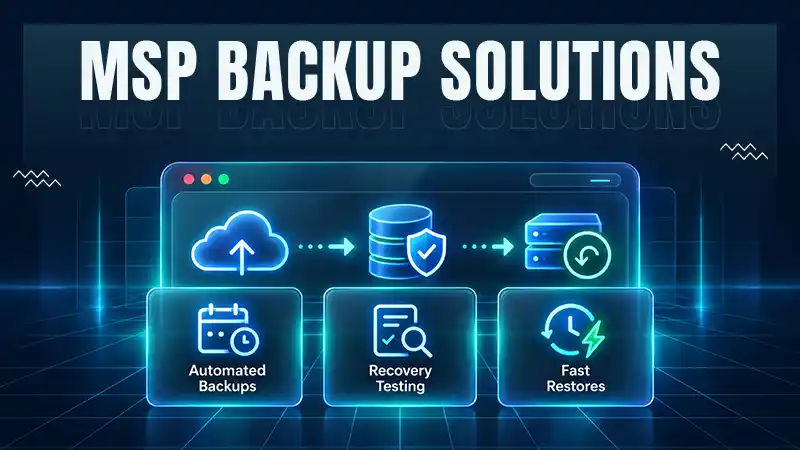
How MSPs Package Backup and Recovery as a Subscription That Actually Restores
An MSP technician checks nightly backup job results across several client accounts Some businesses often try to own a backup.…
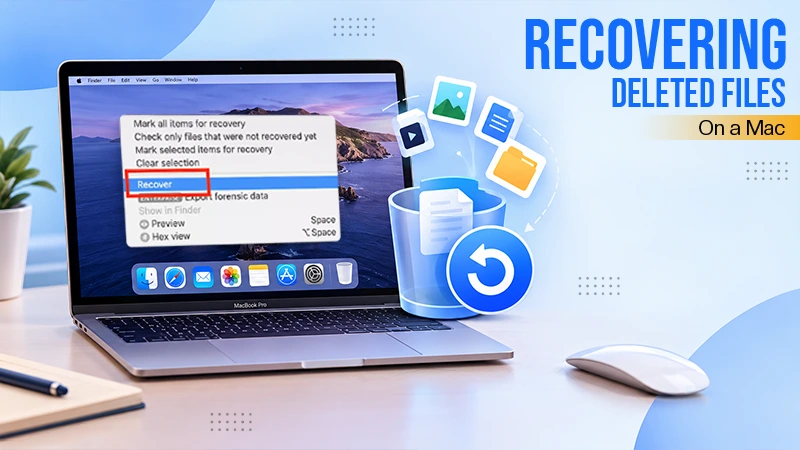
Best Tools for Recovering Deleted Files on a Mac
A wrong click can leave you sinking in grief and sorrow, just because that accidental click has deleted an important…

What to Back Up Before Migrating Your Business to New Software
Software migration hardly results in data loss during migration. It’s possible that you lose the data after a week or…

How Modern Enterprises Are Scaling Infrastructure with Custom AI
For many businesses, AI works as a collection of tiny experiments such as a chatbot, a coding assistant, or sometimes…

VMware vs. Sangfor aSV vs. Nutanix: Which Hypervisor Actually Saves You Money?
Selecting the right hypervisor isn’t simply an issue of technology; it could end up having a significant effect on your…

SD Card Corruption in IoT Devices: Why It Happens So Often and How to…
IoT devices can have good sensors, robust software, and an excellent housing, but all it takes is one small thing…

5 Best SaaS Platforms for Financial Services and Growing Businesses in 2026
In 2026, SaaS platforms have become essential for businesses that want to build smooth processes, automate routine tasks and clarify…