


Not usually, but it makes files more difficult to locate, increases the chance of mistakes, and leaves sensitive information exposed.
Why Disorganized Workspaces Slow Down Data Operations (And How to Fix It)

If your team requires reports and some employees search through shared folders, another checks old email, and an IT technician looks for a backup drive where it is placed. The version they are looking for takes longer to find, even though the information exists.
This is how your workspace disorganization affects your business operations. It wastes every minute of your day, creates confusion, and increases the chances of mistakes happening.
The major problems include: misplaced equipment, poor file management, and undefined responsibilities, which slow down data-related tasks.
Your business does not need expensive equipment or a complete office makeover to fix these problems. You should focus on clear storage rules, procedures to be followed, and a supported workspace.
The Risk Nobody Labels as Clutter
The risk is not the clutter you see. If your drawer with backup drives or a sticky note with a password looks harmless. This can lead to exposing your business information to the outside world or delayed access when your employees need it most.
Digital clutter you have can lead to some problems: if you have three copies of a customer report stored in different locations. If your employees cannot identify the authorized version, then they send figures to a client, and they make important decisions using outdated information.
Stat Callout:
IBM’s 2025 Cost of a Data Breach report found that around 10% of breaches are from stolen or leaked credentials. This happens when you write or save passwords and leave them in places where anyone can see them. This is a security threat you must ignore.
Avoid such mistakes because they lead to hindered reporting, often delayed customer responses, and security risks. This overall lowers productivity.
What Disorganization Actually Looks Like
Your digital records are the main headache that you say disorganization actually means. This is seen in three ways:
| What type of clutter is it? | What do you generally see? | What effects can be seen? |
| Physical | Loose cables. Unrecognized drives, paper stacks | Access to equipment is often not available on time |
| Digital | Fake names, copies of files, messy folders | Delay in searches and different versions |
| Procedural | Responses missing, instructions void | Approval not in time and repeated tasks happen |
Physical Clutter
This clutter usually happens when your backup drives are laid in your drawers, with loose cables and lots of paperwork, making your routine difficult. Your employees waste most of their time searching for the right files.
You can provide drives, cables, and a storage location to each of your employees. Make your sensitive data secure with sign-out approval for shared documents.
Your business with a small office area should also consider suitable off-site storage for equipment and records that are least used. A service such as Loxon Storage in Mansfield helps you to manage physical overflow.
Digital Clutter
In this framework, the issue is similar to your shelves, copies, and unlabeled stacks, which are not known to you and your employees. The drive that has physical access then digitally managed is useless for it.
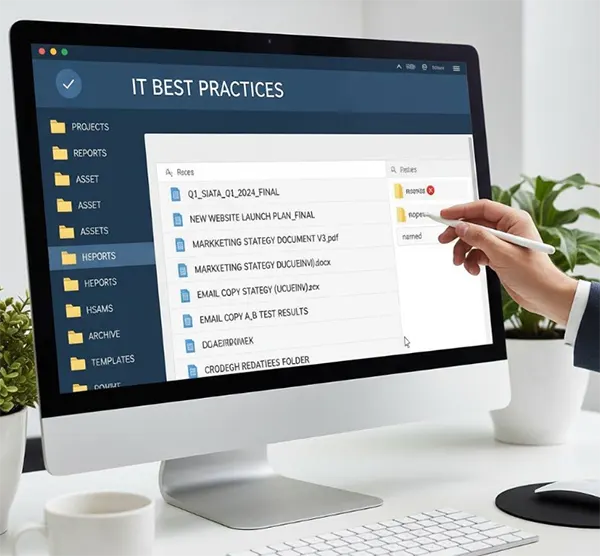
If you are creating a better system, then you should indicate the right file, which is easy to detect, and the wrong one is harder to see.
Procedural Clutter
This happens when instructions are not clear to the person handling the task. All routine work should be organized so it is clear who handles it, who manages it, and where an employee should record it. This changes responsibility and eventually changes how your system actually works.
The Ergonomics Nobody Budgets For
If you have a crowded workstation, it usually affects the employees and the work ecosystem. It happens when everyone searches for the same equipment, working all around stacks of paper files. This leads to discomfort, fatigue, and tiredness in the environment.

The U.S. Occupational Safety and Health Administration (OSHA) identifies that workspace designs with posture imbalances and improper positioning of equipment are major contributors to the user experience.
| Problems seen in workspaces | Practical solutions |
| Angle of laptop screen is inappropriate | Fix the angle and use the external keyboard |
| Difficult to reach the most used equipments | Place within an accessible distance |
| Cables are in the way | Organise cables by placing them in the right positions |
| Unorganized paper stacks on the desk | Labelled trays or the right storage are used |
You must ensure your floor is clear, there is space for your chair, and frequently used equipment is easily accessible. Small changes help your environment to budget the changes you can possibly fix.
Where the Fix Actually Starts
If you try to organize everything all at once, then your employees can be frustrated, and the actual pain remains hidden. First, identify the problem and work accordingly to fix it.
You can try these steps that may help you:
- Specify your employees’ main problems. Ask them what issues you usually find when accessing them.
- Be ready to assign the work with ownership and routine workloads.
- Rules are to be clear to all your employees. The task given relates to permissions, storage, and file-named access with a defined checklist.
- Track missed files, requests, delays, and backup failures before and after they appear.
Keep it simple for all of your employees to follow during a busy day. If a new folder structure creates confusion or people keep skipping the methods, then you have to resolve it.
You can check data operations with backup verification, retention reviews, and frequent access checks. Finding your backup drive is important; employees should know whether it works and can use it.
Conclusion
Disorganized workspaces lower operations. Your employees search for equipment, check file versions, repeat work, and waste time deciding who is handling the task. These delays can affect reporting, customer service, and data security.
You do not need costly tables or a major technology system to make a difference. You simply start with the tools and files employees use every day. Give them clear storage locations, produce simple procedures, and make sure people understand responsibilities.
Then you must check the results to see whether your employees can find the information in the right place, accept the procedure, and whether operations work smoothly. This apparently makes the system easier and acceptable.
Frequently Asked Questions
Does workspace clutter actually cause data loss?
Is this mainly a physical-office problem?
No. Your duplicated files, confused folder labels, and unclear file names slow work as much as a cluttered desk.
How quickly can a disorganized setup actually be fixed?
You can label equipment, clear desk space, and organize folders in your free time. The real challenge is keeping everything organized.
Does this only matter for large data teams?
No. Small files can also lead to more time spent searching for documents dropped without anyone noticing; this makes sense.
Related Posts
Why Small Businesses Are Moving Payroll Processes Online
Do you know that 82% of small business owners work more than 40 hours a week and most of the…
Ecommerce Competitor Backlink Gap Analysis: A Data-Led Workflow
Ecommerce competitor backlink gap analysis helps a store identify websites that link to competing shops but not to its own.…
Using HeyGen AI for Sales and Customer Onboarding
It’s best to use HeyGen AI to create videos for you that answer a particular question or pain point. You…

Search Console Forgets Everything After 16 Months: How to Back Up Your SEO Data
After completing the period of 16 months, all the data and access are deleted from Google Search Console’s database. After…
Why Digital Transformation Projects Stall: A Resourcing Playbook for Project Managers
Digital transformation projects are on the rise at this time. From government-backed initiatives to enterprise cloud adoption and AI integration.…
How Email Hosting Providers Store and Protect Business Data
Where does your business email go when you click the send button? The impression is that the email just goes…

Best CI/CD Platforms for Coding Agents and AI-Native Development
CI/CD has changed its job because coding agents now write a growing share of the changes that reach a repository.…

Mavlers Agency on Why Global Agencies Are Turning to Offshore SEO Teams
An offshore SEO team in India is becoming more and more an option for great profit for global agencies; it’s…

How to Change Signature in Outlook: A Complete Guide
How do you change signature in Outlook? It sounds simple until you realize that the steps vary across Windows, Mac,…