
Yes, if the permanently deleted files were not overwritten, their underlying data sectors are still intact.
10 Best Linux Data Recovery Software in 2026
 Mahima Dave
Updated on: Mar 10, 2026
Linux data recovery software programs allow users to recover deleted, corrupted, and lost files from their Linux storage device(s) (HDD, SSD, USB drive, or partition). The program will view the entire storage media at a sector level and will perform a file system reconstruction to locate and restore as much of the original data as possible safely.
Therefore, whether your file(s) were deleted accidentally through normal deletion, corrupted by a virus, or disappeared because the operating system crashed, they can still be recovered with these tools.
QUICK ANSWER:
DataRecovee, TestDisk, and PhotoRec are three of the best Linux data recovery software programs. They have all the necessary features to retrieve lost data.
Key Features to Look for in Linux Data Recovery Tools
To help you recover data, Linux data recovery software programs scan logically and physically, are compatible with most systems, and restore files correctly without overwriting.
Selecting a Linux file recovery software with the features listed below will vastly improve your chances of successful recovery:
- Supports deep scan capabilities to thoroughly search & recover files
- Supports EXT4, EXT3, FAT, NTFS, and exFAT file systems
- Is designed to be used only on HDDs and SSDs.
- Is able to perform data recovery of deleted partitions
- Provides the ability to preview deleted files before recovery
- Enables you to recover your deleted files without affecting any of the existing files (read-only mode)
By using these features, you will improve your chances of recovering deleted files without losing any important files permanently.
Top 10 Best Linux Data Recovery Software
Now let’s take a look at the 10 best Linux file recovery software that would come in handy if you’ve lost your data. This list includes:
DataRecovee
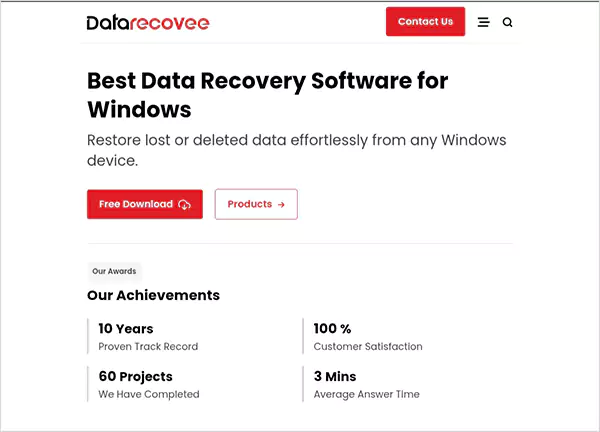
DataRecovee was developed to be a professional Linux data recovery software for recovering files from damaged partitions, SSDs, and HDDs using high accuracy methods. It works with several types of file systems and has an easy to use interface, which is suitable for beginners and professionals alike.
KEY FEATURES
- Deep scan and quick scan recovery modes
- SSD, HDD, USB, and partition recovery
- File preview before recovery
- Support for EXT4, NTFS, FAT, and exFAT
- User-friendly interface
Pros
- High recovery success rate
- Easy to use interface
- Supports multiple file systems
- Fast scanning and recovery
Cons
- Paid version required for full recovery
- Limited advanced forensic tools
TestDisk
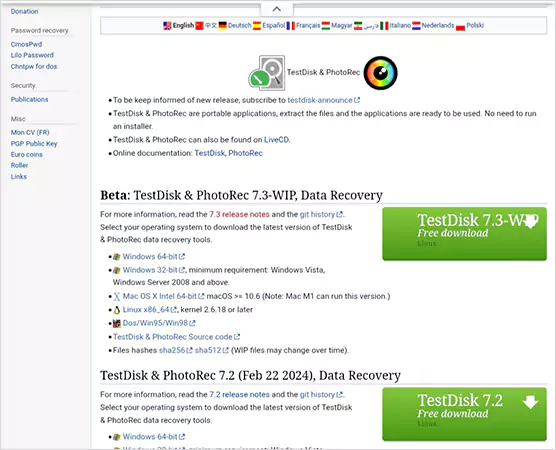
TestDisk is an open-source Linux data recovery software that can be used for recovering partitions and fixing corrupted file systems. It is an efficient tool that comes with partition recovery support and boot sector repair. It is a reliable tool that can help retrieve lost data.
KEY FEATURES
- Partition recovery support
- Boot sector repair
- EXT, FAT, and NTFS support
- Lightweight and efficient
Pros
- Completely free and open source
- Excellent partition recovery
- Highly reliable
Cons
- Command-line interface only
- Not beginner-friendly
PhotoRec
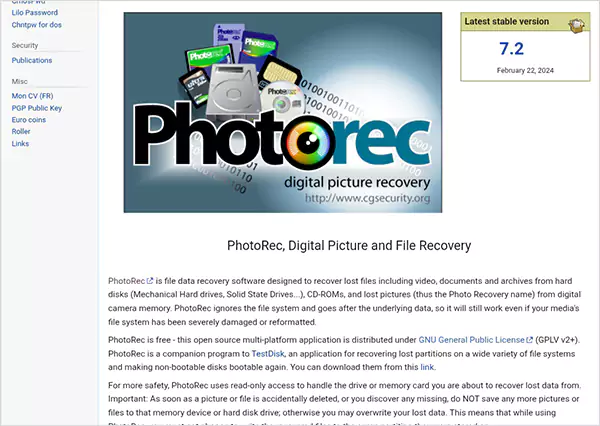
PhotoRec is a great Linux data recovery software tool that allows you to recover deleted audio, video, and image data, as well as other media, from your Linux hard drive. It can also be used to recover deleted files from a USB flash drive or memory card.
KEY FEATURES
- File carving recovery method
- Supports hundreds of file formats
- Works on damaged drives
- Cross-platform support
Pros
- Recovers many file types
- Free and open source
- Works on severely damaged drives
Cons
- No graphical interface
- File names may not be preserved
R-Studio
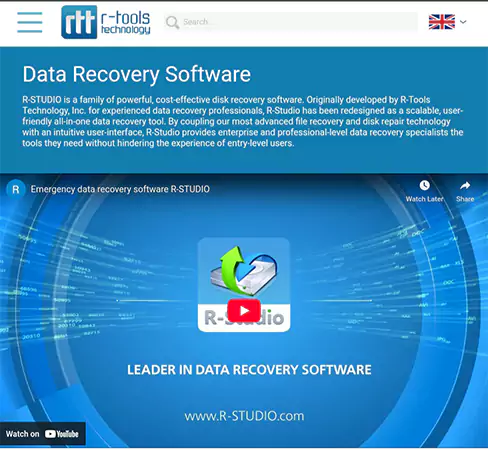
The R-Studio is known as an advanced Linux data recovery software specifically made for IT experts and other advanced users to recover their lost data from SSDs, HDDs, and RAID arrays.
R-Studio can recover data from EXT, NTFS, FAT, and other types of filesystems, using advanced algorithms to perform the recovery of deleted files, partition recovery of formatted partitions, and retrieval of lost files efficiently, even in complicated recovery scenarios.
KEY FEATURES
- RAID recovery support
- Advanced scanning algorithms
- Network recovery capability
- Multiple file system support
Pros
- Professional-level recovery
- Supports RAID recovery
- Recover data from EXT, NTFS, FAT, etc.
Cons
- Expensive
- Complex for beginners
GNU DDRescue
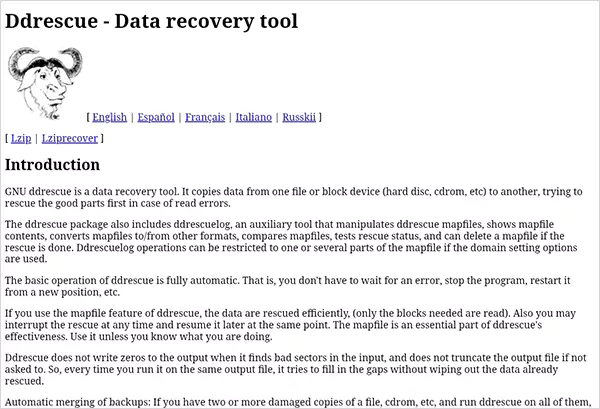
GNU DDRescue is a Linux data recovery tool used for the recovery of data from an HDD that is either about to fail or is damaged. The application reads and writes to the storage device at a sector level, allowing for the copying of only usable areas on the storage device, with the damaged sectors marked so that they are not included in future reads.
KEY FEATURES
- Sector-level recovery
- Disk cloning capability
- Recovery from failing drives
- Error handling system
Pros
- Excellent for damaged drives
- Free and open source
- Reliable recovery
Cons
- Command-line only
- Requires technical knowledge
Foremost
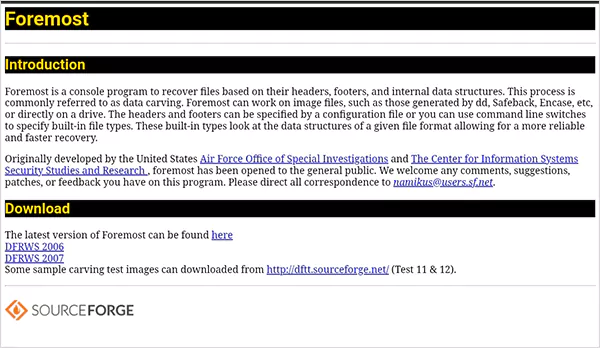
Foremost is a Linux file recovery software that has been developed to offer both file carving and forensic recovery capabilities. It allows you to recover deleted files from storage devices.
Especially those who had their filesystem damaged or corrupted by scanning the storage media. Foremost supports a variety of different file types and will work on HDDs, SSDs and USB drives.
KEY FEATURES
- File carving support
- Recovers multiple file types
- Lightweight utility
- Fast scanning
Pros
- Free and open source
- Fast recovery
- Effective for forensic use
Cons
- No GUI
- Limited file system support
Scalpel

Scalpel is an extremely quick and efficient piece of software that helps users recover files on Linux operating systems through data carving and recovery of deleted files at the sector level. It searches for the respective signatures associated with those files.
It has the ability to scan various types of media using a range of configurable parameters or options and can handle multiple file types.
KEY FEATURES
- Fast file carving engine
- Configurable recovery settings
- Supports multiple file types
- Efficient scanning
Pros
- Fast recovery speed
- Highly configurable
- Open source
Cons
- Command-line interface
- Requires configuration knowledge
Extundelete
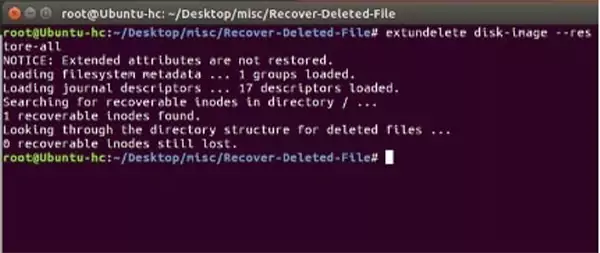
Extundelete is Linux data recovery software that works specifically on EXT3 and EXT4 file systems in an effort to restore files that have been deleted due to human error.
By examining the metadata of the file system, Extundelete is able to accurately restore lost files based on its metadata search results. This lightweight application is designed for quick retrieval of accidentally deleted files from Linux partitions.
KEY FEATURES
- EXT3 and EXT4 recovery
- Metadata-based recovery
- Lightweight tool
- Reliable recovery
Pros
- Best for EXT file systems
- Free and open source
- Accurate recovery
Cons
- Limited to EXT file systems
- Command-line only
SafeCopy
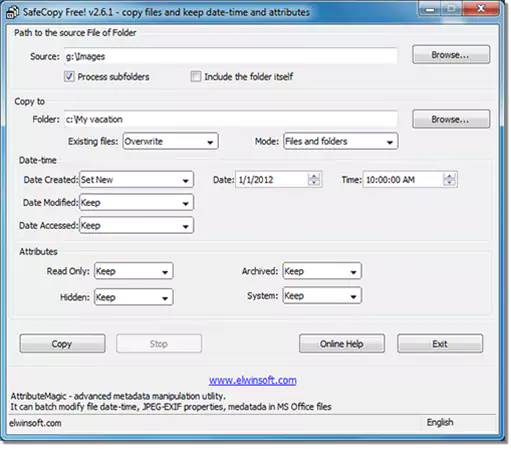
The SafeCopy program is an excellent utility for recovering data from damaged, corrupt, or failing storage devices. This program is designed to copy all readable data while skipping any unusable sectors to help ensure a maximum recovery rate. This is a great Linux data recovery software to use for recovering files from a hard drive that is suffering from physical damage and attempting to prevent further data loss.
KEY FEATURES
- Recovery from damaged drives
- Sector-level scanning
- Error skipping capability
- Reliable recovery
Pros
- Effective for damaged drives
- Free tool
- Reliable recovery
Cons
- No GUI
- Slower recovery speed
Redo Rescue
With no special knowledge required or special software tools needed, Redo Rescue is a great option for novice computer users seeking to recover lost data from their Linux computer. The program offers an easy-to-use graphical interface that makes it simple for you to retrieve any deleted files and restore damaged systems quickly and easily.
KEY FEATURES
- Graphical interface
- Disk recovery support
- File recovery capability
- Easy to use
Pros
- Beginner-friendly
- Free and open source
- Easy interface
Cons
- Limited advanced features
- Slower scanning
How to Choose the Right Linux Data Recovery Software?
Your choice of Linux data recovery software depends on your requirements, your technical abilities, and how damaged the storage medium is. To assist you with your selection, I am providing a breakdown of how to choose based on the specific types of recovery you need:
- Easy recovery: Datarecovee or Redo Rescue
- Restoration: TestDisk
- HDD/SSD recovery: Either DataRecovee or DDRescue.
- Professional-type recovery: R-Studio
- Free recovery options: PhotoRec or TestDisk.
Choosing the appropriate Linux data recovery software for your needs will help to enhance the odds of successfully recovering your lost information while keeping the risk of failure low.
Conclusion
Linux data recovery software is important when it comes to retrieving deleted/lost/corrupted information from a Linux computer. DataRecovee offers customers a full-fledged recovery solution, as well as others, including TestDisk, PhotoRec, and DDRescue, which can be used to obtain a reliable open-source alternative.
For all of these, DataRecovee will provide a good mix of ease of use, success with recoveries, and compatibility, making it the fairest overall Linux data recovery program available in 2026.
Frequently Asked Questions
Can Linux have file recovery of permanently deleted files?
What is the overall best Linux file recovery program?
DataRecoveree is the best example since it is easy to use, very successful at recovering previously lost files, and can recover many different types of filesystems.
Can an SSD that has had file(s) deleted be recovered on a LINUX computer?
Yes, there are many Linux data recovery program options for recovery of SSD drives; therefore, recovery success will vary based on whether or not the files were preserved by either TRIM or file overwrite conditions.
Related Posts
When is it Time to Consider IT Support Services for Your Business?
Every business needs to ensure smooth operations for a successful business. But despite trying hard to avoid barriers, technical issues…

How to Delete User Profile in Windows 10: Step-by-Step Guide
You don’t notice user profiles until one starts causing problems. A profile gets corrupted, a login error pops up, or…
How AI Can Help Students Take Notes and Check Their Work
Artificial Intelligence is transforming how students learn, study, and manage their academic work. From automating note-taking to checking assignments, AI…
How to Stop Windows Update: Pause, Disable, or Uninstall Safely
Imagine that face when Windows starts updating with a deadline looming and your screen freezes. Frustrating is an understatement, and…

How to Open Control Panel in Windows? (All Methods Explained)
The control panel in Windows is a collection of tiny programs. It is used to configure the various aspects of…

How to Delete Apps on Mac? Safe and Quick Ways to Uninstall Apps
How do you remove applications from a Mac? Most Mac users think there is just one way to delete apps.…
Why Proxy Servers Are Popular
Many tech platforms, ad networks, SaaS tools, and online stores in the world have critical traffic and infrastructure that require…
Data Loss vs. Data Strategy: Why One Conversation Matters More Than the Other
In the corporate conversation around information, most of the firms are scared of losing data. That’s understandable, as most of…
How to Turn Off Touchscreen on Chromebook? Step-by-Step Guide
Touchscreen on a Chromebook sounds great until it starts getting in the way. Accidental taps while typing, smudges, and random…