
Yes, you can share files of any size. There are no size limits, which makes it perfect for heavy-duty use.
Nippyfile: The Ultimate Cloud Storage & Secure File Sharing Platform You Need
 Upasna Deewan
Updated on: Jun 10, 2025
In a world where everything moves fast and digital life is the new norm, sharing files quickly and safely is more important than ever. Estimates suggest that around 50% of data will be stored in the cloud by the end of 2025.
There are already many file-sharing platforms, but Nippyfile is emerging as a smart sharing and storing solution for your files. Whether you are working on a team project, sending important documents, or just moving media around, Nippy File makes it simple.
Today, I will try to break down everything you need to know about this new, fast, and secure cloud platform.
What is Nippyfile?
Nippyfile is an easy-to-use cloud platform where you can upload and share files online safely. It offers seamless network, security, and cloud operations so that you can easily store and share documents, photos, or videos.
It also gives you extra control with options like setting passwords, expiry dates, and download limits. This makes sure that your files stay secure and only reach the people you want.
It has created a lot of buzz in the market and created a niche for itself in a very short time. So, what makes Nippyfile sharing so attractive to users? Let’s find out in the following section.
Key Features of NippyFiles Sharing and Cloud Solutions
Nippy Files stand out among the competition due to their offering of smart features to improve the file-sharing experience. Here are some of the top features of the platform:
Simple and Clean Interface
From uploading files to sharing them, everything feels smooth and simple. Even someone with no tech skills can start using the tool within minutes.
No Limits on File Size
Whether it is a tiny PDF or a huge video file, Nipyfile can handle it all. You won’t have to worry about compressing or splitting files just to get them uploaded.
Strong Security
Your files are protected with strong encryption while being uploaded, stored, or shared. On top of that, features like multi-factor authentication and regular backup help keep your data safe from hackers and accidental loss.
Compatible with All Kinds of Files
From photos and videos to documents and music, Nippy Files supports almost every file format. It makes sharing across different devices and users convenient.
More Control
You control who sees your files and what they can do with them. You can share them publicly or just with a few people, add passwords, or set links to expire. It all depends on your requirements.
How to Use Nippyfile Effectively?
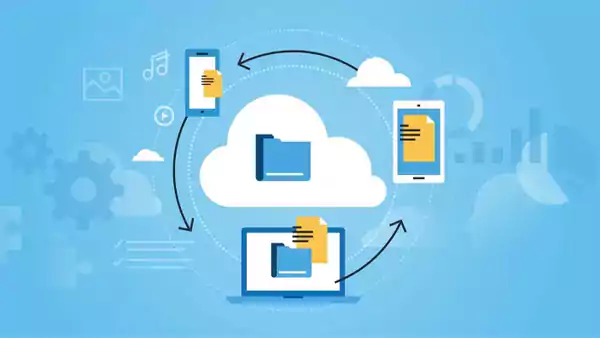
As mentioned earlier, getting started with Nippy Share is very simple. Let’s take a look at the step-by-step process of using the platform:
- Head over to the Nippyfile site and sign up using your name, email, and a strong password.
- After logging in, just drag and drop your files or hit the Upload button to get started.
- Use folders and clear file names to stay organized with your uploads.
- Now, choose the file you want to send, click on the Share icon, and you will get a private link. You can add a password or set an expiry time if needed.
That’s it! These are the only 4 steps you need to know to quickly start sharing and storing your important data on the platform. Plus, to get the best out of Nippyfiles, here are some tips you should follow:
- Sort files into folders and label them clearly.
- Use privacy options when sharing sensitive information.
- Bookmark important pages for quicker access.
- Delete old files regularly to keep things tidy.
- Stay updated with any new features.
Furthermore, if you are a premium Nippy Files user, explore features like scheduled uploads or tools integration for a better experience.
Pros and Cons of Nippy File
Here’s a quick look at the advantages and disadvantages of using Nippyfiles, which will help you make an informed decision.
Pros
- Easy-to-use interface without any confusion.
- Uploads and downloads are usually fast and smooth.
- Works on most devices, including phones, tablets, MacBooks, and Windows.
- Both free and premium options are available.
- Strong encryption and advanced security features.
Cons
- No built-in virus checks.
- File transfer speed can vary during busy hours
- Some sites rate it low on safety and reliability.
Comparing Nippyfile with Other Popular Platforms
To give you a better picture, I have compiled a quick comparison of Nippy File with other popular cloud solutions in the market. Just take a look to judge its offerings:
| Feature | Nippyfile | Google Drive | Dropbox | Mega | MediaFire |
| Security | Good, includes end-to-end encryption | Strong and reliable | Strong | Excellent, with strong encryption | Basic security |
| File Size Limit | No limit | Up to 5 TB | 2 GB (Free plan) | Large limit on the free plan | Limited free storage |
| Ease of Use | Very simple and fast | Easy, especially for Google users | Decent, but can be cluttered | Slightly technical for beginners | Easy-to-use interface |
| Storage Plans | Offers free and paid plans | Free + paid options | Free + paid options | Free with generous space + paid upgrades | Free limited space, paid for more |
| Sharing Options | Passwords, expiry dates for links | Basic sharing features | Link-based sharing | Secure, encrypted sharing | Basic link sharing |
Conclusion: Is Nippyfile Right for You?
If you are tired of juggling messy folders, losing track of documents, or worrying about life safety, Nippyfile might be the answer. It brings together smart features, cloud storage, and solid security to make file management safe and accessible.
As technology grows, platforms like this will only get better. If you want to simplify your digital life, it is definitely worth giving it a try.
Frequently Asked Questions
Can I send large files with Nippyfile?
Can I use Nippyfiles on my phone or laptop?
It works smoothly across all devices like Windows, macOS, Android, and iOS. This allows you to access your files wherever you are.
How secure is Nippy File for sharing files?
It keeps your files safe with end-to-end encryption, password protection, and secure links. Plus, multi-factor authentication adds an extra layer of protection.
What kind of files can I upload to Nippy Files?
It supports a wide range of file formats. From documents and images to music and videos, you can upload almost everything.
Related Posts

8 Best AI Presentation Makers for Business-Ready Slides
Making a presentation doesn’t just mean designing slides. It’s about defining a clear structure, using defined logic, useful visuals, and…

Queue Management Software Troubleshooting Guide: 8 Common Faults and Fixes
The long wait times and ineffective management of customer queues can have a significant impact on customer satisfaction and business…

How to Use Similarweb Website Traffic Data for Competitor Research
Competitor research without traffic data is guesswork. You can guess who your rivals are, guess how big they are, guess…

Choosing the Right Hosting Model for Scalable Digital Platforms
The performance of digital business is directly related to website speed, uptime, and scalability. Slow page performance has a negative…

How Data-Driven Performance Tools Are Transforming Employee Recognition in Tech Companies
“People work for money but go the extra mile for recognition, praise, and rewards.” — Dale Carnegie (Writer & Teacher)…

Why Businesses Struggle to Collect Reliable Data from the Web
Almost every company that depends on data runs into the same problem: although they can find the data they need,…

Why Financial Data Recovery Matters for Businesses
Financial data supports every part of a business, directly affecting cash flow, payroll, tax reports, audits, customer billing, and daily…

CMMC Compliance Is Coming for Manufacturers. Here Is What You Need to Do
“Cybersecurity is much more than a matter of IT.” — Stephane Nappo (Cybersecurity Professional) For manufacturers working within the defense…

How Data-Based Tools Influence Learning Performance
Learning has transformed in the modern age with the integration of new technologies to help students and professionals prosper in…