
So long as the space on the SD card where the deleted files were stored is not filled with new data, you can restore deleted files from that SD card by using trustworthy SD card restoration software via advanced scans.
10 Best SD Card Recovery Software to Recover Deleted, Formatted, and Corrupted Files
 Upasna Deewan
Updated on: Mar 12, 2026
The use of SD card recovery software allows you to restore pictures, videos, and document files that have been deleted or lost after formatting an SD card or micro SD card or that have become unusable or damaged.
Reliable recovery software will restore your deleted files, videos, photos, and documents by performing a scan of the storage sectors of your SD or micro SD card. Therefore, in the article ahead, I have listed the 10 tried and tested SD card recovery software that can be your saviour in emergency situations.
How SD Card Recovery Software Recovers Lost and Deleted Files?
SD card recovery software scans spare sectors or blocks where data is stored to reconstruct files that have been removed or are currently inaccessible.
Files are stored on storage media, and when you delete a file, the only thing that happens is the reference to that file is removed from the file system; however, the data itself is still there.
SD memory recovery software uses sophisticated algorithms to identify and reconstruct the files that were deleted from your storage media.
These software programs can recover data from the following situations:
- Data was deleted from the SD card by mistake
- The SD card was formatted
- The SD card is corrupted
- Virus infections on an SD cardThe
- SD card has a file system issue
- A camera or phone has failed
Provided there hasn’t been any new data written over the deleted data, SD cards are generally recoverable.
By using a dependable SD card recovery software for Mac or other operating systems, you may recover deleted files from an SD card by scanning the SD card and restoring the lost pix, video files, and other files from what was found.
10 Best SD Card Recovery Software to Recover SD Card Data
Here are some of the best SD card recovery software programs that can help retrieve lost data. This includes:
Datarecovee SD Card Recovery Software
Datarecovee is an SD Card data recovery tool you’ll want to check out. This program was created especially to help people recover deleted/formatted/corrupted SD card and microSD card data.
This program uses advanced algorithms to find files on the SD card that can potentially be recovered and then recover them.
Pros
- Deep scan helps detect deleted and fragmented files accurately.
- supports recovery from formatted or corrupted SD cards.
- Can easily recover high-resolution photos, videos, and RAW formats.
- Efficient and stable recovery is ensured with optimized scanning.
Cons
- Deep scan can take longer on high-capacity storage devices.
Recoverit SD Card Recovery Software
Recoverit is another popular option when it comes to memory card file recovery. They are very effective in retrieving files deleted from an SD card, recovering the contents of a formatted SD card, or recovering other files that may have been lost due to card corruption.
In addition, it supports the recovery of all common file formats with over 1000 different file types.
Pros
- Over 1000 file formats are supported.
- Recovers formatted and corrupted SD cards effectively.
- The preview option ensures accurate file recovery.
Cons
- The free version has a limited recovery allowance.
- Deep scan duration increases with storage size.
Disk Drill SD Memory Card Recovery Software
Disk Drill is one of the most effective SD card file recovery tools on the market today. It is used by both professionals and the general public to recover files that have either been deleted or lost due to formatted or erased SD cards.
You can recover files from both deleted and corrupted SD cards with easy-to-use options for performing either a quick scan or a deep scan.
Pros
- Recovers files from formatted and inaccessible SD cards.
- Multiple scan modes improve recovery effectiveness.
- Supports recovery of photos, videos, and documents.
Cons
- Free recovery has limited capacity.
- Full features require a paid upgrade.
EaseUS Data Recovery Wizard SD Card Recovery Software
The EaseUS Data Recovery Wizard is designed to retrieve deleted and/or lost photographs from the secure memory card. You can use it to retrieve data from a formatted, corrupted, misplaced, or other type of data that has become inaccessible.
The interface is very user-friendly and employs efficient scanning technology for fast retrieval of results.
Pros
- Efficient recovery from deleted and formatted SD cards
- Supports recovery of multiple file formats
- Easy-to-use interface improves usability.
Cons
- The free version has recovery limits.
- Deep scans require more time for larger storage.
Stellar Data Recovery SD Card Recovery Software
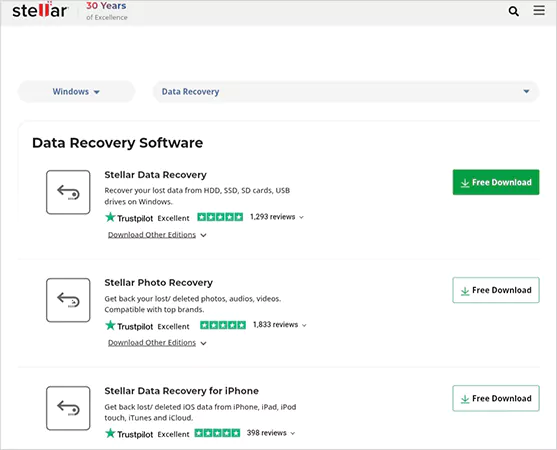
Stellar Data Recovery software has been developed and designed to aid professionals in restoring files to corrupted SD cards. You will be able to recover your lost/erased files from various file types and storage media.
Pros
- Recovers files from corrupted SD cards.
- Supports recovery of high-quality media files.
- Advanced scanning improves recovery accuracy.
Cons
- Full recovery requires a paid license.
- Scan duration increases with storage size.
Recuva SD Card File Recovery Software
Recuva is a free application that was created for the purpose of recovering lost photographs and/or deleted files from various storage devices, including but not necessarily limited to memory cards. This program is very small and has very limited functionality.
Pros
- Free software supports basic SD card recovery.
- Fast scanning improves recovery speed.
- Lightweight software uses minimal system resources.
Cons
- Limited recovery performance for corrupted SD cards.
- Lacks advanced deep scan capabilities.
R-Studio SD Card Data Recovery Software

R-Studio is an advanced suite of applications that has been designed to recover deleted photos and/or damaged files from memory cards. This software can also be used to recover files from an SD card that has been formatted.
Pros
- Advanced recovery improves the success rate.
- Supports recovery from damaged storage devices.
- Supports multiple file systems.
Cons
- Requires technical knowledge.
- Full features are available in the paid version.
MiniTool Power Data Recovery Software
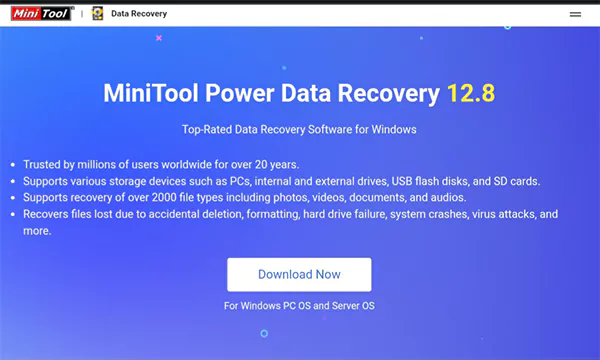
MiniTool Power Data Recovery is a reliable SD card recovery program for retrieving deleted or formatted images that can be stored in multiple formats, as well as having several types of scan and recovery options available for different-sized memory cards. Like extremely small, small, and large.
Pros
- Recovers files from formatted SD cards.
- Supports multiple file formats.
- Easy-to-use recovery interface.
Cons
- Free recovery capacity is limited.
- Deep scan duration depends on storage size.
DiskGenius SD Card Recovery Software
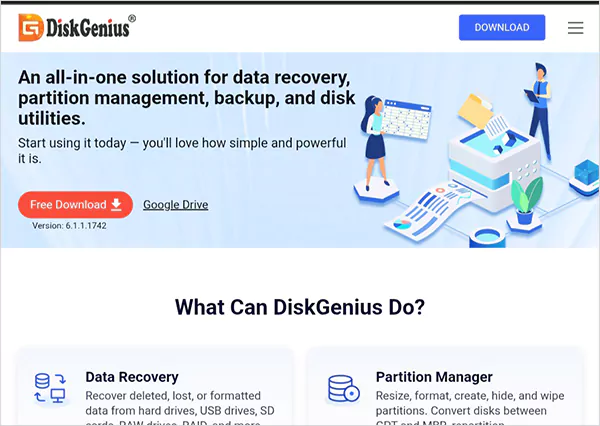
DiskGenius is a good quality data recovery application for retrieving deleted images from memory cards and for recovering lost or damaged files from formatted and damaged memory cards.
Pros
- Deep scan improves file recovery accuracy.
- Supports recovery from damaged SD cards.
Cons
- Deep scan improves file recovery accuracy.
- Supports recovery from damaged SD cards.
PhotoRec SD Card Recovery Software
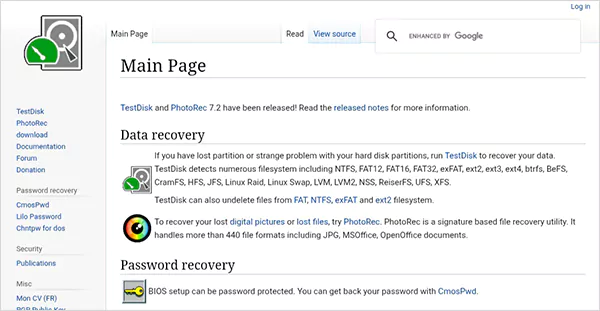
PhotoRec is a free/open-source data SD card recovery program for memory cards and storage devices that can retrieve files that have been deleted or lost; PhotoRec also has the ability to retrieve files from formatted and damaged memory cards and supports the retrieval of numerous different types of files.
Pros
- Free and open-source recovery software.
- Supports recovery from formatted SD cards.
- Recovers multiple file formats.
Cons
- No graphical interface.
- Requires technical knowledge.
SD Card Recovery Software Comparison Table
Here’s the side-by-side comparison of data recovery software for SD cards that were mentioned in the list.
| Software | Easy to Use | Deep Scan | Corrupted SD Recovery | Free Version | Best For |
| DataRecovee | High | Yes | Yes | Limited | Overall Recovery |
| Recoverit | High | Yes | Yes | Limited | Media |
| Disk Drill | High | Yes | Yes | Limited | General Users |
| EaseUS | High | Yes | Yes | Limited | Beginners |
| Stellar | Medium | Yes | Yes | Limited | Professional Recovery |
| Recuva | High | Limited | Limited | Yes | Basic Recovery |
| R-Studio | Medium | Yes | Yes | No | Professional Users |
| MiniTool | High | Yes | Yes | Limited | Home Users |
| DiskGenius | Medium | Yes | Yes | Limited | Advanced Recovery |
| PhotoRec | Low | Yes | Yes | Yes | Technical Users |
How to Recover Files Using SD Card Recovery Software?
Here is the answer for how to recover deleted photos from an SD card below. I have personally used these steps and recovered the lost data in literally seconds.
Step 1: Connect your SD Card
Insert the SD card into your PC using a card reader.
Step 2: Install the Recovery Program
Download and install SD card data recovery software that you trust.
Step 3: Scan the SD Card
Choose the SD card from the list and do a quick scan or a thorough scan.
Step 4: Preview Recoverable Files
Most recovery software allows you to see your pictures, videos, and documents that can be recovered.
Step 5: Recover and Save your Files
Highlight the desired files and save the recovered files to a location that is different from where they were originally located.
Free SD card recovery software can retrieve the lost files from an SD card, but it will be limited compared to a paid version as far as extensive scanning, success rate, and repair of corrupted memory cards.
Conclusion
The purpose of SD card recovery software is to recover deleted, formatted, and corrupted files from SD cards and memory cards. Some commonly used tools for recovering SD cards include Datarecovee, Recoverit, Disk Drill, EaseUS, and Stellar. These tools have excellent recovery capabilities and advanced scanning technology.
SD card recovery software is best used as soon as you experience data loss to increase the chances of a successful recovery and to ensure safe restoration of critical files.
Frequently Asked Questions
Can an SD card be easily restored if it was deleted from it?
Is it possible to restore data that has been deleted from an SD card to a computer?
Yes, restoration software can check all the sectors of the SD card to recreate lost files (including images, videos, and documents) by scanning the SD card sectors.
Can I use free software programs to restore my SD card?
Yes, but many of the free programs have limits on file sizes/number of files that can be restored and/or may not provide deep data scans to restore all previous files.
What should I do as soon as I lose data from my SD card?
First, stop using the SD card. Connect the SD card to your desktop/laptop computer, use restoration software on the desktop/laptop to perform a complete scan of the SD card, and once completed, save the restored data to an alternate location.
Related Posts
How Poor Contract Visibility Leads to Revenue Leakage in Growing Companies
Growth is an important factor that determines the success rate of any business. When we witness new operations, partnerships and…

Managing Bitcoin Operations? Here’s How Salesforce Automation Helps
“Digital currency is here to stay, and it’s only a matter of how long before governments embrace it.” — Brad…

Why Modern Organizations Depend on Data Privacy Software
Data growth has significantly accelerated beyond what most compliance teams can manage, with personal records, financial details, contracts, and emails…

Converting Chats Into Leads While Maintaining Professionalism
The way marketing teams and businesses approach their potential clients to boost their sales has completely transformed in the last…

How to Delete iCloud Account? Complete Guide for 2026
Thinking, how can I delete iCloud or Apple account? It is not just about removing an account; it is about…

How Different Industries Use Specialized Software to Stay Competitive
In the market we have today, companies are always trying to find ways to work better and get results. The…

What Key Adjustments Enhance Visual Appeal Across Web Pages
Attractive web pages form the roots of any appealing website. For instance, imagine looking for content on Google, and you…

When is it Time to Consider IT Support Services for Your Business?
Every business needs to ensure smooth operations for a successful business. But despite trying hard to avoid barriers, technical issues…
How to Delete User Profile in Windows 10: Step-by-Step Guide
You don’t notice user profiles until one starts causing problems. A profile gets corrupted, a login error pops up, or…