
Disk Drill, TestDisk, and PhotoRec are some of the best recovery tools available for Mac.
11 Best Data Recovery Software for Mac (Tested and Compared)
 Upasna Deewan
Updated on: Apr 23, 2026
Lost files on a Mac are not always gone. Deleted photos, videos, documents, and folders can often be recovered if you act quickly and avoid saving new data in the same location.
The bigger problem is choosing the best data recovery software for Mac that can help in your situation. So, to make things easier, we tested over 50 tools in real-world situations.
In this guide, I walk you through the 11 best data recovery software Mac, explain which tool fits which situation, and share the best practices to recover deleted files safely without overwriting them.
Quick Summary: Best Data Recovery Software Mac
- Best all-rounder: Disk Drill
- Best for beginners: EaseUS, Recoverit, and Datarecovee.
- Best for advanced users: R-Studio, Stellar, and PhotoRec.
- Best free advanced tools: TestDisk and PhotoRec.
How We Tested and Ranked These Mac Data Recovery Software?
Mac data recovery tools often look impressive but fail when real recovery is needed. To avoid hype-driven picks, we tested and ranked these tools using a clear and practical framework on real outcomes, not promises.
Here’s how we find best data recovery software Mac:
- Shortlisting the Right Tools: We started with a broad pool based on our internal testing history, past rankings (like best SD Card data recovery software for Mac), and tools frequently recommended on trusted platforms like forums and expert lists. Only apps that met our baseline standards made it to hands-on testing.
- True macOS Compatibility: Each tool had to properly support modern macOS versions, including the latest releases. Native Apple Silicon support was a strong plus since it reflects the serious Mac-first development nature of the tools.
- Real-World Recovery Performance: This mattered the most to us. We tested deleted files, formatted drives, lost partitions, and overwritten file recovery on Mac. If a tool failed to recover meaningful data consistently, it was excluded regardless of its UI or popularity.
- Ease of Use and Raw Power: We evaluated how intuitive each app felt for Mac users. However, some tools with rough or technical interfaces still ranked well because their recovery engines delivered results. Power was never sacrificed for looks.
- Transparent Pricing and Trials: We tested free and paid Mac restore software versions to see what users could realistically evaluate before buying. Tools with unclear limits, misleading trials, or aggressive subscriptions scored lower.
- Useful Extras: Features like disk imaging, advanced scan modes, file repair, or a bootable recovery environment earned bonus points.
In short, the tools that ranked highest are the ones we can trust to keep scanning, handle damaged volumes, and deliver usable files in tough situations. That’s what separates reliable and best recovery software for Mac from the rest.
11 Best Data Recovery Software for Mac (2026 Updated)
This is a straightforward breakdown of the best Mac file recovery software in 2026 that can cater to a broad set of users.
1. Datarecovee
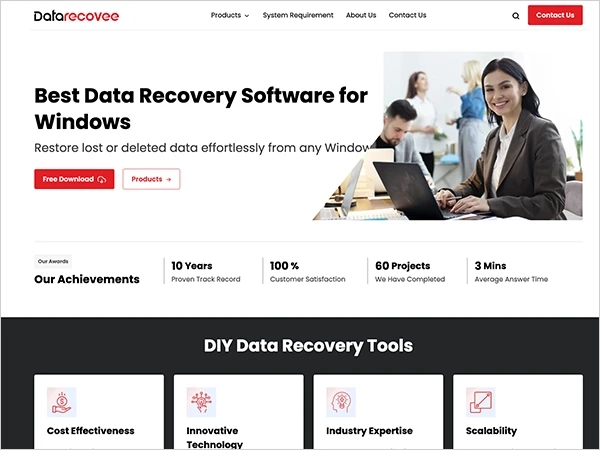
Datarecovee focuses on simple recovery for beginners. The interface is straightforward, and it is one of the best USB drive repair tools as well. Quick scans, deep scans, and file-type filters help you check what’s recoverable without getting into technical settings. It is useful for basic deletion, USB drives, or light recovery tasks.
Pros
- Easy to navigate.
- Step-by-step guidance for beginners.
- Good for quick recovery attempts.
Cons
- Smaller support ecosystem.
- Fewer independent performance tests.
2. Disk Drill
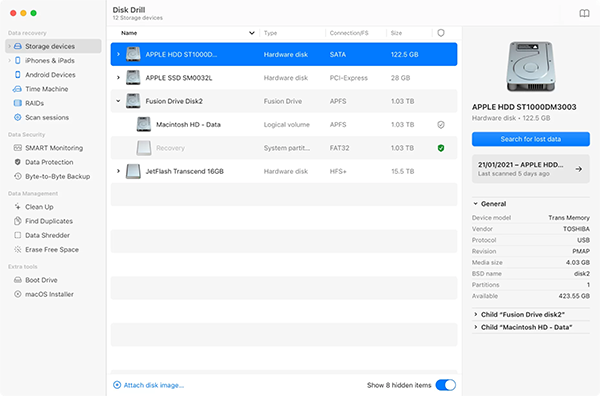
Disk Drill is one of the most polished Mac recovery tools available. It balances a clean Mac-style interface with serious depth in recovery. You can run read-only scans, preview files before restoring, and even scan sessions to resume later.
It is the best video recovery software on the market. It also includes health checks and drive backup features, which help you decide whether to clone a failing drive before recovery. The free version allows you to test scans and previews, so you know its real worth.
Pros
- Clean and intuitive interface.
- Strong APFS and Apple Silicon support.
- Preview and session save features.
- Safe read-only scanning.
Cons
- Full recovery requires the paid version.
- Not the cheapest for pro use.
3. EaseUS
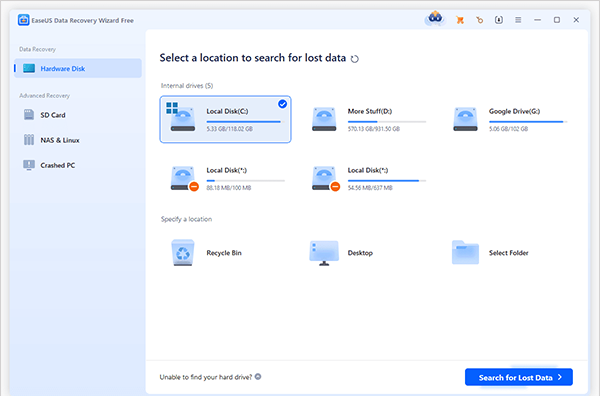
Next in the list of best data recovery Mac is EaseUS. It focuses heavily on guided recovery. The workflow is simple: scan, filter, preview, and recover. It supports common Mac file systems and external drives and is available through both direct download and the App Store.
The preview system is reliable, which helps you avoid restoring unnecessary files. It works well for common data-loss scenarios like accidental deletion or formatted drives, especially for users who don’t want to deal with technical settings.
Pros
- Very easy to use; the best recovery program for Mac.
- Strong preview and filtering.
- Wide file type support.
- Good for beginners.
Cons
- Deep scans can be slower.
- Limited advanced controls.
4. Stellar Data Recovery
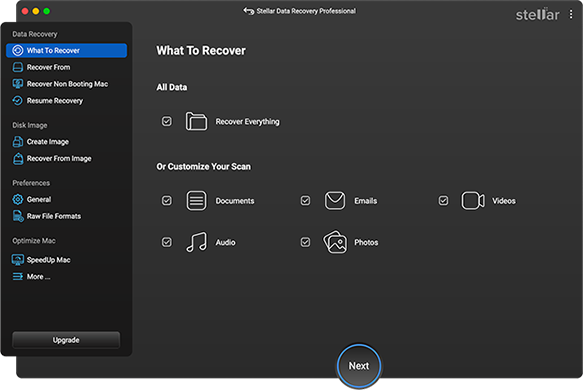
Stellar is built for deeper recovery cases. It supports advanced scans, bootable recovery drives, partition recovery, and even escalation to professional lab services if software recovery fails. Moreover, it is particularly useful when dealing with formatted drives, corrupted volumes, or important work files.
The interface includes more options than beginner tools, but that also means better control when recovery gets complicated.
Pros
- Strong deep-scan performance.
- Bootable recovery tools.
- Lab recovery option.
- Good support resources.
Cons
- The interface feels heavier.
- The free version is limited.
- Higher pricing on top tiers
5. Wondershare Recoverit
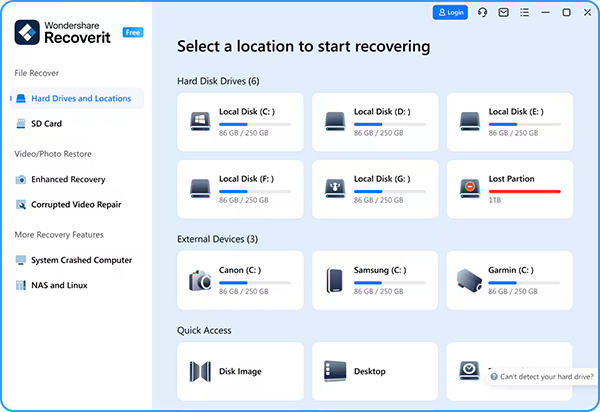
Recoverit stands out for media recovery, especially large video files. It supports a wide range of devices and includes repair tools for damaged video files in higher tiers.
The interface is modern and easy to follow, and it also allows bootable recovery for Macs that won’t start. It is a solid option if your lost data includes photos, videos, or large creative files.
Pros
- Strong video and photo recovery software.
- Clean and modern UI.
- Bootable recovery option.
- Wide format support.
Cons
- Deep scans take time.
- Advanced features cost more
- Does not offer the best free Mac data recovery options.
6. R-Studio
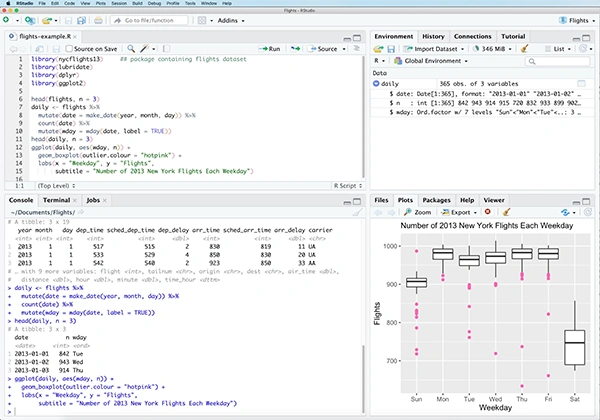
R-Studio is designed for advanced users and technicians. It offers detailed control over scanning, partition recovery, and RAID data recovery. The interface is technical, but that is intentional. It allows deeper access to damaged drives and file structures.
There is a demo mode that shows what can be recovered before purchase, which helps validate whether it is worth using for complex recovery jobs.
Pros
- Very powerful file recovery software for macOS.
- Advanced partition and RAID tools.
- Detailed scan controls.
- Demo preview mode.
Cons
- Steep learning curve.
- The interface feels outdated.
- Too complex for casual users.
7. iBoysoft Data Recovery
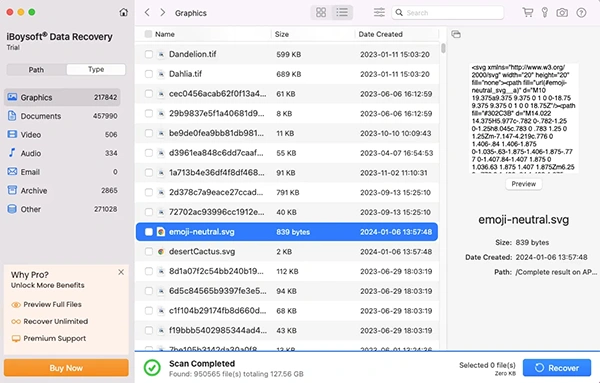
iBoysoft is built with modern Mac systems in mind, especially APFS drives and external storage. It handles recovery from internal SSDs, USB drives, and even a Mac that won’t start up.
One of its strengths is that it clearly shows recoverable files before you restore anything, helping you avoid wasting time. It is a Mac-first tool with a clean interface and solid recovery reliability, particularly when external drives fail to mount or recover from emptied trash on Mac.
Pros
- Clean and Mac-friendly interface.
- Strong APFS and external drive recovery.
- Preview before recovery.
- Works with unbootable Macs.
Cons
- Pricing on the higher side.
- Deep scans take time.
- The free recovery limit is small.
8. Cisdem Data Recovery
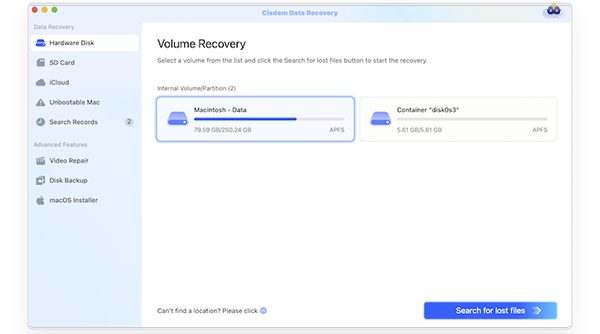
Another tool in our list of the best data recovery tools for Mac is Cisdem. It keeps things simple and fast. It is designed for everyday recovery tasks like deleted files, formatted drives, or lost media. It supports internal drives, USB storage, and SD cards.
The HDD recovery software for Mac offers a simple workflow with quick and deep scan options. It does not go as deep as technician-level tools, but for most users dealing with common file loss, it gets the job done without any hassle.
Pros
- Fast scanning.
- Simple and easy workflow.
- Supports many file types.
- Good for everyday recovery.
Cons
- Limited advanced repair features.
- The free version has limits.
- Not built for complex partition recovery
9. Tenorshare 4DDiG
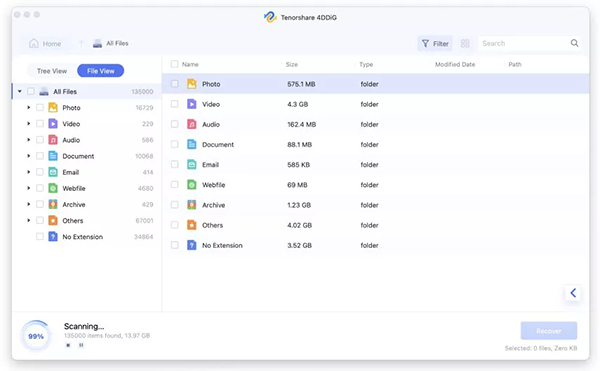
4DDiG focuses on ease of use across both Mac and Windows systems. The interface walks you through scanning and recovery step-by-step, making it accessible even if you have never used recovery software before.
There is also a bootable recovery option for Macs that won’t start. It performs the best file recovery for Mac in common scenarios like recovering photos, documents, and videos.
Pros
- Beginner-friendly interface.
- Works with many devices.
- Bootable recovery option.
- Reliable for common file loss.
Cons
- Limited advanced controls.
- The free recovery is restricted.
- Not suited for deep forensic recovery.
10. Prosoft Data Rescue
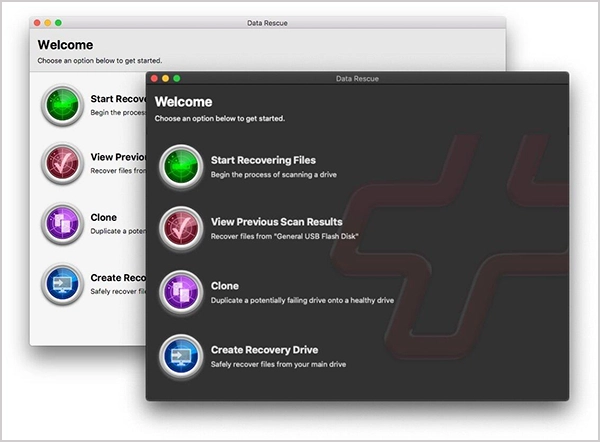
Data Rescue has been around for years and is still trusted for serious recovery work. It includes deep scanning, disk cloning, and bootable recovery tools. It can clone a failing drive first, then help you recover data safely from that copy. This makes it useful when hardware issues are suspected. The interface is more technical than beginner tools, but recovery reliability is strong.
Pros
- Trusted recovery performance.
- Disk cloning and bootable tools.
- Good for repairing failing drives.
- Solid deep-scan results.
Cons
- The interface feels outdated.
- Scans can be slower.
- Pricing higher than basic tools.
11. TestDisk and PhotoRec
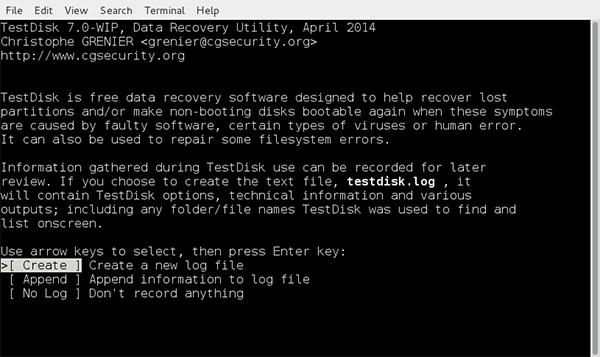
TestDisk and PhotoRec offer the best free file recovery for Mac. They are open-source tools used by advanced users and professionals. TestDisk focuses on partition repair and disk structure recovery, while PhotoRec recovers files based on signatures.
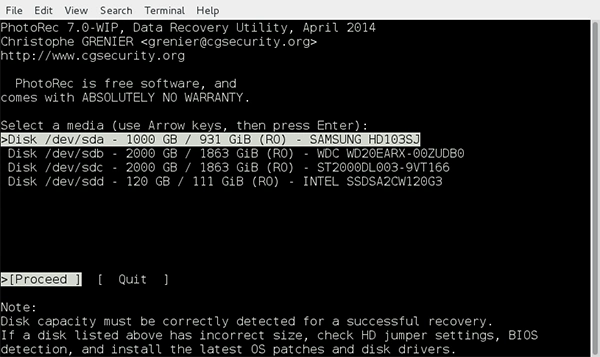
They both offer the best free file recovery for Mac. They are extremely powerful and can recover data from heavily damaged drives when paid tools fail. However, they use command-line interfaces, and recovered files often lose original names, which makes them less beginner-friendly.
Pros
- Completely free and best data recovery for macOS.
- Very powerful recovery engine.
- Works on severely damaged drives.
Cons
- Command-line only.
- Steep learning curve.
Quick Comparison Table: Best Recovery Data Software for Mac
It is important to note that our list of the best data recovery software for Mac has no clear order. Different tools might be helpful for different people. Below is a concise and up-to-date comparison to help you pick the right tool for your case:
| Data Recovery Software | Best For | Key Strengths | Free Versions | Pricing |
| Datarecovee | Beginner-friendly recovery | Simple workflow and basic recovery tools | Limited free tools available | $59-$240 (varies by tool) |
| Disk Drill | Best recovery software overall for Mac | Strong APFS support, deep scan, preview, and clean UI | Yes | $89 one-time license |
| EaseUS | Beginner-friendly recovery | Guided workflow, strong preview, and wide device support | Yes | Starts from $89.95 |
| Stellar | Professional recovery | Bootable recovery, deep scan, and strong file type support | Yes | $69.99-$89.99 per year |
| Wondershare Recoverit | Media file recovery | Video recovery, repair tools, and bootable recovery | Yes | $89-$90 per year |
| R-Studio | Advanced users | RAID recovery, forensic tools, and deep control | Demo only | Starts from $79.99 |
| iBoysoft | External drive recovery | Recover from encrypted and unbootable Macs | Yes | $89.95/month |
| Cisdem | Fast everyday recovery | Quick scans, simple UI, and wide file support | Yes | Starts from $59.95 per month |
| Tenorshare 4DDiG | Quick fixes | Easy interface and bootable recovery option | Yes | $45 to $79 |
| Prosoft Data Rescue | Failing drives | Disk cloning and bootable recovery | Demo available | Starts from $79 |
| TestDisk and PhotoRec | Best free recovery software for Mac | Open-source and deep raw recovery | Completely free | Free |
Best Practices to Improve Mac Data Recovery Chances
Good software is important, but what you do right after data loss matters more. Consider these helpful tips to increase your chances of Mac recovery:
- Stop using the drive immediately because new files can overwrite deleted data. Once overwritten, recovery becomes more difficult.
- Most Macs use SSDs with TRIM enabled. TRIM clears deleted data quickly. So if you keep using the drive on SSD, recovery chances drop even faster.
- Never restore files to the same disk. This can overwrite what you are trying to save.
- Look for backups in Time Machine, iCloud, or any other external device before running any data recovery software. That is always the safest first step.
- Quick scans can easily handle recent deletions. Use deep scans only when dealing with formatted or damaged drives.
Furthermore, if files are critical, consider professional recovery early because repeated scans on a failing drive can reduce your recovery chances.
Final Verdict
The best data recovery software Mac is a tool that supports modern macOS file systems, shows file previews, keeps recovery simple, and helps your case. For everyday file loss, beginner-friendly tools are enough. For formatted drives or partition issues, advanced tools perform better.
Act quickly, stop using the drive, scan once with the right tools, and recover files to a different disk. Following this order can make a big difference in whether recovery works or fails.
Frequently Asked Questions
What is the best data recovery software for Mac?
How to choose the right data recovery software for Mac?
Consider your budget, your requirements, technical know-how, and file system support before picking up any tool to recover your data.
Can permanently deleted files be recovered on Mac?
Yes, if the data has not been overwritten and TRIM has not erased the blocks, recovery is possible.
Is free Mac data recovery software safe?
Yes, if downloaded from official sources. Free tools can scan and preview files, but many free tools (except for TestDisk and PhotoRec) limit full recovery unless upgraded.
When should I use professional recovery services?
Seek professional services if the drive is physically damaged, software finds nothing, or the data is critical. Professional labs are expensive, but sometimes the only option available.
Related Posts

8 Best AI Presentation Makers for Business-Ready Slides
Making a presentation doesn’t just mean designing slides. It’s about defining a clear structure, using defined logic, useful visuals, and…

Queue Management Software Troubleshooting Guide: 8 Common Faults and Fixes
The long wait times and ineffective management of customer queues can have a significant impact on customer satisfaction and business…

How to Use Similarweb Website Traffic Data for Competitor Research
Competitor research without traffic data is guesswork. You can guess who your rivals are, guess how big they are, guess…

Choosing the Right Hosting Model for Scalable Digital Platforms
The performance of digital business is directly related to website speed, uptime, and scalability. Slow page performance has a negative…

How Data-Driven Performance Tools Are Transforming Employee Recognition in Tech Companies
“People work for money but go the extra mile for recognition, praise, and rewards.” — Dale Carnegie (Writer & Teacher)…

Why Businesses Struggle to Collect Reliable Data from the Web
Almost every company that depends on data runs into the same problem: although they can find the data they need,…

Why Financial Data Recovery Matters for Businesses
Financial data supports every part of a business, directly affecting cash flow, payroll, tax reports, audits, customer billing, and daily…

CMMC Compliance Is Coming for Manufacturers. Here Is What You Need to Do
“Cybersecurity is much more than a matter of IT.” — Stephane Nappo (Cybersecurity Professional) For manufacturers working within the defense…

How Data-Based Tools Influence Learning Performance
Learning has transformed in the modern age with the integration of new technologies to help students and professionals prosper in…