


Rarely. It tells you a vendor’s controls were examined, but it says nothing about whether your specific data class is legally allowed in that system.
What Makes a Data Collection Tool Safe Enough for Sensitive Data? A Guide for IT Teams
Table of Contents
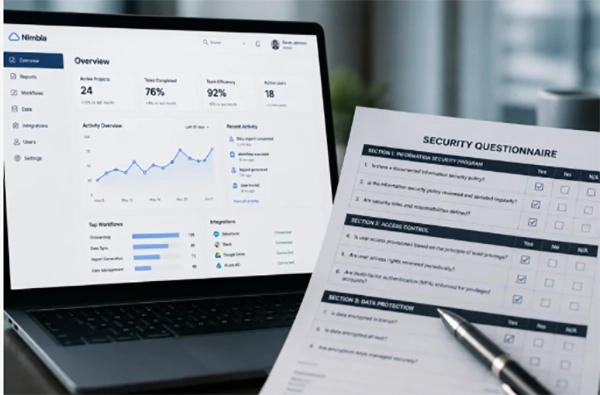
Safe enough is a contract question before it is an engineering one.
Most of the evidence you need is already public, and most of it never gets opened. Vendors publish badges. The programs behind those badges publish records, and the two do not always agree.
Your signature is what turns that gap into your problem.
So here are the checks worth running before a tool touches regulated data: what a compliance claim certifies, how to read the report behind it, when the contract outranks the controls, and where the data travels after somebody hits submit.
The Question You Are Actually Being Asked
Most of the time, the question that most people ask is usually not generic, like whether a tool is secure or not. It is often a specific question about whether or not you will approve a certain tool.
The answer to this question has two honest versions. First is what kind and class of data is actually going into the system, and second is what the system has actually proven to do and for what target audience. The second half of this is where major approvals are gained by showing fake information to the user.
The thing that decides whether a tool is safe enough for certain kinds of information or not is not the product itself; rather, it is what you actually trust enough to go into the system.
For example, a server tool that collects anonymous feedback from its users and the same tool collecting patient intake forms are both different decisions that run on the same system. What actually holds the difference is how you choose to run it
What Does a Compliance Claim Actually Certify?
Usually, the phrases that sound the strongest carry the least weight, and most people get trapped in this marketing gimmick
Compliance language was never built to be precise on a pricing page; it was designed to act as a marketing copy and help reassure users so that they would feel the product’s worth was justified, thus increasing sales.
One example which shows this clearly is FedRAMP. This is because the FedRAMP program publishes its own definitions. And that’s why, with the three designations that it has available, only one of them is what people actually think it means.
FedRAMP Ready means a 3PAO, an accredited outside auditor, attested to the service’s security capabilities and FedRAMP accepted the readiness report. In Process means a vendor is working toward authorization. Authorized means the process is finished.
FedRAMP is blunt about the rest. “FedRAMP Compliant” and “FedRAMP Equivalent” are not certified by FedRAMP and do not meet the legal definition of an authorization.
| What the page says | What that actually means | What to ask for |
|---|---|---|
| FedRAMP Compliant, or FedRAMP Equivalent | Not a FedRAMP designation | The Marketplace listing, or an agency authorization letter |
| FedRAMP Ready | An outside auditor attested to capabilities, and FedRAMP accepted the readiness report | Whether authorization is in progress, and at which impact level |
| FedRAMP In Process | Working toward authorization. Not authorized | The sponsoring agency and a target date |
| SOC 2 Type 2 | An auditor’s examination report on controls | The full report, scope statement included |
| HIPAA compliant | Whatever the vendor means by it | A signed business associate agreement |
The Marketplace is a searchable database of offerings that hold a designation. It takes about a minute.
How to Read a SOC 2 Report
Ask for the report itself.
According to AICPA’s guide on the topic “Reporting on an Examination of Controls at a Service Organization,” an SOC 2 report is an examination that is conducted by accountants. It is thus a professional opinion that has properly marked dates on it. This document usually expires long before people actually stop citing it in practice.
This report also has two parts to it. First is the scope system, and the second is the exceptions section list. What the scope statement does is show you exactly what systems the auditor checked the software against; meanwhile, the exceptions section list gives a brief breakdown of what went wrong during that period.
The more important of the two is the scope statement, and this is also the part that most people usually tend to ignore. This is because a vendor can hold a real and clean SOC 2 report, yet this can mean nothing for the version that’s sitting on your business.
See, a vendor can have access to a clean report on the core platform of the software, yet the version of it your business needs sits outside the boundary of this report because of a new feature that’s still running on its own stack. This is why the badge acquired is true, but its meaning is not the same. In such situations, it becomes extremely necessary for you to understand if the report actually covers the version you are using or not.
The exceptions section list is usually a lot more detailed and precise because this is the only part of a report that a user actually reads and understands. So, this is what the vendor has to make 100% real and clean, which is also what makes this list the best part of any SOC 2 report.
PRO TIP
Check the report’s period end date against today first. A clean opinion covering a twelve-month window that closed eighteen months ago tells you about a system that has since been re-architected twice.
If Health Data Touches It, the Contract Comes First
The one decision which outranks every other control feature on the vendor’s list is that if a business associate has no agreement, he or she is not entitled to a protected health information system. This is also because it is the only decision made during a protection assessment that is not technical.
It is important to note that PHI only goes to a vendor when the covered entity for which the software is being used has given satisfactory assurance in a written contract, which is documented as is stated under the HIPAA rules. This means that any cloud service which is used to create, receive, maintain, or transmit electronic PHI is a business associate, and so is any subcontractor doing that work on its behalf.
This simply means that the software or system which the vendor uses is in scope. Thus, “we use a third party for file storage” is a question about the vendor’s paperwork, not a shrug.
This is one of the easiest things to forget and hardest things to nail because a tool can be built well while following all the rules and policies and still be the wrong place to put PHI simply because nobody signed a written contract. And an encryption tool cannot get you out of this one.
Where Does the Data Go After Submit?
- Which region the records sit in, and whether the vendor can move them without telling you
- Which subprocessors see the payload on the way through
- What the integrations push onward, into which systems, and whether those systems were ever in scope
- How long submissions are kept by default, and whether you can change that
- Who inside your own organization can read a submission, and whether that read is logged
A collection tool is the front door of a records management problem rather than the whole of one, and default retention is where most of that problem quietly accumulates. Forms get configured once, by whoever needed them in a hurry. Defaults do the rest.
The control surface to ask about is reasonably standard: structured fields that validate at submission, role-based permissions, audit-ready logs, encrypted handling of uploaded documents, routing that does not email a spreadsheet of responses to a shared inbox. FormAssembly’s public-sector documentation describes roughly that set, a fair benchmark for regulated intake.
What None of These Checks Will Catch
An authorised tool which is configured by your own team in a wrong way is sometimes the most obvious reason a security app fails to carry out the purpose it was designed to.
This is because a form that was built by somebody in operations last week with an open public link and no field permissions has nothing to cover it in a vendor’s paperwork. Moreover, a notification rule that your team has been forwarding with every submission to a distribution list becomes your inefficiency in using the tool rather than the vendor’s mistake.
Where to Draw the Line
Write the threshold down before the vendor call rather than during it, because the answers always arrive faster than the thinking does. Which data classes are allowed in this tool, which are not, what evidence you need on file for each, and who re-checks it at renewal.
Vendors are good at answering the questions you ask. They are under no obligation to volunteer that the report you are holding stopped covering the product you are buying. Decide what “safe enough” means while nobody is waiting on you, and the call gets easier to make in the meeting.
Frequently Asked Questions
Is SOC 2 enough on its own for regulated data?
Can a vendor be FedRAMP Ready and still not be usable by a federal agency?
Yes. Ready is an assessment milestone rather than an authorization, and agencies generally need an authorized offering or an authorization decision of their own.
What if the vendor refuses to share the full SOC 2 report?
Treat a refusal as an answer. Most will share it under an NDA, and the ones that will not are usually protecting the exceptions section.
Related Posts
Best Tools for Recovering Deleted Files on a Mac
A wrong click can leave you sinking in grief and sorrow, just because that accidental click has deleted an important…

What to Back Up Before Migrating Your Business to New Software
Software migration hardly results in data loss during migration. It’s possible that you lose the data after a week or…

How Modern Enterprises Are Scaling Infrastructure with Custom AI
For many businesses, AI works as a collection of tiny experiments such as a chatbot, a coding assistant, or sometimes…
VMware vs. Sangfor aSV vs. Nutanix: Which Hypervisor Actually Saves You Money?
Selecting the right hypervisor isn’t simply an issue of technology; it could end up having a significant effect on your…
SD Card Corruption in IoT Devices: Why It Happens So Often and How to…
IoT devices can have good sensors, robust software, and an excellent housing, but all it takes is one small thing…

5 Best SaaS Platforms for Financial Services and Growing Businesses in 2026
In 2026, SaaS platforms have become essential for businesses that want to build smooth processes, automate routine tasks and clarify…

How Digital Records Support Workplace Injury Claims
An injury in the workplace does not necessarily mean that you have just a physical problem to overcome. It could…
What Happens When Your Office Emergency Plan Is a Drawer?
An office emergency plan should not end with the first aid box sitting in the last drawer. All employees should…
How Data Recovery and Recordkeeping Failures Cost Businesses More Than They Realize
Most businesses file data recovery issues and recordkeeping gaps under different headings, treating one as an IT problem and the…