
Data recovery simply means restoring the lost, corrupted, or inaccessible data from various devices such as computers and hard disks.
Data Recovery In Power BI
 Mahima Dave
Updated on: Sep 16, 2025
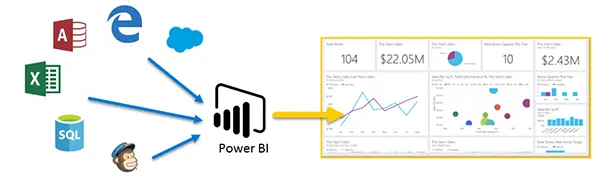
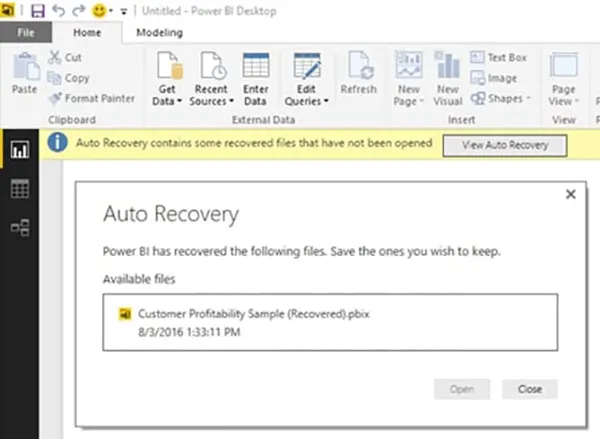
Lost your files while using Power BI and looking to recover your data? Being one of the most used Microsoft tools in tech companies, losing data is a normal occurrence. Daily working of files and reports may result in accidental deletion, corruption, or other data loss events. This is why learning to recover data is essential to becoming a proficient Power BI user.
Data recovery in Power BI primarily has two methods: using Power BI’s built-in backup and restore method or using third-party apps. Mastering Power BI and its other components can be done through an advanced Power BI course in London.
Ready to restore your lost data? Go through this article to learn how to recover data with the built-in backup and restore method and using third-party apps. By the end, you will be equipped with all the data restoration methods.
Key Takeaways
- Power BI backup and restore features are only available to users who have a premium Power BI subscription.
- Third-party backup solutions are more automated and easier to restore lost data.
- Power BI PPU uses XMLA endpoints to connect your Power BI workspace to your Azure Data Lake Gen 2.
- Manual process for data recovery requires tools like SSMS and knowledge to handle endpoints.
1. Power BI Backup and Restore (Premium/PPU)
Backup and restore is an in-built feature of Power BI by Microsoft. It is specifically designed for semantic models (also known as datasets) and is only available to users with Power BI Premium or Premium Per User (PPU) licenses.
Backup and restore method uses XMLA endpoints to connect your Power BI workspace to your own Azure Data Lake Gen2 (ADLS Gen2) account. When you initiate a backup, an .abf file (Analysis Services Backup) is saved to a dedicated folder in your Azure account. This file contains a full copy of your semantic model and the data within it.
How It Works:
- Configuration: At first, you have to configure a connection between your Power BI workspace and a designated ADLS Gen2 storage account. This is typically done at the tenant or workspace level.
- Backup Process: The Backup process can be performed using tools like SQL Server Management Studio (SSMS) or through PowerShell scripts. The .abf backup file is automatically generated and stored in your ADLS Gen2 account.
- Restore Process: To restore, you simply place the .abf file in the correct backup folder and use SSMS or PowerShell to initiate the restore process. The restored dataset can overwrite an existing one or be created as a new dataset.
Strengths and Weaknesses:
| Strengths | Weaknesses |
|---|---|
| Native & Integrated: Directly supported by Microsoft and integrates seamlessly with Azure. | Limited Availability: Only available for Premium/PPU users. |
| Complete Dataset Backup: Creates a full, complete backup of the data model and its data. | Manual Process: Requires external tools like SSMS and some technical knowledge of XMLA endpoints. |
| Cost-Effective: You only pay for the Azure storage used, with no additional licensing fees. | Doesn’t Back Up Reports: This feature is for datasets only; it doesn’t back up the visual report files (.pbix). |
| Disaster Recovery: Excellent for enterprise-grade disaster recovery and meeting data retention compliance needs. | Complexity: Setup can be more involved compared to user-friendly third-party options. |
2. Third-Party Backup Solutions
Third-party providers often offer more automated and user-friendly approaches. These are typically SaaS solutions that you connect your Power BI tenant to using APIs. Obviously, they are very strict with people who don’t have a premium licence.
How It Works:
- API Connection: The third-party service connects to your Power BI using an API.
- Automated Backups: You configure the service to run on a set schedule (e.g., daily or multiple times a day). It automatically sends your .pbix files (which contain both the report and the data model) to a cloud storage location, often in your own Azure Storage account.
- Simplified Restore: These platforms also include a web interface so that you can browse your backups by date, preview the different versions, and restore a specific report or dataset.
Interesting Facts
Taking a quick action and not using your device further can increase the success rate of recovering data.
Strengths and Weaknesses:
| Strengths | Weaknesses |
|---|---|
| User-Friendly: Simple to set up and manage with a clear interface, no coding required. | Additional Cost: Requires a separate subscription, adding to your overall Power BI expenses. |
| Automated & Scheduled: Offers “set it and forget it” functionality for consistent backups. | API Limitations: May not capture certain large-scale datasets or those using advanced features like XMLA endpoints. |
| Full Report Backup: Backs up both reports and datasets in the .pbix file format. | Data Residency: You need to ensure the third-party service’s data storage policies meet your compliance requirements. |
| Granular Recovery: Allows for easy, granular recovery of a single report or even a single file. | Performance: Backup speed and efficiency can vary depending on the provider and the size of your tenant. |
Conclusion
A recent survey found that 68% of companies have suffered from data loss, whether accidental or malicious. This makes it crucial to have a robust backup. For large enterprises with Premium licenses, the Power BI backup and restore feature is robust and secure. Smaller enterprises that don’t have premium licences, and also large organisations that take a ‘belt and braces’ approach, an external backup solution is critical.
Frequently Asked Questions
What is data recovery?
How to recover my lost data without any tech knowledge?
Simply look for any third-party app to recover your lost data. You simply have to select the required disk and click on ‘Recover Data’.
What is Power BI?
Power BI is a business analytics tool that helps users turn complicated data into interactive and clear reports and presentations.
What is the biggest limitation of using third-party solutions to recover lost data?
The biggest limitation is that most of them are paid. Users have to buy a premium version to recover lost data from them.
Related Posts

8 Best AI Presentation Makers for Business-Ready Slides
Making a presentation doesn’t just mean designing slides. It’s about defining a clear structure, using defined logic, useful visuals, and…

Queue Management Software Troubleshooting Guide: 8 Common Faults and Fixes
The long wait times and ineffective management of customer queues can have a significant impact on customer satisfaction and business…

How to Use Similarweb Website Traffic Data for Competitor Research
Competitor research without traffic data is guesswork. You can guess who your rivals are, guess how big they are, guess…

Choosing the Right Hosting Model for Scalable Digital Platforms
The performance of digital business is directly related to website speed, uptime, and scalability. Slow page performance has a negative…

How Data-Driven Performance Tools Are Transforming Employee Recognition in Tech Companies
“People work for money but go the extra mile for recognition, praise, and rewards.” — Dale Carnegie (Writer & Teacher)…

Why Businesses Struggle to Collect Reliable Data from the Web
Almost every company that depends on data runs into the same problem: although they can find the data they need,…

Why Financial Data Recovery Matters for Businesses
Financial data supports every part of a business, directly affecting cash flow, payroll, tax reports, audits, customer billing, and daily…

CMMC Compliance Is Coming for Manufacturers. Here Is What You Need to Do
“Cybersecurity is much more than a matter of IT.” — Stephane Nappo (Cybersecurity Professional) For manufacturers working within the defense…

How Data-Based Tools Influence Learning Performance
Learning has transformed in the modern age with the integration of new technologies to help students and professionals prosper in…