The high performance remote access software has truly changed how people work; designers can create heavy visuals from any location, engineers for their simulations, wherever they are, and businesses operate even when they are not physically based at a certain place.
The lessons learned with Nvidia’s insights on remote visualization underscore the degree to which these environments have become powerful to the extent that they can be performed almost locally via reliable networks.
Here is the twist, though: it is no use having the performance when your data is not secure. Most organizations spend a lot of money to acquire high-performance remote access software to ensure fast speed, latency, and user experience, but forget an important aspect of this puzzle, which is backup security. This is where things start to go wrong.
Your system can be fast, but the presence of vulnerable backups can silently sabotage all of you, causing loss of data, downtime, and performance issues.
Key Takeaways
Backup vulnerabilities may simply affect system performance and reliability.
Unsecured information and lax security measures are some of the biggest risks.
Automated and monitored backups enhance safety and effectiveness.
Backups should be tested regularly to make sure that they are available.
Backup strategies are stored and help in performance and business continuity.
It is easy to imagine backups as something that has nothing to do with performance, but in real life, they are closely related. Remote access systems depend on continuous data availability, fast data retrieval, and reliable system recovery.
In the case of weak or compromised backups, the result can look like longer periods of recovery in failures, increased system downtime, environmental system downtime, bottlenecks in performance during restoration, and environmental inconsistencies in data.
Consider the situation where you are operating a high-performance remote workstation and all the important project files are lost. This makes all the difference, even with a powerful system, as you cannot restore data quickly, which will result in a stall.
Concisely, performance does not only mean speed, but resilience.
DO YOU KNOW? In many ransomware attacks, hackers specifically target and delete backups first, and without backups, recovery becomes nearly impossible.
Common Backup Weaknesses in Remote Access Systems
Backups are prone to vulnerabilities that are not noticed until something goes amiss. The most prevalent problems facing organizations include:
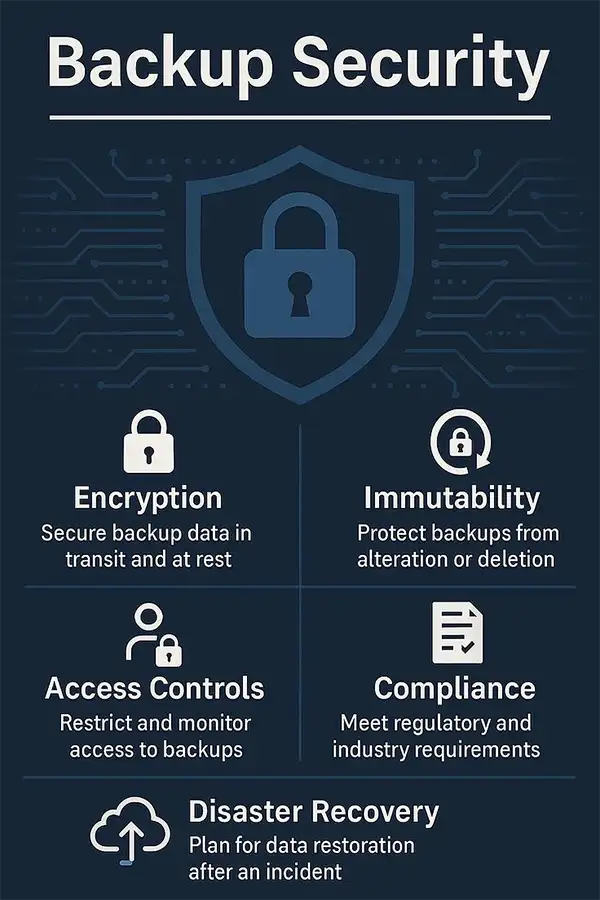
Unencrypted Data: Unencrypted storage of backups is one of the largest risks. Unencrypted backups are easy to access when compromised, expose sensitive data, and become the best targets of cyberattacks. Encryption is necessary in remote environments where data is transferred regularly.
Misconfigured Storage: Backup systems are usually configured improperly because of incorrect storage paths, a lack of redundancy, and improper access settings. This may lead to incomplete and inaccessible backups that may be stored in insecure places.
Access Gaps: Backup systems should not be accessible to all users, but in most instances, there is too much loose access control. This can result in unauthorized access, accidental deletion of backups, and increased insider risk.
Outdated Backup Protocols: Most organizations continue to use old-fashioned backup systems that do not fit in the current remote systems. These outdated protocols bring an inability to deal with real-time changes in data, a lack of automation, and no support for scalable environments.
These limitations are dangerous as the loads of remote work increase.
INTRIGUING INSIGHTS You can secure the backup workflow for high-performance remote access systems in the following ways:
How Vulnerable Backups Affect Data Security and System Reliability
In a case where backups are weak, their effects extend beyond losing data. Such as:
Security-wise:
Backups are a common initial target for attackers to avoid recovery.
Ransomware attacks are more devastating when they have compromised backups.
Primary systems can be secure, yet sensitive data can be exposed.
Peformance-wise
Recovery of systems is slow
Workflows get disrupted
Teams lose productivity
In remote locations, where teams rely on full-time connectivity, a minor hiccup can impact the whole operation. Resilient backups are not merely a safety net but an element of system stability.
Steps to Identify and Fix Backup Vulnerabilities
Visibility and control are the first steps in fixing backup vulnerabilities. This is how companies can enhance their backup systems with contemporary solutions such as DataRecovee:
Audit Backup Environments: Start by identifying locations of backups, knowing who has access, and the frequency of backups. This aids in exposing the gaps and inconsistencies.
Enable End-to-End Encryption: Make sure that all backup data is encrypted during the transfer and while being stored. This will prevent sensitive information from being accessed, even with the key to backups.
Automate Backup Processes: Hand-made backups are not reliable. Use automated systems to schedule backups regularly, capture real-time changes, and reduce human error.
Implement Access Controls: Limit access to backup systems using role-based permissions, multi-factor authentication, and activity monitoring. This reduces both external and internal risks.
Intelligent Monitoring and Alerts: Solutions, such as DataRecovee, provide real-time monitoring and self-monitoring of failures or anomalies. Perspectives on backup performance. This makes sure that problems that are likely to arise are detected before they turn out to be major ones.
Backups and Recovery Test: Backups will only be beneficial when they are effective. Conduct periodic tests to verify data integrity, measure recovery speed, and identify weaknesses.
DO YOU KNOW? Even advanced remote setups using Microsoft Remote Desktop for tools like SolidWorks depend on stable connectivity—because, as noted by Fortinet in their definition of network performance, these protocols are highly sensitive to packet loss.
Preventing Data Loss While Maintaining System Performance
It is not only about finding backups, but also without compromising the performance. It is not only about finding backups but also without compromising the performance. Here is the way to strike a balance between them:
Always use incremental backups in place of full backups
Cache commonly used data in the local disk to recover more quickly
Redundancy and scalability use cloud backups
Maximize the backup schedules to prevent peak times
Modern systems enable organizations to safeguard information without hindering speed. The trick of the trade is to come up with backup plans that can fit the functionality of your remote systems.
Final Consideration
High-performance remote access software is developed to be fast, efficient, and flexible. However, without a secure backus, it will be incomplete. Backup vulnerabilities not only pose a threat to data but also to business continuity, productivity, and trust.
Combining the discovery of weka points, introducing new backup plans, and making use of smart tools, the organization may create systems that are not merely fast but robust and safe.
Since in the remote-first world we live in today, it is the speed of your system that truly counts, and also how fast you can get back on your feet after something does go wrong.
Frequently Asked Questions
What is the importance of backups with the remote access software?
They reduce downtimes and disruptions because they guarantee the ability to restore within a short period.
What is the biggest data backup vulnerability?
Some of the most frequent risks are unencrypted and insecurely secured backups.
What is the frequency of testing the backups?
Periodically, monthly or quarterly testing is suggested based on the criticality of the systems.
Are backups going to impact system performance?
Yes, bad backups can slow down systems; however, optimized strategies eliminate this.
Which tools are used in securing backups?
Modern, reliable solutions such as DataRecovee offer automation, monitoring, and secure storage.

 Reviewed By Brijesh Kumar Singh
  Mahima Dave







