


SATA is an older storage interface, while NVMe is a storage protocol designed for PCIe-based SSDs. NVMe SSDs are much faster and offer lower latency.
NVMe vs SATA: What is the Difference and Which SSD Should You Buy?
Table of Contents
- What is a SATA SSD?
- What is an NVMe SSD?
- NVMe vs SATA: Key Difference at a Glance
- NVMe vs SATA SSD: Speed Comparison
- SATA vs NVMe: Performance in Real-World Use
- SATA vs NVMe SSD: Gaming Performance
- SATA SSD vs NVMe SSD: Price and Value Comparison
- NVMe SSD vs SATA SSD: Compatibility and Installation
- NVMe or SATA: Which One Should You Buy?
- Conclusion
- Frequently Asked Questions
Upgrading to an SSD is one of the easiest ways to make a computer feel faster. You will usually come across two options: SATA and NVMe. While both are much faster than traditional hard drives, they are built differently and deliver different levels of performance.
This NVMe vs SATA guide is all you need to understand this. I will explain the difference between NVMe and SATA SSDs, compare their speed, performance, value, and compatibility, and help you decide the better fit for your system and budget.
What is a SATA SSD?
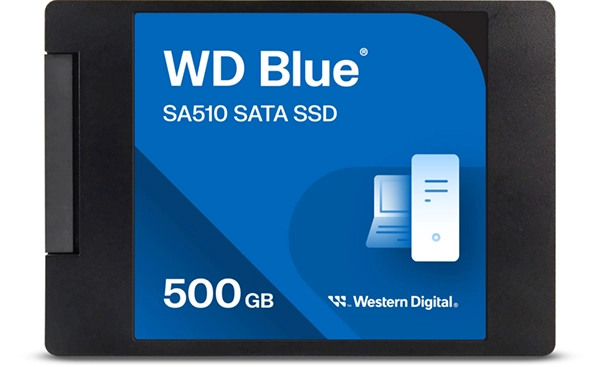
The full form of SATA SSD is Serial Advanced Technology Attachment Solid-State Drive. It is a device that uses the SATA interface to connect to a computer. Like a hard drive, it stores your operating system, applications, games, and files, but without any moving parts.
Compared to traditional HDDs, they offer faster boot times, quicker app launches, better system responsiveness, and lower power consumption. However, SATA SSDs are limited by the SATA III interface, which supports a maximum theoretical speed of 600 MB/s.
However, because of their affordability and wide compatibility, SATA SSDs remain a popular upgrade for older laptops and desktops.
What is an NVMe SSD?
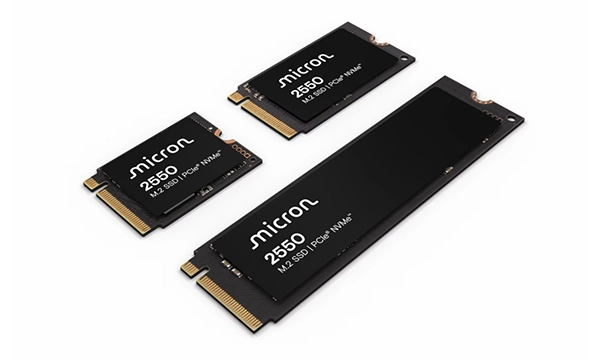
An NVMe SSD is a solid-state drive that uses the Non-Volatile Memory Express (NVMe) protocol and communicates through PCIe lanes instead of the SATA interface.
When comparing SSD NVMe vs SATA, it was designed specifically for flash storage. This allows it to transfer data more efficiently, reduce latency, and process multiple commands simultaneously.
As a result, NVMe SSDs are significantly faster than SATA SSDs and are commonly used in gaming PCs, high-performance laptops, and professional workstations.
NVMe vs SATA: Key Difference at a Glance
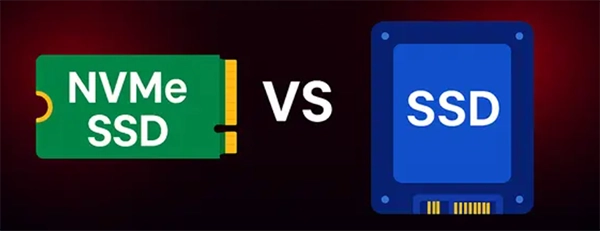
Although both are SSD technologies, they connect to your system differently. SATA relies on an older interface originally designed for hard drives, while NVMe uses PCIe and a protocol built specifically for modern flash storage.
Let’s see the difference between SATA SSD and NVMe SSD:
| Feature | NVMe SSD | SATA SSD |
| Interface | PCIe | SATA III |
| Maximum Theoretical Speed | 3500 MB/s to 14000+ MB/s | Up to 600 MB/s |
| Latency | Lower | Higher |
| Multitasking | Excellent | Good |
| Price | Usually more expensive (1 TB costs around $80-$150) | More affordable (1 TB costs around $60-$90) |
| Best For | Gaming and professional workloads | Everyday computing |
In simple terms, SATA focuses on affordability and compatibility, while NVMe focuses on performance.
NVMe vs SATA SSD: Speed Comparison
Speed is where the biggest difference appears. SATA SSD speed is limited by the SATA III interface, while NVMe uses PCIe lanes that provide far greater bandwidth.
Most SATA SSDs offer real-world read speeds of around 500 to 550 MB/s. Modern NVMe SSDs can easily exceed 3000 MB/s and often go much higher. That is several times faster than SATA.
Raw transfer speed is not the only advantage. NVMe also handles random read and write operations more efficiently, which helps with faster app launches, better multitasking, quicker file indexing, and improved responsiveness.
If you mainly use your computer for browsing, email, office work, and streaming, the SSD SATA vs NVMe speed difference may not feel dramatic.
However, users working with large files, video projects, or professional software often notice a significant improvement with NVMe storage.
SATA vs NVMe: Performance in Real-World Use
Benchmarks tell you the technical difference, but real-world performance is what matters when comparing SATA to NVMe. Both SATA and NVMe SSDs boot Windows and macOS quickly. While NVMe is faster, the difference is usually only a few seconds.
The biggest advantage of NVMe appears when transferring large files, editing videos, working with virtual machines, or running demanding software. For everyday tasks, a SATA drive is still more than fast enough.
SATA vs NVMe SSD: Gaming Performance
Many people assume that a faster SSD automatically increases FPS in gaming. That’s a common misconception. NVMe can reduce loading screens in many games, especially open-world games, large AAA titles, and games with frequent asset streaming.
But storage speed has little impact on frame rates. Your Graphics card, processor (CPU), and RAM have a much greater influence on gaming performance.
That said, newer technologies like DirectStorage are designed to take advantage of high-speed NVMe drives, making them a better long-term choice for gaming PCs.
SATA SSD vs NVMe SSD: Price and Value Comparison
Price is often the deciding factor when choosing an SSD. SATA SSDs are usually cheaper and offer excellent value for everyday users. NVMe costs more but provides much faster performance.
Choose a SATA III vs NVMe if you are upgrading an older PC or mainly use your computer for browsing, office work, or media consumption. Choose an NVMe SSD if you play games, edit videos, or work with large files, or want the best possible performance.
The best SSD is not always the fastest one. It is the one that fits your budget and workload.
NVMe SSD vs SATA SSD: Compatibility and Installation
Before buying any SSD, compatibility should be your first consideration. Here are a few things to consider:
- Check Your Motherboard: First, find out what motherboard you have. Not every motherboard supports NVMe storage. Older laptops and desktops may only support SATA drives. Always verify your device specifications before making a purchase.
- Understanding M.2: This is where many buyers get confused. M.2 is only a physical form factor. It does not automatically mean NVMe. An M.2 SSD can be either SATA-based or NVMe-based. Two drives may look identical but offer very different performance.
- Installation Differences: SATA typically requires a SATA data cable and a power cable. NVMe SSDs usually plug directly into an M.2 slot and require no additional cables. Because of this, NVMe drives often result in cleaner system builds.
NVMe or SATA: Which One Should You Buy?
By this point, you already know that NVMe is faster than SATA. But speed alone should not decide your purchase. Your budget, system compatibility, and daily workload are just as important when choosing the right SSD.
Choose a SATA SSD If:
- You want an affordable upgrade.
- Your system does not support NVMe.
- You mainly browse, stream, and use office apps.
Choose an NVMe SSD if:
- Your system supports PCIe storage.
- You regularly work with large files.
- You game or create content.
- You want the fastest performance available.
For most modern PCs and laptops, NVMe is the better long-term investment. However, SATA still offers great value and remains a practical choice for many users.
Conclusion
The NVMe vs SATA comparison is not about finding a single winner. It is about choosing the SSD that fits your needs.
If affordability, compatibility, and reliable performance matter most, a SATA SSD is an excellent option. If you want maximum speed, lower latency, and better performance for gaming or professional workloads, NVMe is hard to beat.
Before buying, just check your system compatibility, consider how you use your computer, and choose the SSD that offers the best balance of performance and value for your budget.
Frequently Asked Questions
What is the difference between SATA and NVMe?
Is NVMe faster than SATA?
Yes, NVMe SSDs use PCIe bandwidth and can deliver speeds several times higher than SATA SSDs.
Should I buy a SATA or NVMe SSD?
Choose SATA for an affordable upgrade and everyday use. Choose NVMe for gaming, content creation, and demanding workloads.
What does M.2 mean?
M.2 is a physical SSD form factor. An M.2 SSD can be either SATA-based or NVMe-based.
Is NVMe worth it for everyday users?
For basic tasks, a SATA SSD is usually enough. However, if the price difference is small and your system supports it, NVMe is often the better long-term investment.
Related Posts

How to Fix Black Shadow on Laptop Screens?
A black shadow on laptop screens can look like a Windows glitch, but the shape and location of the dark…

Fixing Broken IP Allowlists With a Dedicated Static Address
IP allowlisting is one of the easiest security controls available. Tell a service to accept connections only from addresses you…

What is DumpStack.log and Can You Delete It in Windows?
If you have noticed a file named DumpStack.log in the root of your Windows drive, you may wonder why it…

How eSIM Fits Into Your Global Travel Itineraries
Multi-country trips can be exciting, but sometimes mobile device data makes it concerning. Whenever you cross a border, there will…

How to Pick the Right Data Structure Before You Build Your Database
Every application that stores information depends on a structure chosen long before the first row of data arrives. That structure…

Standardizing React Component Iconography Across Distributed Product Teams
Creating a common React component library is essentially a losing battle. During a cross-team review, I shared my screen. I…
Antimalware Service Executable: What It Is and How to Fix High CPU Usage
You open Task Manager and notice Antimalware Service Executable using a surprising amount of CPU or memory. It may keep…

Keeping Your Website Healthy: A Practical Guide to Long Term Success
Introduction The website may appear to be finished once it is launched; however, making sure that the site remains reliable…

How to Fix the ene.sys Driver Cannot Load Error?
A Windows update can suddenly turn a harmless RGB utility into a startup warning: “A driver cannot load on this…