


A signal booster helps with backup progress to some extent. If the real problem is low bandwidth, cloud storage, and limited server space, then it won’t work.
The Hidden IT Cost of Poor Cell Service: Delayed Backups, Failed Syncs, Missed Alerts
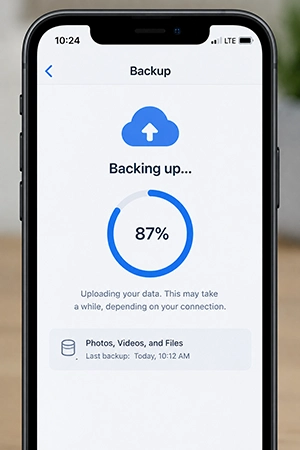
When I take a backup, it spends the whole night loading; still, it’s incomplete. My cellular network shows a single bar while uploading remains processing, and I forget to notice the progress. When it comes to backups, a slight delay costs you more.
Poor signal often causes pending backups, cloud sync pauses, delayed security alerts, and field-related files missing from office routines.
CISA recommends backing up frequently because insecure devices attract threats and can lead to data loss.
Businesses that depend on mobile phones don’t have a single challenge of a bad network; it means work loss and missed important warnings. If backups never complete, the recovery process suffers.
Where the Signal Actually Dies
If you think that the signal dies when you cross around a specific location like the basement, corner of any utility room, or somewhere around your home, this is usually called a dead zone. This loves hiding in places where nobody notices.
Building materials generally influence the problem to extremes, such as concrete (lowers the signal from ten to nineteen decibels in a six-inch-wide wall), metal substances, and glass with low emissivity (reduces thirty to thirty-four), which interferes the signal from penetrating.
The most difficult question is that these problems don’t state the reason behind the signal strength. RSRP or RSSI measurements actually describe the real connectivity issues.
Sometimes backup and sync produce pending work behind a weak signal connection.
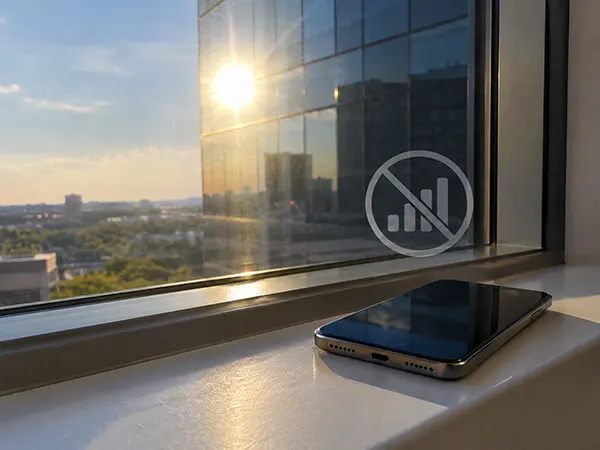
Fun Fact:When you attend a call in a lobby, it seems like a better connection until you enter an elevator made up of steel covering around inner layers like a Faraday cage. It hinders the signal strength and blocks the connection from passing through it.
The Backup That Never Finishes Finishing
Backup: 87%
█████████████████░░░
Last successful transfer: 38 minutes ago
Connection: Unstable
Status: Still trying…
This looks like the backup was delayed due to an unstable connection.
This happens regularly when your signal has high interference. Progress looks normal, but it doesn’t complete due to your cellular coverage slowdown. Most probably, your server tries to finish the task, but it usually waits for better connectivity.
This occasionally gives false hope that your photo or video is saved through backups, but your activity becomes very dangerous and remains on your phone.
If backup starts, then you ensure the process for completion. Check the last backup time and date. Even protect by restoring the uploaded files. Sometimes backup tries for long hours and seems to suffer from updating files to the servers.
Key Takeaways.
Most times, a failed backup or stuck in between looks similar initially. But sometimes progress stops at the same numbers for hours, and another actually pauses the progress. This replicates the false signal to your thought process that it is working, but it’s not actually. Many times you miss the backup entirely and lose your attention.
I usually face this issue several times. A progress bar shows 87 percent for seven hours waiting to complete, but it actually gets stuck, and the software responds in no timely way to finish the job.
Alerts Are a Promise the Network Doesn’t Keep
Warning signals pop up, but you never notice the notification received.
Insufficient cellular service results in delayed alert calls. Security warnings, password resets, dispatch updates, permission changes, or system notifications all depend on a single cellular connection. A bad signal inhibits your notifications and reduces system security. Two-factor codes, delivery updates, app alerts help you prevent missed signals.
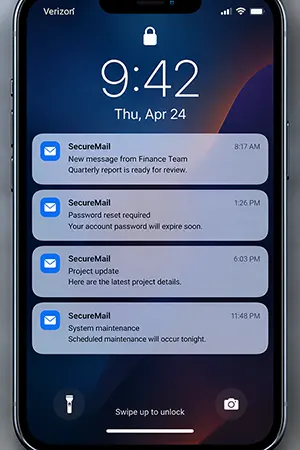
A technician finishes the work, but records are not synced. A manager-permitted service is not shown on the phone. Even if you resolved the issue a while ago, security alerts emerge now.
This eventually creates a huge gap between actual incidents and information received. The system still works but contains information in different versions.
Good backup and recovery are responsible for discovering the events established. Inspect delivery, check recent synced data, find alerts; instead of considering the notification received, test the whole process again.
What One Bar Actually Costs You
One bar simply refers to the signal possibilities on your devices. Everything represents costs that you bear with it. Signals imply most of it, and this is shown below.
| Signal | What usually still works | What quietly fails |
|---|---|---|
| Full bars | Everything | Nothing |
| Two to three bars | Calls, basic browsing | Large uploads stall and retry |
| One bar | Voice, barely | Sync, push alerts, 2FA codes |
| No signal | Wi-Fi calling, if set up | Everything cellular |
Having a single bar is far more dangerous than no signal. Because no signal completely omits the information further. But a single bar makes things not visible, alerts missing, stuck backups, and file sync paused. The system works normally, but little drawbacks accumulate in the background.
Fixing the Dead Zones That Cause This
Start by identifying the dead spots; simply relocate the position of the phone and test the connectivity in different time frames. Pay attention to paused backups, apps getting disconnected, and delayed alerts. This shows the real pain in the system.
In several cases, Wi-Fi is a solution but not permanent; if your location changes frequently, then a good service survey or indoor cellular network gives you definite results. A commercial signal booster offered by RFE Communication can be installed in the office system, which helps your connection to spread indoor signal strength, rather than waiting for a carrier to fix it.
Keep backups on external storage or a secure cloud service, and make sure to create different copies in addition; testing regularly enhances your ability to bypass the problems.
If you have multiple bars, then you ensure that alerts and notifications are not delayed or that backups really work on time. If not, then having bars isn’t useful to your connection because it is not delivering what it is supposed to.
The aim is to secure your data, not the looks that seem standard with a stylish icon in every condition.
| Signs | Check first | Suggested solution |
|---|---|---|
| Backup paused repeatedly | Inspect network stability | Move router location and enhance signal strength |
| Sync works on open spots | Indoor cellular coverage | Test Wi-Fi or connectivity |
| Late arrival of messages | Network coverage | Authenticator app helps |
| Frequently apps disconnected | Check settings | Compare signal and router strength |
| Slow upload issue | Bandwidth or service challenges | Test the network performance |
The Short Version
Weak signals displayed in your software don’t indicate that your phone is damaged. It’s simply that your building is unable to access the proper signal strength.
The main reason is that everything opens up when your backup is stuck, file syncing is stopped, or delayed alerts. Shifting the device near the window area is not an option; instead, test your cellular coverage all over the building. Check your connection stability by monitoring Wi-Fi, cellular backups, automated copies, version history, and restore testing.
The best assessment is the simplest: just know what’s important and urgent information received on time.
Frequently Asked Questions
Will a signal booster fix a backup that keeps stalling?
Does Wi-Fi calling solve the dead-zone problem?
If your connection is trustworthy. It doesn’t resolve the cellular data backup with low connectivity on your phone itself.
Why does a backup show 87 percent for hours and then fail anyway?
The progress bar represents the status, not the connection health. A paused backup stays longer until it fails.
Are two-factor codes affected by the same problem?
If the real problem is a stable connection, then messages or alerts are normally delayed or expire before reaching your system. 2FA is somewhat important for your main account.
Related Posts

8 Best Online Tools to Identify Unknown Callers
When a call comes on your screen with no name or context, you just zone out, thinking you should pick…

How to Fix Black Shadow on Laptop Screens?
A black shadow on laptop screens can look like a Windows glitch, but the shape and location of the dark…

Fixing Broken IP Allowlists With a Dedicated Static Address
IP allowlisting is one of the easiest security controls available. Tell a service to accept connections only from addresses you…

What is DumpStack.log and Can You Delete It in Windows?
If you have noticed a file named DumpStack.log in the root of your Windows drive, you may wonder why it…

How eSIM Fits Into Your Global Travel Itineraries
Multi-country trips can be exciting, but sometimes mobile device data makes it concerning. Whenever you cross a border, there will…

How to Pick the Right Data Structure Before You Build Your Database
Every application that stores information depends on a structure chosen long before the first row of data arrives. That structure…

Standardizing React Component Iconography Across Distributed Product Teams
Creating a common React component library is essentially a losing battle. During a cross-team review, I shared my screen. I…
Antimalware Service Executable: What It Is and How to Fix High CPU Usage
You open Task Manager and notice Antimalware Service Executable using a surprising amount of CPU or memory. It may keep…

Keeping Your Website Healthy: A Practical Guide to Long Term Success
Introduction The website may appear to be finished once it is launched; however, making sure that the site remains reliable…