


It prevents repeated incidents, highlights system vulnerabilities, and informs future security strategies.
What Should Businesses Do After Recovering From a Major Data Loss?

Businesses nowadays have entered a new level in terms of storing data, leading to a completely new structure. Customer service, lead generation, financial management, and all other core tasks are redefining the way they used to be processed.
Data, on the other hand, acting as a key asset and liability, can be threatened by loss, leaks, and cybercrime. The results? Companies often lose it!
That’s where we need business data loss prevention and recovery processes. This guide also takes you to the secret formula that can help any firm prevent major loss.
Continue reading now!
Identify the Root Cause of the Data Loss
If any data is lost, then it doesn’t matter whether it’s big or small, but it definitely can affect a business’s reputation, continuity, and operational efficiency. It is advised not to take any chances when you notice any kind of issues with your files. The best option is to call an expert and solve this problem as soon as possible.
Firstly, you should identify the actual cause of the problem. Data loss can occur for several reasons, including software bugs, hardware failure, ransomware, accidental deletion, or full-scale cyber attacks.
Understanding the causes of problems is very important for many reasons, including:
- Informing strategic decisions and next steps
- Highlighting weak links in your security strategy
- Preventing further attacks down the line
It is advised that if the problem is not visible, then try to work with a trusted IT team. They will do a thorough investigation and help you tackle the issue from its source, instead of just fixing the symptoms.
Review and Strengthen Backup Procedures
After identifying the problem, the next step is to take time to review and strengthen the security and backup procedures. This step is really important because if there is any cyber attack or data loss, it can weaken the systems and also make them more vulnerable to attacks.
So, take proper time to evaluate how well present safeguards were working during the attack process. If you think retrieving data was slow or difficult, then it’s time to act.
Also, do review how often the backups are performed, whether you’re using full, incremental, or cloud-based solutions, and where those backups are stored, both onsite and offsite. Strengthen your system by following the 3-2-1 backup rule.
- Keep at least three copies of your data
- Use two different types of storage media
- Store one copy safely offsite
This 3-2-1 strategy helps you protect your business from several potential threats and ensures your next recovery is even easier.
Document the Incident and the Response
When data is lost, one thing businesses do is restore their operations and key processes. But it is also very crucial not to ignore the importance of documenting the incident, as well as your response and findings.
This often helps in staying compliant and also helps in strengthening future security measures and training your staff to avoid further incidents. Also, it is important for insurance reasons because, if you are searching for a file to recover your losses, insurance companies will want to file incident reports. Try to be as accurate as possible and take time to record key pieces of evidence, such as photos, files, and the actions taken in response.
Reduce the Risk of Future Data Loss
Today, a large number of businesses are experiencing data loss and data theft, which is becoming the new normal. Businesses can review their security measures, identify gaps in their safeguards, and follow best practices to avoid repeating incidents with the help of a specialised IT team.
Businesses can use ongoing IT management to improve system reliability, cybersecurity, backups, and day-to-day technology performance, beyond preventing another data loss. Chicago businesses looking to maximize productivity with customized managed IT services can consider support that combines proactive monitoring, security management, data protection, and ongoing technical assistance.
When comparing providers, businesses should examine whether their services address both recovery preparedness and the broader IT requirements that keep operations running efficiently.
Steps After Recovery: Building Long-Term Security and Resilience
After an attack, the most important thing is recovering your data. But there is something else that also carries equal importance, and that is the ability to learn from what happened and implement stronger security measures for the future.
If you want to explore more, then read our resources for small businesses, or are looking for a local expert. Do remember, investing in security and IT management after an incident safeguards the business, clients, and reputation.
Frequently Asked Questions
Why is finding the root cause of data loss significant?
What is the 3-2-1 backup rule?
Keep 3 copies of your data across 2 different media types, with 1 copy stored offsite.
Why should an organization document a data loss incident?
To satisfy insurance claims, maintain compliance, and train staff to prevent future breaches.
What is the immediate priority after recovering lost data?
Audit existing security measures, address vulnerabilities, and strengthen backup schedules to build long-term resilience.
Related Posts

How to Delete a File That Won’t Delete in Windows?
Deleting a file should be simple, but sometimes Windows refuses to remove it. You may see messages saying the “folder…
How to Protect Your Files From Unexpected Data Loss
Imagine you opened your device and suddenly found out that all the important files are not there. Sounds scary, right?…
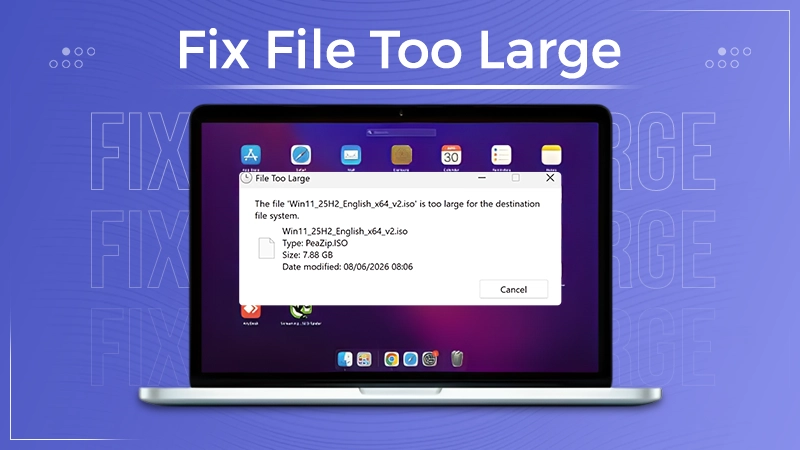
How to Fix “File Too Large for Destination File System” on Windows?
Have you ever tried copying a large file to a USB drive or external hard disk, and Windows stopped the…
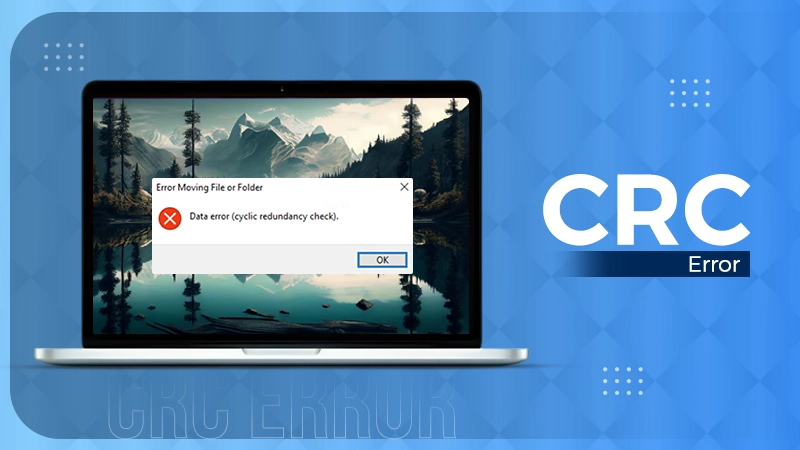
What is a CRC Error? Meaning, Causes, and How to Fix It
A CRC error can appear when you are copying files, opening a folder, extracting an archive, or accessing a storage…

What is an MKV File? Meaning, Uses, and How It Works
You can often identify a video file by its extension. MP4 is the most common, AVI is an older format,…

Symbolic Links in Windows: A Complete Guide to Creating Symlinks
Have you ever wished to keep a file or folder in one location while making Windows think it exists somewhere…

Data Recovery in 2026: How to Restore Lost Files From Phones, PCs, and Cloud…
Alt: Old Hard Disk Drives Nearly one-third of all data loss is caused by accidental deletion, hardware failure, or a…

How to Evaluate an SEO Agency’s GEO Capabilities Before Signing a Contract
Is SEO outdated? No, it has actually just changed or updated into other forms, such as GEO. The major question…

What Is an AAE File? Everything iPhone Users Need to Know
An AAE file is an Apple sidecar file that contains editing instructions, like crops and filters, applied to an iPhone…