


An eSIM is a digital SIM built into your device that lets you activate a mobile plan without inserting a physical SIM. It can be especially convenient when traveling between countries.
How eSIM Fits Into Your Global Travel Itineraries
Multi-country trips can be exciting, but sometimes mobile device data makes it concerning. Whenever you cross a border, there will be a new network, new rules, and different speeds. And when you don’t have a clear plan, data use can rise fast and lead to gaps at the worst time. But a few simple steps can help you keep your mobile access steady from one stop to the next.
A smart start often begins with a plan that fits the full route. An eSIM for travel can help support data use across several countries without the need to switch profiles at every stop.. This helps minimize disruptions that occur during border crossings and helps keep maps, bookings, and messages active with less effort.
Check Device Setup Before Departure
A device that supports eSIM is just part of the story. The phone also requires the correct settings in place before the trip begins. A quick review of the cellular menu supports confirm that the data line can switch without trouble. This step helps prevent delays during the first connection abroad.
Carrier lock status can also influence data use. A locked phone may block new profiles, even when the device supports eSIM. It helps to evaluate the setup at home with a stable map network. That simple check may help enhance the overall experience later.
Plan Daily Data Use Across Stops
Data use can differ from one city to another. Busy areas with constant map use, ride apps, and social media may raise daily data requirements. Quiet towns may need far less, with simple browsing and messages.
Simple Habits to Track Use
A daily look at data use can make a big difference. Most phones show how much data each app uses. This helps detect apps that consume more than expected. A few small changes can help extend the plan through all stops.
Adjust App Settings to Reduce Usage
Apps usually use data in the background without clear notice. Photo drive backups, video autoplay, and updates can use a big amounts of data in a short time. Turning off these options may help improve data control. It also minimizes sudden drops in available data.
Offline features can also aid better use. Maps can store routes, and music apps can save playlists before the trip. These options minimize the need for constant data access. Small steps like these help maintain balance across various countries.
Use Dual SIM Features with Care
Dual SIM settings play an important role in data use. Many travelers keep a home number active while using a data plan for internet access. In this setup, an eSIM for travel may help improve flexibility across various regions. The key is to manage which line manages data at each moment.
A few checks can help keep things simple:
- Set the data line clearly in settings
- Turn off data roaming on the home SIM
- Check call and text defaults
- Confirm hotspot use on the data line
- Review network switch behavior
These points influence how the device works during the trip. Clear setup helps minimize confusion when moving between countries.
Match Coverage with Travel Routes
Coverage can vary from one region to another. A plan that works well in one country may show weaker performance in another. This is why route details are important before the trip starts. A better look at coverage areas may help improve consistency.
Some plan providers list supported countries with each alternatives. This helps travelers compare plans based on the full route. A plan that matches all stops minimizes the need for extra changes later.
Keep Backup Options Ready
Even with a good plan, signal strength can differ. Buildings, terrain, and network load can affect performance. That is why backup options stay useful. A few simple tools can help manage access when signal drops.
Offline maps, saved tickets, and important addresses can minimize stress during weak signal periods. Public WiFi in hotels or cafés can also support when mobile data slows down. These options act as a safety net during the trip. They help maintain access when required the most.
Monitor Usage and Adapt
A multi-country trip usually includes different habits at each stop. Some days may need heavy data use, while others remain light. A quick daily evaluation helps adjust usage based on the remaining data. This habit supports well-balance across the full trip.
Small changes can increase data use. Lower video quality, limited background activity, and selective app use all make a difference. These steps are easy but effective. They help keep data available til the final day.
Data use across various countries works best with a mix of planning and simple checks. A clear route, proper device setup, and steady monitoring all play a role in good results. When these steps come together, an eSIM for travel may help improve mobile access across borders with fewer interruptions. The aim is not perfection, but a smoother and more consistent data experience from start to finish.
Frequently Asked Questions
What is an eSIM and how can it be used during travels?
Can I use an eSIM in more than one country?
Yes, depending on the company and the plan. Some travel eSIMs cover multiple countries and regions, which makes them very useful for trips.
When should I install my eSIM?
You can usually install the eSIM before your trip and activate it according to the provider’s instructions. Setting it up before departure can help ensure you are ready when you arrive.
Related Posts

8 Best Online Tools to Identify Unknown Callers
When a call comes on your screen with no name or context, you just zone out, thinking you should pick…

How to Fix Black Shadow on Laptop Screens?
A black shadow on laptop screens can look like a Windows glitch, but the shape and location of the dark…

Fixing Broken IP Allowlists With a Dedicated Static Address
IP allowlisting is one of the easiest security controls available. Tell a service to accept connections only from addresses you…

What is DumpStack.log and Can You Delete It in Windows?
If you have noticed a file named DumpStack.log in the root of your Windows drive, you may wonder why it…

How to Pick the Right Data Structure Before You Build Your Database
Every application that stores information depends on a structure chosen long before the first row of data arrives. That structure…

Standardizing React Component Iconography Across Distributed Product Teams
Creating a common React component library is essentially a losing battle. During a cross-team review, I shared my screen. I…
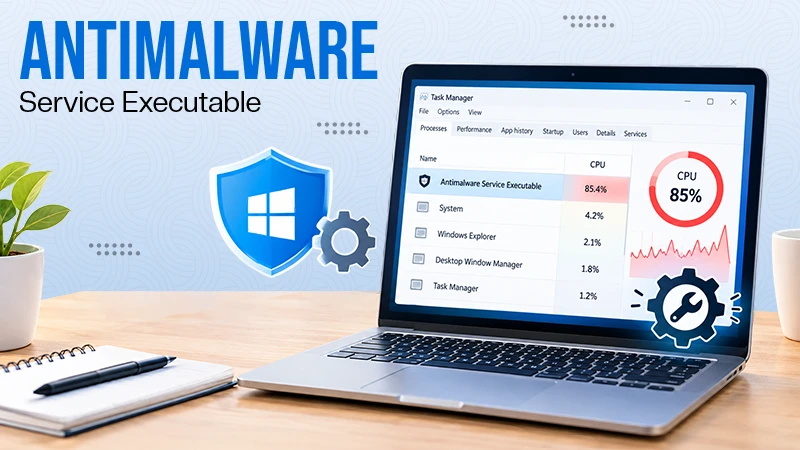
Antimalware Service Executable: What It Is and How to Fix High CPU Usage
You open Task Manager and notice Antimalware Service Executable using a surprising amount of CPU or memory. It may keep…
Keeping Your Website Healthy: A Practical Guide to Long Term Success
Introduction The website may appear to be finished once it is launched; however, making sure that the site remains reliable…
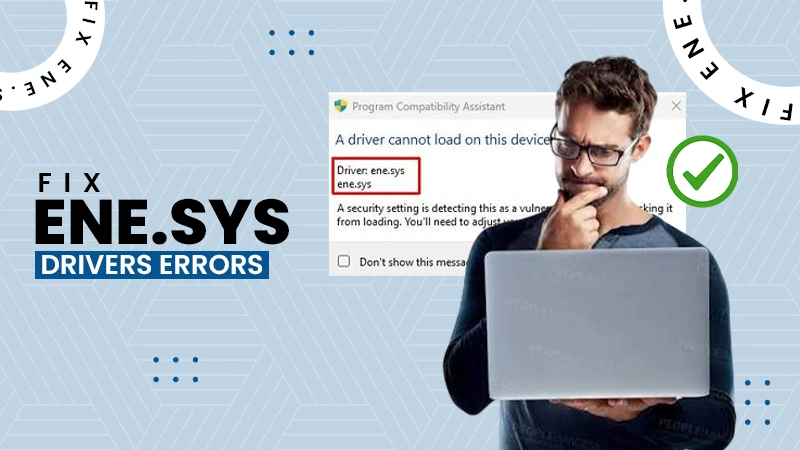
How to Fix the ene.sys Driver Cannot Load Error?
A Windows update can suddenly turn a harmless RGB utility into a startup warning: “A driver cannot load on this…