


Yes, Android users can share live location with iPhone users through Google Maps or WhatsApp.
How to Share Location from iPhone to Android? Complete Guide
Can you share the location from Android to iPhone and vice versa? It sounds complicated until you realize the easiest solution is already built into apps that most people already use.
Whether you want to locate friends, keep track of family members, or locate a lost phone, modern location-sharing tools now work smoothly across both platforms. In this guide, I will show you how to share location from iPhone to Android devices safely while protecting your privacy online.
Key Takeaways
- Google Maps is the best and easiest way to share locations between iPhone and Android devices.
- WhatsApp also supports live location sharing across different platforms.
- Google Find Hub helps track Android phones from an iPhone browser.
- Apple Find My allows you to locate an iPhone from an Android device.
How to Share Location from iPhone to Android?
The easiest way to share a location from an iPhone to an Android is through Google Maps. It works smoothly across both operating systems. Here’s how to share location from iPhone to Android:
- Open Google Maps on your iPhone.
- Make sure you’re signed into your Google account.
- Tap on your profile picture.
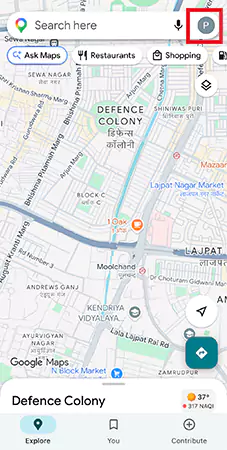
- Select Location Sharing and tap on Share location.
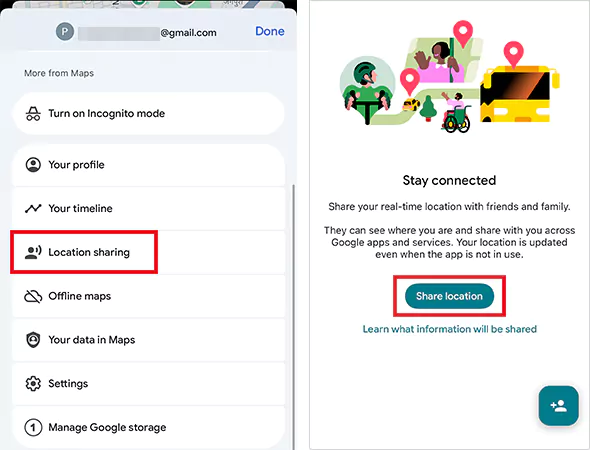
- Now, choose how long you want to share your location, select the person you want to share with, or create a shareable link.
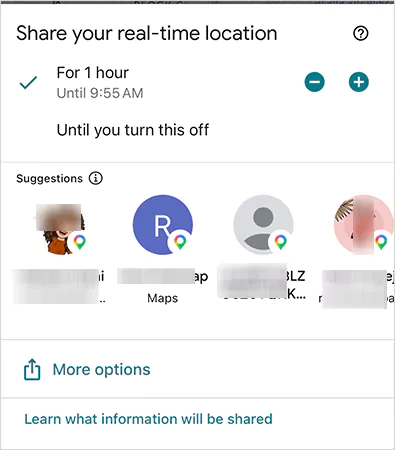
- Finally, tap on Share.
If you want to share your location permanently, choose “Until you turn this off” while setting the sharing duration. Also, before sharing, make sure Google Maps has the location permission enabled on your iPhone.
If the other person does not use Google Maps, you can share the location link through apps like WhatsApp, Messages, or Gmail.
Other than Google Maps, you can also use WhatsApp to send your location. Let’s see how to share location between iPhone and Android using WhatsApp:
- Open the chat on WhatsApp.
- Tap the plus icon (+).
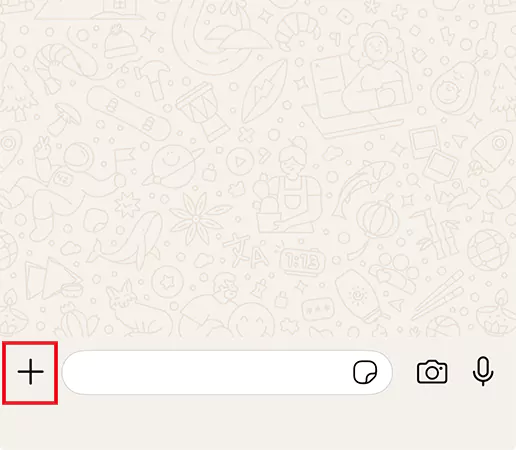
- Select Location and tap on “Share live location” or “Send your current location”.
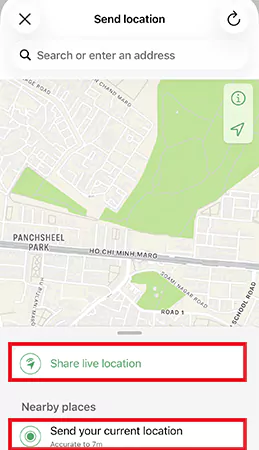
- Choose the duration and send it.
WhatsApp supports cross-platform location sharing between iPhone and Android. This is useful when both users already communicate through WhatsApp regularly.
How to Share Location from Android to iPhone?
How can Android share location with iPhone? Well, the process is almost identical to the iPhone to Android method because Google Maps and WhatsApp both support real-time sharing on both platforms.
Once you open the Location Sharing section inside Google Maps on Android, you can select the iPhone user directly or send them a shareable link.
Google Maps can also share Live trip progress, real-time movement, and estimated arrival time. Plus, you can stop sharing anytime from the Location Sharing section.
How to Track an Android Phone from an iPhone?
If you lose an Android phone and only have access to an iPhone, you can still track it using Google Find Hub. Here’s how:
- Open the web browser on the iPhone.
- Visit Google Find Hub and sign in using the Google account linked to your Android phone.
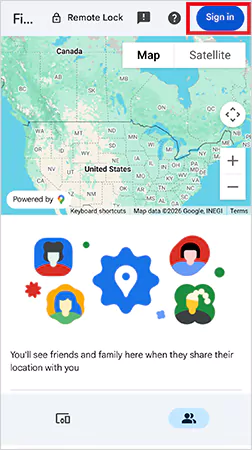
- Now, select the missing device to view its location on the map.
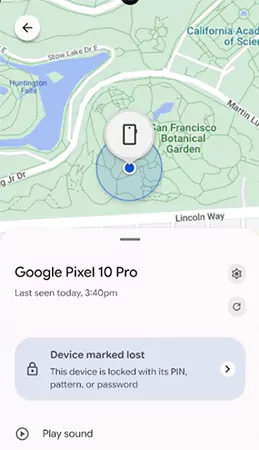
You can also ring the phone, lock the device, erase data remotely, and reset the Android phone when locked. This works best when the Android phone is connected to the internet and location services are enabled.
Most users think special tracking apps are required, but Google’s built-in system is usually enough.
How to Find an iPhone from Android?
Apple also provides a browser-based solution for locating a lost iPhone from Android. You can use Apple’s Find Devices page directly from a browser without needing another Apple device.
- Open any browser on Android.
- Visit Apple’s Find Devices page.
- Sign in using the Apple ID connected to the iPhone.
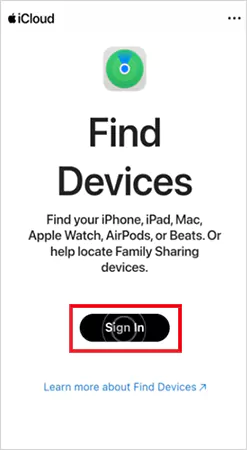
- Select the missing iPhone, and you will be able to view its location on the map.
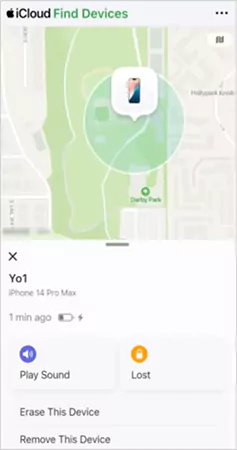
You can also play a sound, enable lost mode, and erase the device remotely. One important thing to remember is that Find My must already be enabled on the iPhone for tracking to work properly.
Privacy Tips Before You Share Your Location
Location sharing is useful, but it also exposes your real-time movement and routine. Here are a few simple precautions you should take to share your location carefully:
- Avoid permanent sharing unless absolutely necessary; temporary sharing is safer for everyday use.
- Regularly review your active sharing permissions and check who can currently view your location.
- Many people forget this completely. Make sure you stop sharing your location after reaching your destination or once the task is complete.
- Never post live location links in public groups or on social media.
Also, use Face ID, passwords, and two-factor authentication. This helps protect your location data if the phone gets lost or stolen.
Final Takeaway
Google Maps is currently the easiest and most reliable way to share location between iPhone and Android. WhatsApp also works well for quick sharing through chats.
The biggest mistake most users make is downloading unnecessary third-party tracking apps. In most cases, Apple and Google’s built-in tools can already handle everything you need. The key is simply knowing which tool fits your situation best.
Frequently Asked Questions
Can Android share location with iPhone?
How do you track an Android phone from an iPhone?
Open Google Find Hub in a browser on the iPhone and sign in using the Google account linked to the Android device.
Can you share the location between iPhone and Android?
Yes. Google Maps supports real-time location sharing between both platforms.
Can you find my iPhone from Android?
Yes, you can open Apple’s Find Devices page from an Android browser and sign in with your Apple ID to locate the iPhone.
How long can I share my live location on Google Maps?
Google Maps allows you to share your live location for a limited time or permanently until you manually turn it off.
Related Posts
How to Fix Black Shadow on Laptop Screens?
A black shadow on laptop screens can look like a Windows glitch, but the shape and location of the dark…
Fixing Broken IP Allowlists With a Dedicated Static Address
IP allowlisting is one of the easiest security controls available. Tell a service to accept connections only from addresses you…
What is DumpStack.log and Can You Delete It in Windows?
If you have noticed a file named DumpStack.log in the root of your Windows drive, you may wonder why it…
How eSIM Fits Into Your Global Travel Itineraries
Multi-country trips can be exciting, but sometimes mobile device data makes it concerning. Whenever you cross a border, there will…

How to Pick the Right Data Structure Before You Build Your Database
Every application that stores information depends on a structure chosen long before the first row of data arrives. That structure…
Standardizing React Component Iconography Across Distributed Product Teams
Creating a common React component library is essentially a losing battle. During a cross-team review, I shared my screen. I…
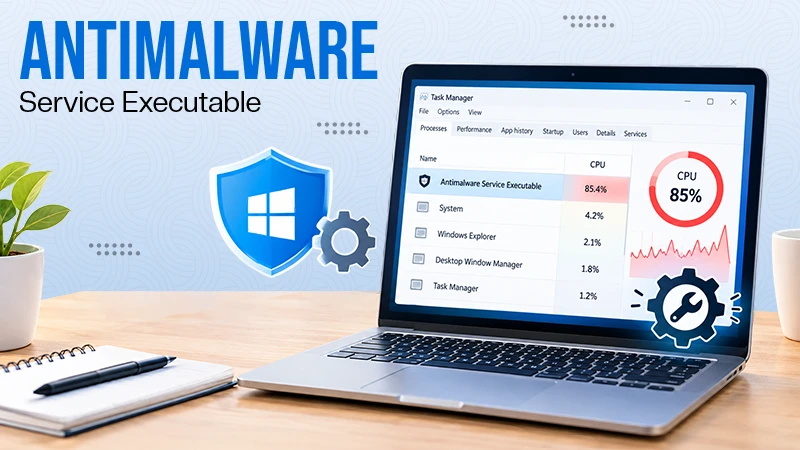
Antimalware Service Executable: What It Is and How to Fix High CPU Usage
You open Task Manager and notice Antimalware Service Executable using a surprising amount of CPU or memory. It may keep…
Keeping Your Website Healthy: A Practical Guide to Long Term Success
Introduction The website may appear to be finished once it is launched; however, making sure that the site remains reliable…
How to Fix the ene.sys Driver Cannot Load Error?
A Windows update can suddenly turn a harmless RGB utility into a startup warning: “A driver cannot load on this…