


HEIC stands for High Efficiency Image Container. It is a modern image format designed to store high-quality photos in smaller file sizes.
What is an HEIC file? A Simple Beginner’s Guide
Have you noticed that when you click a photo on your iPhone, it does not show up as PNG or JPG? It displays HEIC or HEIF. But what is an HEIC file?
Introduced with iOS 11 and macOS High Sierra, HEIC is Apple’s smarter way of storing images. It keeps the same quality as JPEG but uses much less space, which is why it became the default format for Apple users.
The problem is compatibility, since some apps and devices struggle with it. In this guide, you will understand what HEIC format is, why Apple uses it, and when you should convert it.
Key Takeaways: What is the HEIC File Format?
- HEIC is a file format that can store high-quality images in almost half the size of JPG.
- HEIC is a container format, which means it can store multiple images, edits, and metadata in one file.
- JPG is still the most compatible format, widely used for sharing, websites, and social media.
- HEIC delivers better compression and quality retention than JPG, but requires more processing power.
What is an HEIC file?
So, what is an HEIC file? Well, it is a modern image format used mainly on Apple devices like iPhones, iPads, and Macs. It stands for High Efficiency Image Container.
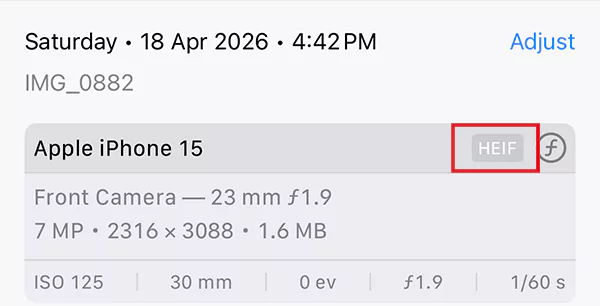
You get the same photo quality in almost half the size of a JPG. But here’s what most people don’t realize. HEIC is not just one photo. It can store:
- Multiple images (like Live Photos).
- Edits and versions.
- Metadata like time, location, and settings.
That’s why when you edit a photo on iPhone, you can still go back to the original. The file already has everything saved inside it.
HEIC/HEIF comes from technologies developed by the Moving Picture Experts Group, and Apple adopted it in 2017. Do you recall when everybody used to complain about the storage issues on iPhones? So, it was a natural shift as camera quality improved and storage became a bigger concern.
Why Apple Uses HEIC Format for Photos?
Apple did not switch formats for fun. It solved a real problem: too many high-quality photos, not enough storage. Here’s what HEIC actually fixes:
- It can store up to 2x more photos in the same place.
- It keeps better color and detail than JPG.
- It supports features like Live Photos and burst shots.
- It is built on modern compression, not 90s tech.
Smartphone cameras improved massively, but JPEG did not. HEIC is the solution and the bridge to that gap.
It helps to free up disk space on Macs, iPhones, and other devices. So instead of compromising between quality and storage, you get both. This file format is built for how we shoot today.
HEIC vs JPG vs PNG: What is the Difference?
Now that I have answered, “What is an HEIC image?”, let’s compare HEIC with JPG and PNG. Here’s a practical breakdown to give you more helpful insights:
| Feature | HEIC | JPG | PNG |
| File Size | Very small | Medium | Large |
| Image Quality | High with efficient compression | Good, but loses detail on compression | Perfect (no loss) |
| Color Depth | Up to 16-bit | 8-bit | 24-bit |
| Editing Flexibility | High | Low (quality drops on edits) | Medium |
| Metadata Storage | Advanced (stores edits, layers, data) | Basic | Basic |
| Compatibility | Limited outside the Apple ecosystem | Universal | Universal |
| Best For | Modern photography and Apple users | Sharing, uploading, social media, etc. | Design, UI, logos, etc. |
The smart way is not to pick one format. Switch formats based on your needs. It’s not about which format is best, but where the image is going.
HEIC Files: Pros and Cons
HEIC is technically better, but it might not be practical in some situations. Here’s a quick look at the benefits and limitations of the format:
Pros
- Takes less storage.
- Maintains high image quality with better colors.
- Stores multiple images, edits, and data in one file.
- Keeps the original photo intact.
Cons
- Not supported everywhere (especially older Windows systems).
- Can cause issues while uploading or sharing online.
- Slightly heavier for older devices to process.
How to Open a HEIC File?
This depends on your device, and there is no need to overcomplicate it. If you have a Mac or iPhone, it works automatically. Just open it like any other photo.
On Windows, people may struggle a bit. But you can easily install HEIF Image Extensions from the Microsoft Store. Then open the file using the Photos app.
If nothing works or you are using any other device, just upload the HEIC photo to Google Drive or open it in a browser. You can even convert it to JPG. And if you regularly switch between devices, relying only on HEIC will slow you down.
How to Convert HEIC to JPG or PNG?
You don’t need fancy tools to convert HEIC format to JPG or PNG. Built-in options are enough for most cases.
- On Mac:
- Right-click on the HEIC file.
- Go to Quick Actions > Convert Image.
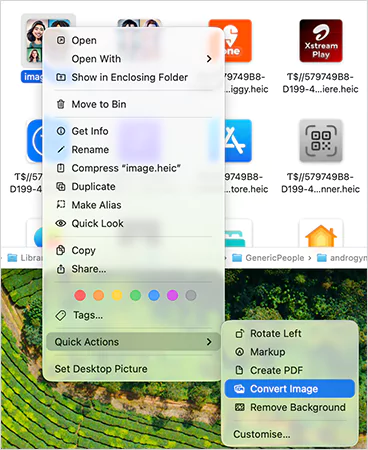
- Choose JPEG or PNG.
- Adjust the size (if required) and just convert it.
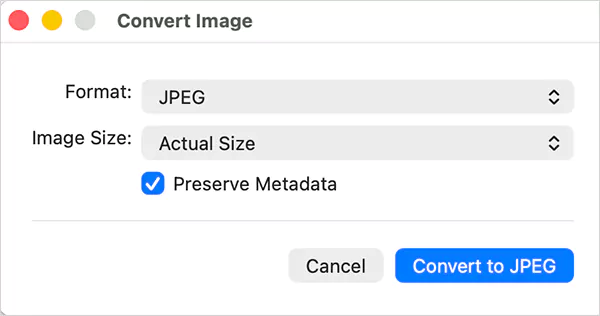
This is the cleanest method because it preserves quality and gives you control over file size.
- On Windows
- Install HEIF Image Extensions.
- Open the file in the Photos app.
- Just click on Save As and then JPG.
- Online:
This is the fastest method for quick use. Just go to an online converter tool, upload your HEIC file, choose JPG or PNG, and download it. Most tools support batch conversion, so you can convert multiple images at once.
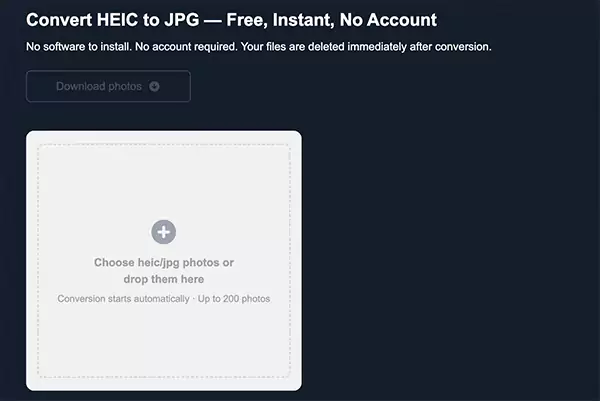
Pro Tip: If you transfer photos from an iPhone to another device, they often auto-convert to JPG. So, before doing manual work, check if it is already done.
Conclusion
I hope you now understand “What is a HEIC file?”; it is clearly the smartest format. It offers better compression, better quality, and more flexibility.
But it is not perfect yet because of the compatibility issue. So, keep HEIC for storage and personal use. And convert to JPG when sharing or uploading. This one simple habit can solve almost every issue people face with HEIC.
Frequently Asked Questions
What does HEIC mean?
How do I open a HEIC file on my computer?
On Apple devices, it opens automatically. On Windows, you may need to install HEIF extensions first, then open the file using the Photos app.
What is the HEIC file type?
It is an image file format based on HEIF, designed to store compressed photos along with extra data like edits and metadata.
What are HEIC files used for?
HEIC files are mainly used by smartphones (especially iPhones) to store photos efficiently while maintaining high quality.
Should I convert HEIC to JPG?
Yes, but only when required. HEIC is better for storage, but JPG is more widely supported across apps, websites, and devices.
Related Posts
How to Delete a File That Won’t Delete in Windows?
Deleting a file should be simple, but sometimes Windows refuses to remove it. You may see messages saying the “folder…

What Should Businesses Do After Recovering From a Major Data Loss?
Businesses nowadays have entered a new level in terms of storing data, leading to a completely new structure. Customer service,…

How to Protect Your Files From Unexpected Data Loss
Imagine you opened your device and suddenly found out that all the important files are not there. Sounds scary, right?…
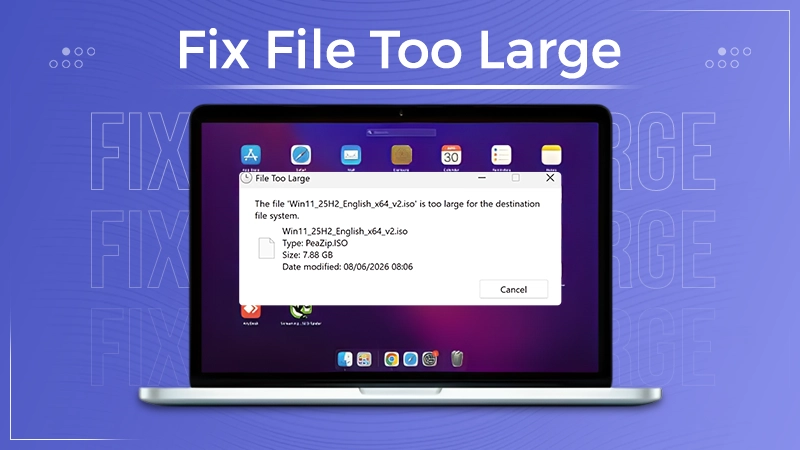
How to Fix “File Too Large for Destination File System” on Windows?
Have you ever tried copying a large file to a USB drive or external hard disk, and Windows stopped the…
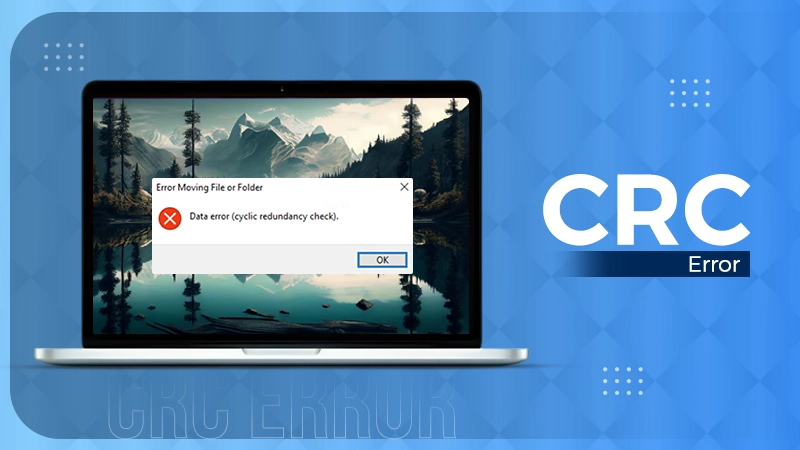
What is a CRC Error? Meaning, Causes, and How to Fix It
A CRC error can appear when you are copying files, opening a folder, extracting an archive, or accessing a storage…
What is an MKV File? Meaning, Uses, and How It Works
You can often identify a video file by its extension. MP4 is the most common, AVI is an older format,…
Symbolic Links in Windows: A Complete Guide to Creating Symlinks
Have you ever wished to keep a file or folder in one location while making Windows think it exists somewhere…
Data Recovery in 2026: How to Restore Lost Files From Phones, PCs, and Cloud…
Alt: Old Hard Disk Drives Nearly one-third of all data loss is caused by accidental deletion, hardware failure, or a…

How to Evaluate an SEO Agency’s GEO Capabilities Before Signing a Contract
Is SEO outdated? No, it has actually just changed or updated into other forms, such as GEO. The major question…